Trusted by teams at












Founded by the creator of Kontra Application Security Training.
AI security From the first prompt to autonomous agents
Hands-on exercises for every employee who uses AI tools, and deeper tracks for the engineers building with LLMs, agents and MCP. Compliance teams get the EU AI Act.
See how AI security training works
For every employee
Application security for developers
Five hands-on tracks in a simulated workstation. Exploit a real bug on the surface your team actually ships, then write the fix yourself.
$ login --user admin password: [ok] authenticated 1,284 rows exfiltrated
A single quote in a lookup form empties the customer table.
                  // concatenated input

                    query(`... id = ${id}`)
                    ✗

                  // parameterized

                    query('... id = ?', [id])
                    ✓
Bind user input as a parameter and the quote stays data, never code.
$ GET /api/trips/50318 retry: 200 OK · rider_id 8814 another rider's receipts
Change one id in the path and the API hands over another rider’s trips.
                  // authenticated, not authorized

                    return db.trip(req.params.id)
                    ✗

                  // check the object owner

                    if (trip.riderId !== me) return 403
                    ✓
Authentication proves who is calling. Only an owner check proves they may.
$ git log --all -p grep: commit 9f8e7d6 live key, deleted at HEAD
The key is gone from HEAD and still live three commits back.
                  // removed in a later commit

                    git rm config/secrets.js
                    ✗

                  // rotate first, then rewrite

                    git filter-repo --invert-paths
                    ✓
Rotate the credential first. A history rewrite alone does not un-leak it.
$ docker history checkout-api:1.4.2 layer: sha256:9c1f4e7a · 184 MB secret readable in the layer
Anyone who can pull the image can read the layer that built it.
                  // baked into the image

                    ENV STRIPE_KEY=sk_live_...
                    ✗

                  // mounted, never committed

                    RUN --mount=type=secret,id=stripe
                    ✓
A BuildKit secret mount lets the build read a value it never stores.
$ aws s3 ls --no-sign-request bucket: 4,102 objects listed patient exports downloadable
A support note names the bucket, and the bucket answers anonymously.
                  // public read on the bucket

                    Principal: "*"
                    ✗

                  // block public access, scope the reader

                    Principal: cloudfront-oac
                    ✓
Block public access, then let one named reader through the front door.
Covers the languages your team ships in
The vulnerable code and its fix are shown in the language your developers work in every day.
- JavaScript
- TypeScript
- Java
- C#
- Python
- Scala
- PHP
- Ruby
- Go
- Kotlin
- Secure-coding practice for injection, broken access control, XSS, CSRF, and SSRF
- Exploit and remediation side by side, so developers leave knowing the fix
- Built for engineering teams in PCI DSS 6.2 and secure-coding programs
Phishing simulations
Test your workforce against realistic phishing attacks delivered through direct mailbox injection. Track the full funnel from delivery to credential submission, and auto-assign targeted training to employees who click.
- M365 and Google Workspace direct injection bypasses spam filters
- Outlook and Gmail reporter buttons capture real-time employee reports
- Full-funnel analytics: delivered, opened, clicked, credentials, reported
- Auto-remediation assigns exercises to employees who fail simulations
- Smishing add-on runs the same test over SMS, where no email gateway filters the lure
Inside the phishing add-on
Real screens from the admin console.
-
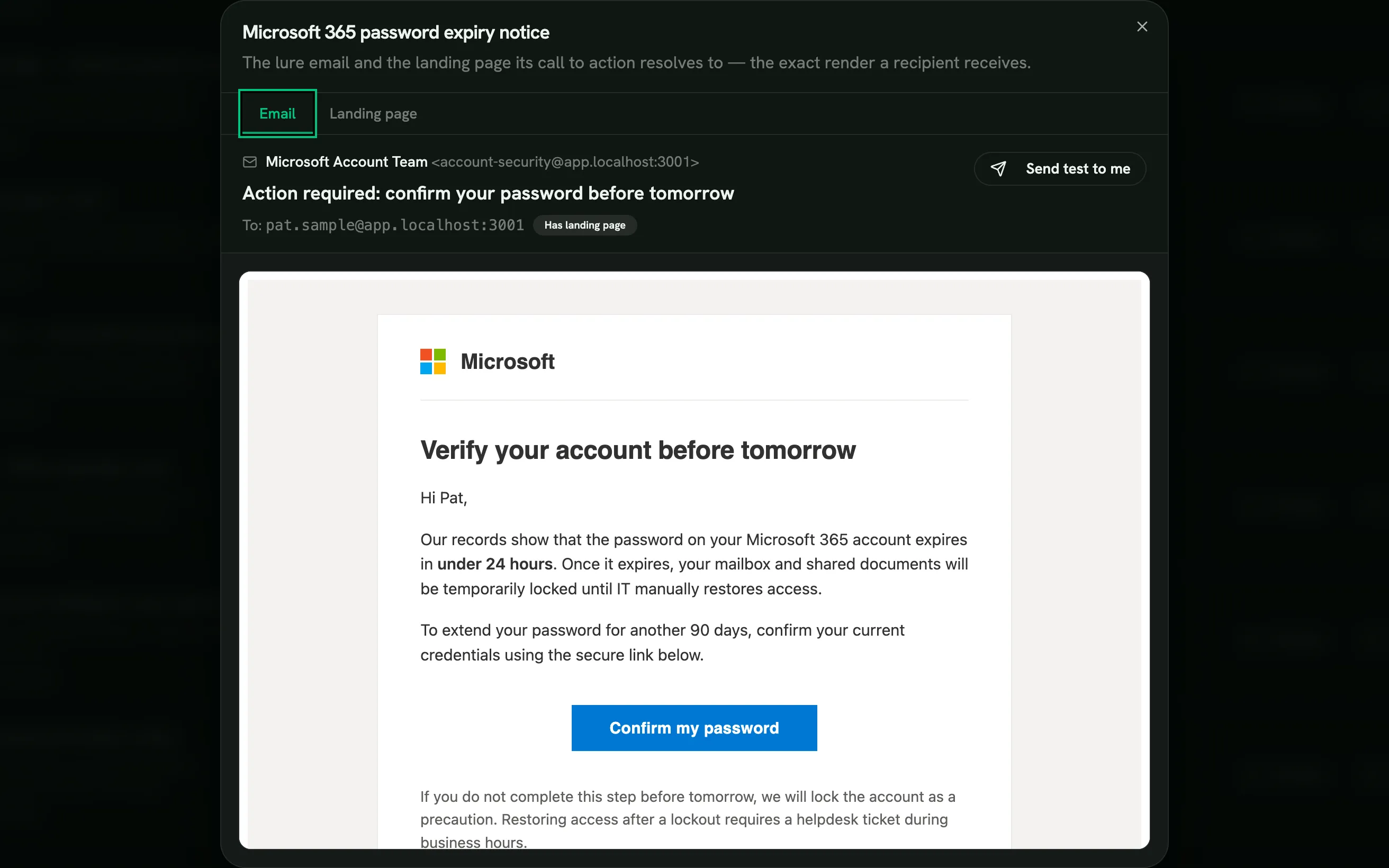
Lure library with a live email preview Templates -
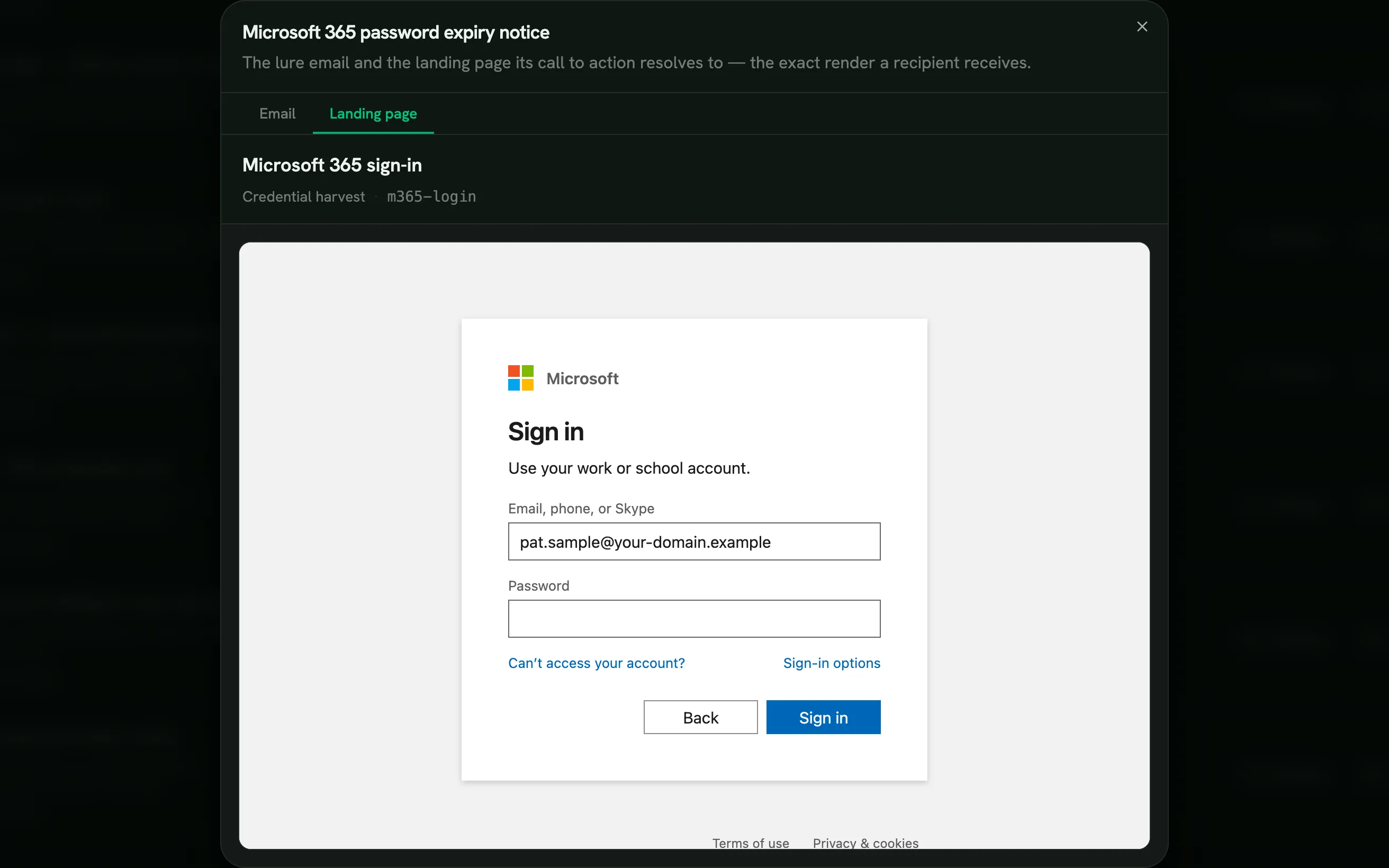
The page a click lands on Landing pages -
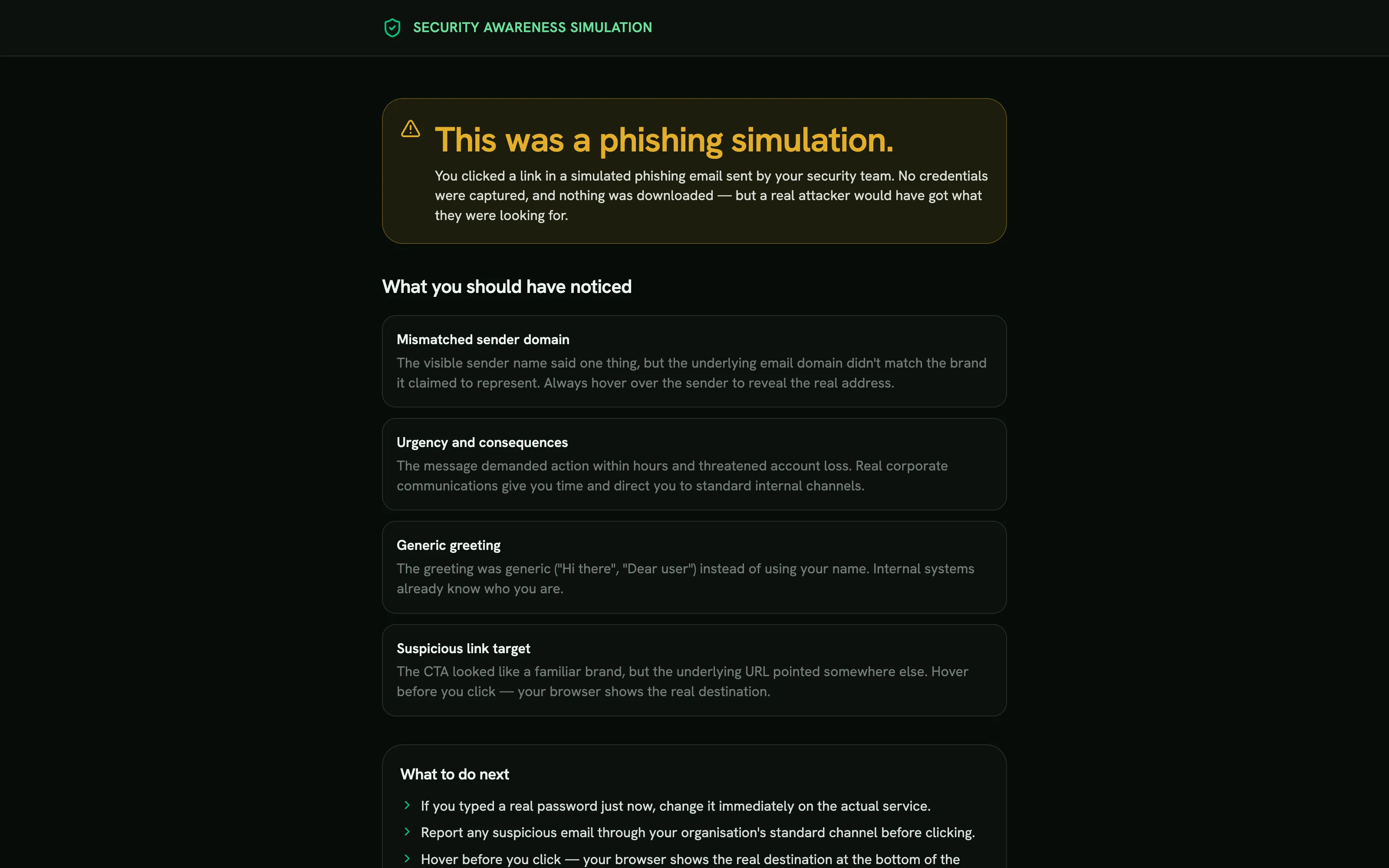
What they learn right after the miss Teach-back -
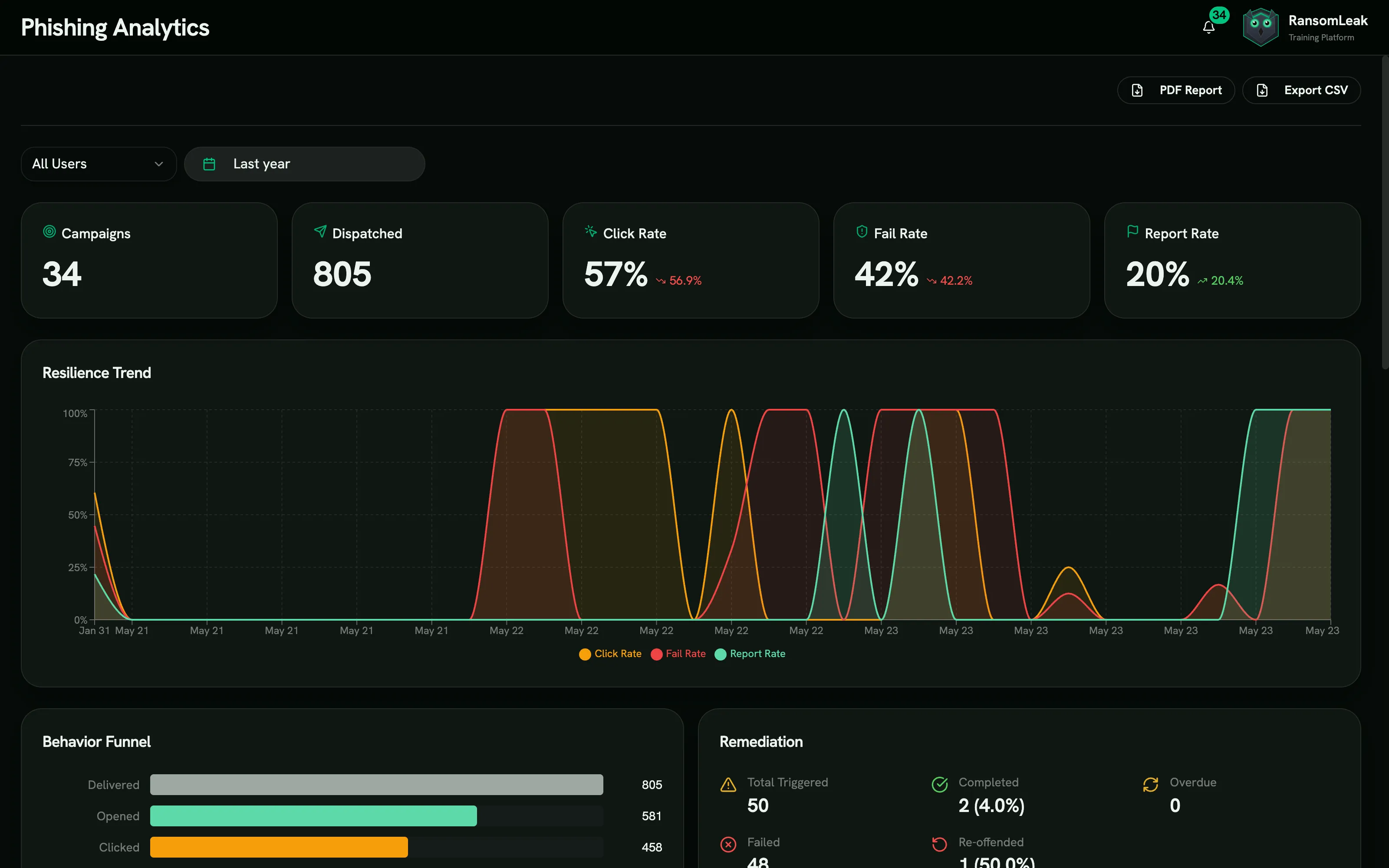
Funnel and trend across every campaign Analytics -
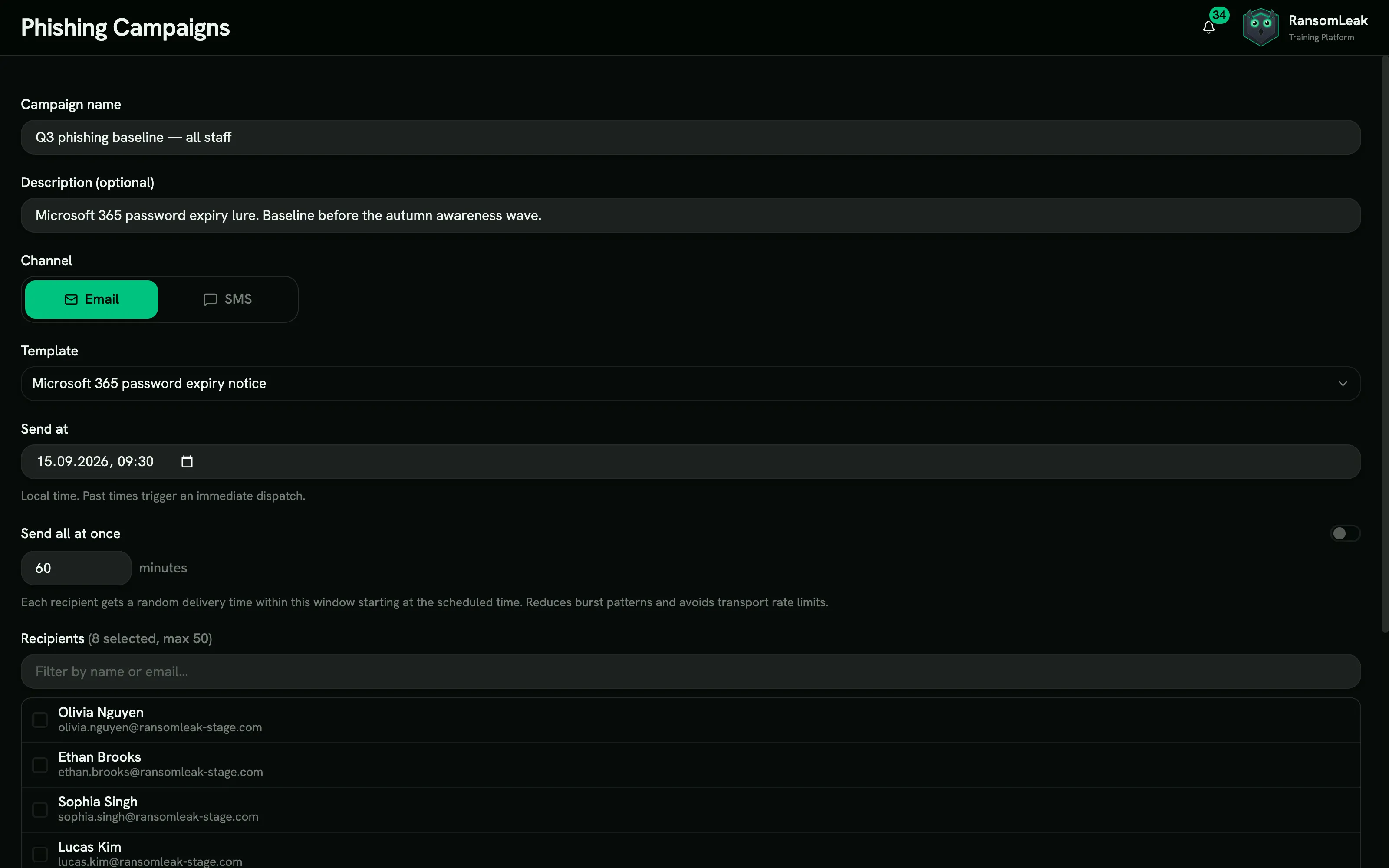
Sends spread across a delivery window Campaigns


Human risk management
Every employee gets a 0 to 100 risk score you can trace back to the events behind it. Rules then assign training to the people who need it. Included in every plan.


- A score per person, 0 to 100 Built from simulation and drill outcomes, phish reports, training status and a baseline assessment that finds each person’s knowledge gaps in two-minute weekly check-ins. Recent behavior counts most, and everyone lands in a Low, Moderate, High, or Critical band.
- Every score shows its work Open any score to see its five weighted sub-scores and the events behind it. Managers and admins can trace any number to the exact simulations, reports, and lessons that produced it. No dark web, no profiling.
- Bring your own signals and data Push risky sign-ins, SOC alerts, and privilege flags from your SIEM, identity provider, or a script over a REST API, or upload a CSV. Define custom signal types for anything the catalog misses, and dry-run every import before it lands.
- Warnings in the browser A free Chrome and Edge extension warns people on look-alike sites, new domains and risky consent screens, offers a 60-second lesson, and feeds what they chose into the score.
- Rules act on the score Auto-enroll remediation the moment someone crosses a threshold and alert their manager. Dry-run every rule first, with an audit log and a kill switch.
Inside the platform
The control room your security team signs into. Built to ship training, prove it ran, and hand receipts to an auditor.
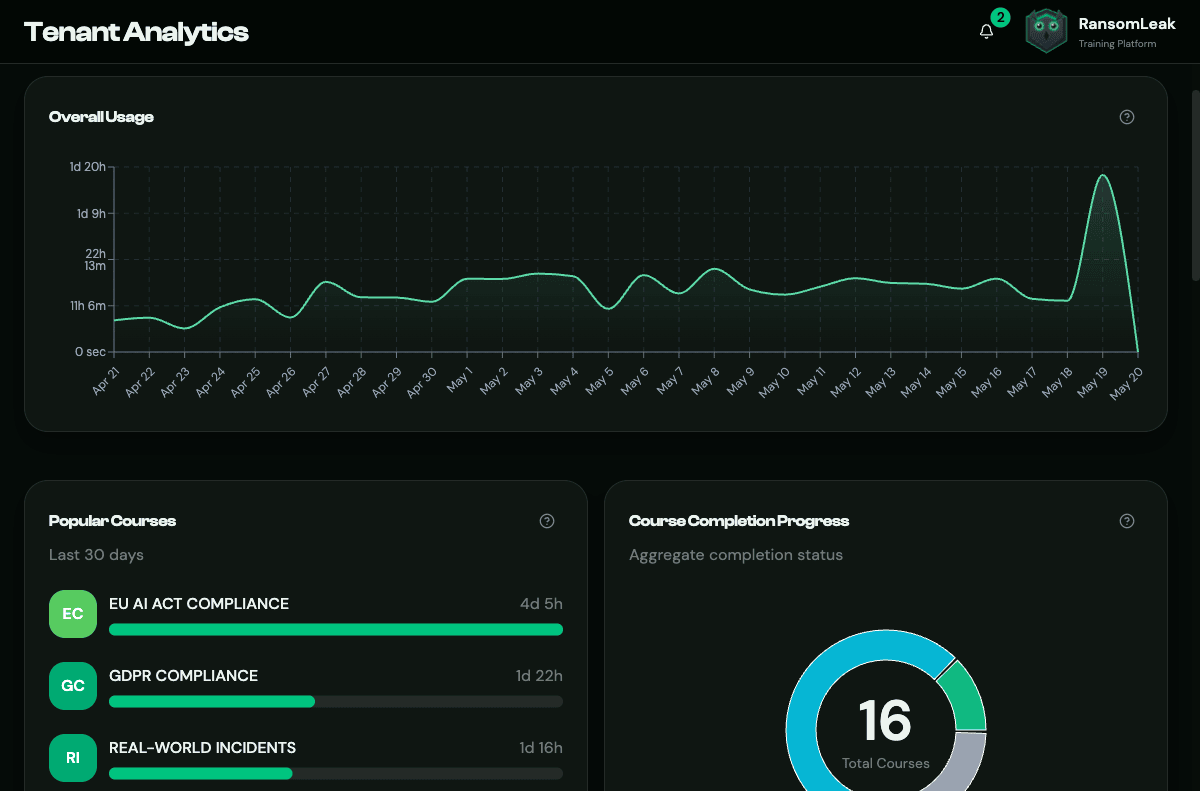
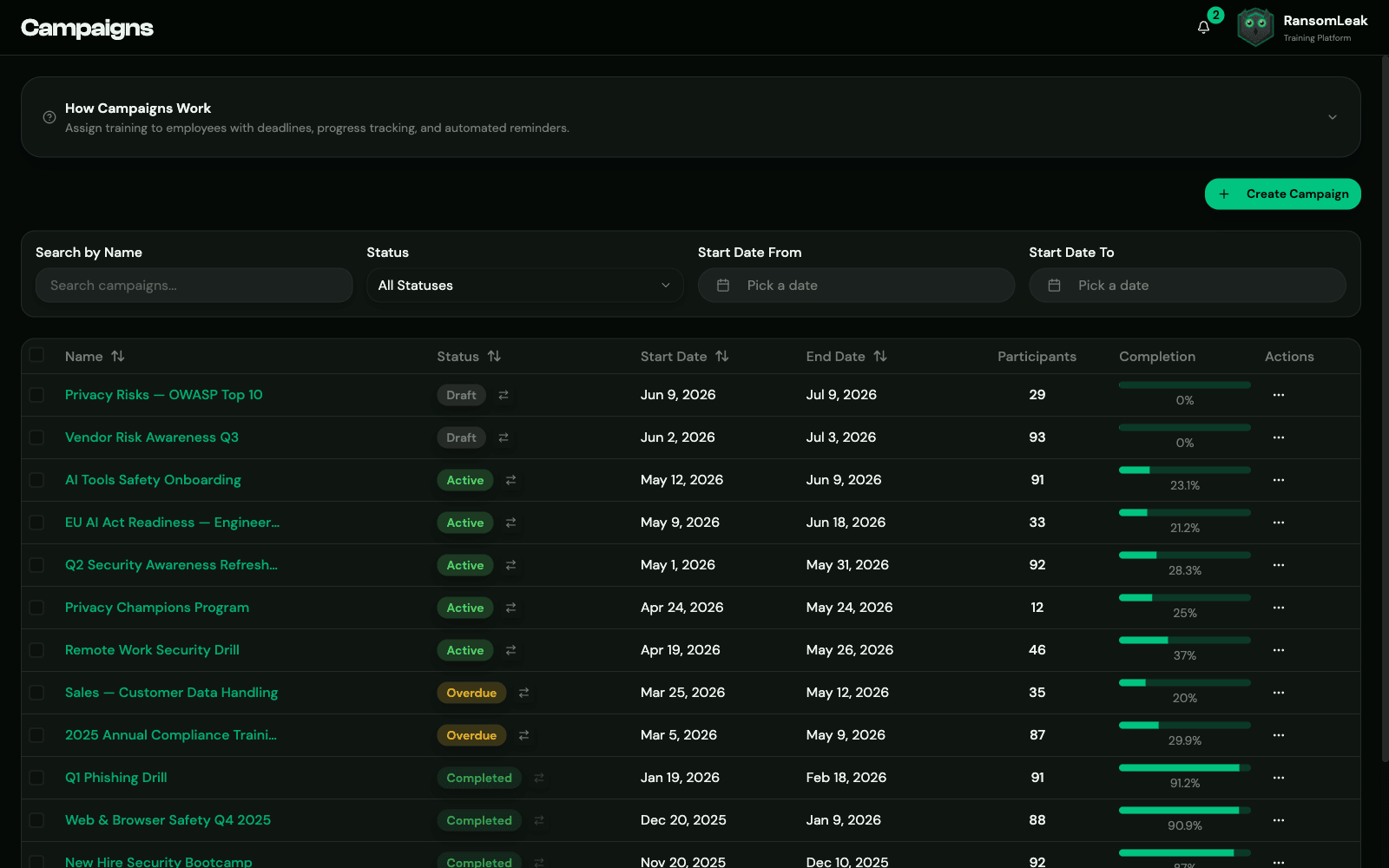
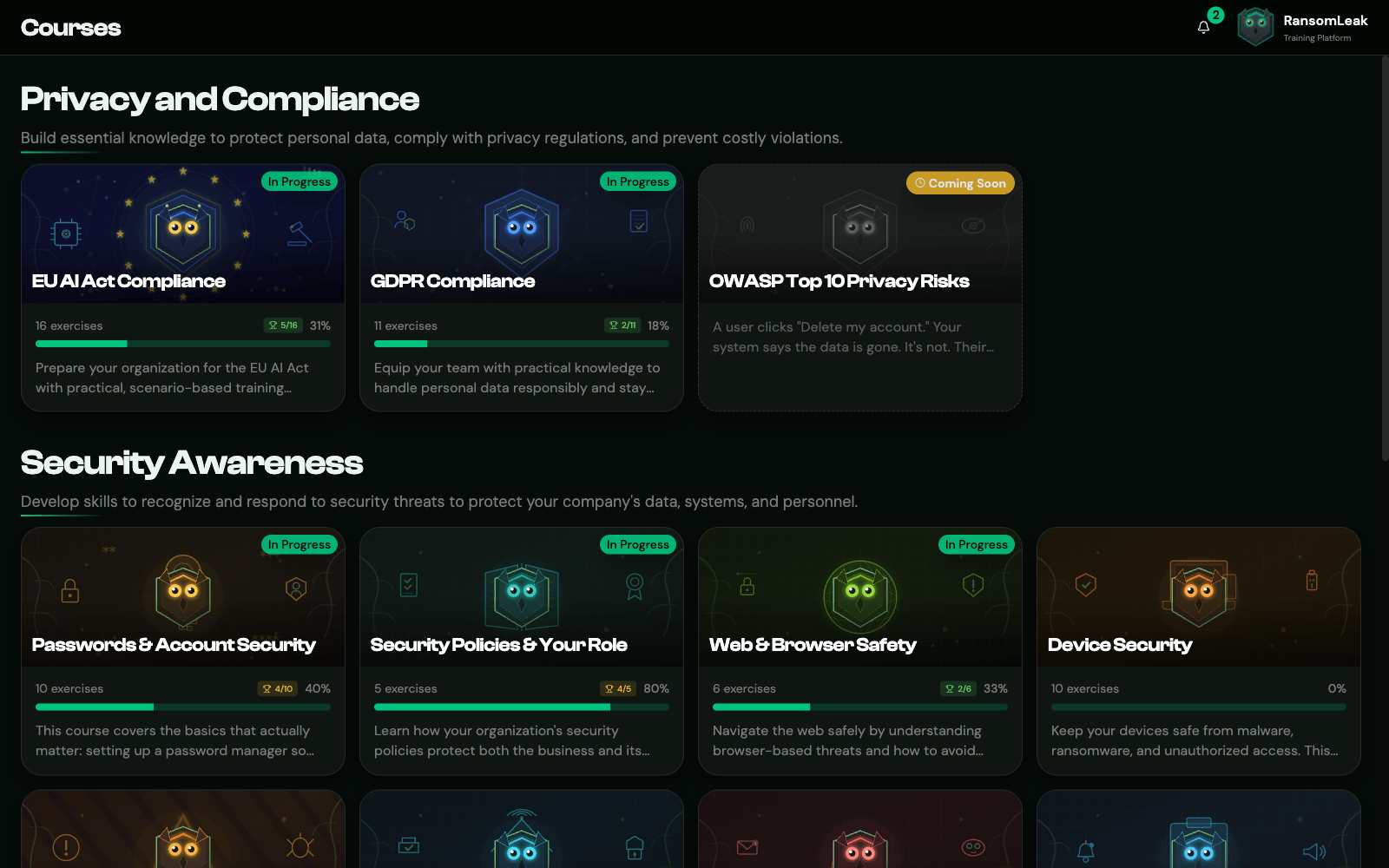
-
See human risk move, in real time
Tenant-wide time-spent, average per user, and active-campaign rollups update the moment a learner finishes. Filter by user, team, or date range without leaving the page.
- Daily activity timeline with rolling windows
- Active and recent campaigns at a glance
- Slice by team, role, or individual
-
Plan training waves end to end
Set deadlines and grace periods, target by team or role, and let automatic reminders chase the stragglers.
- Recurring rollouts with deadline extensions
- Auto-escalation to managers when at risk
- Recognition windows that backfill prior completions
-
Training employees can find and finish
A clean catalogue, visible progress, and certificates issued the moment a course is done. Multilingual support so every employee learns in the language they think in.
- Self-serve enrolment with clear progress
- Automatic certificate issuance
- Multilingual learner experience
-
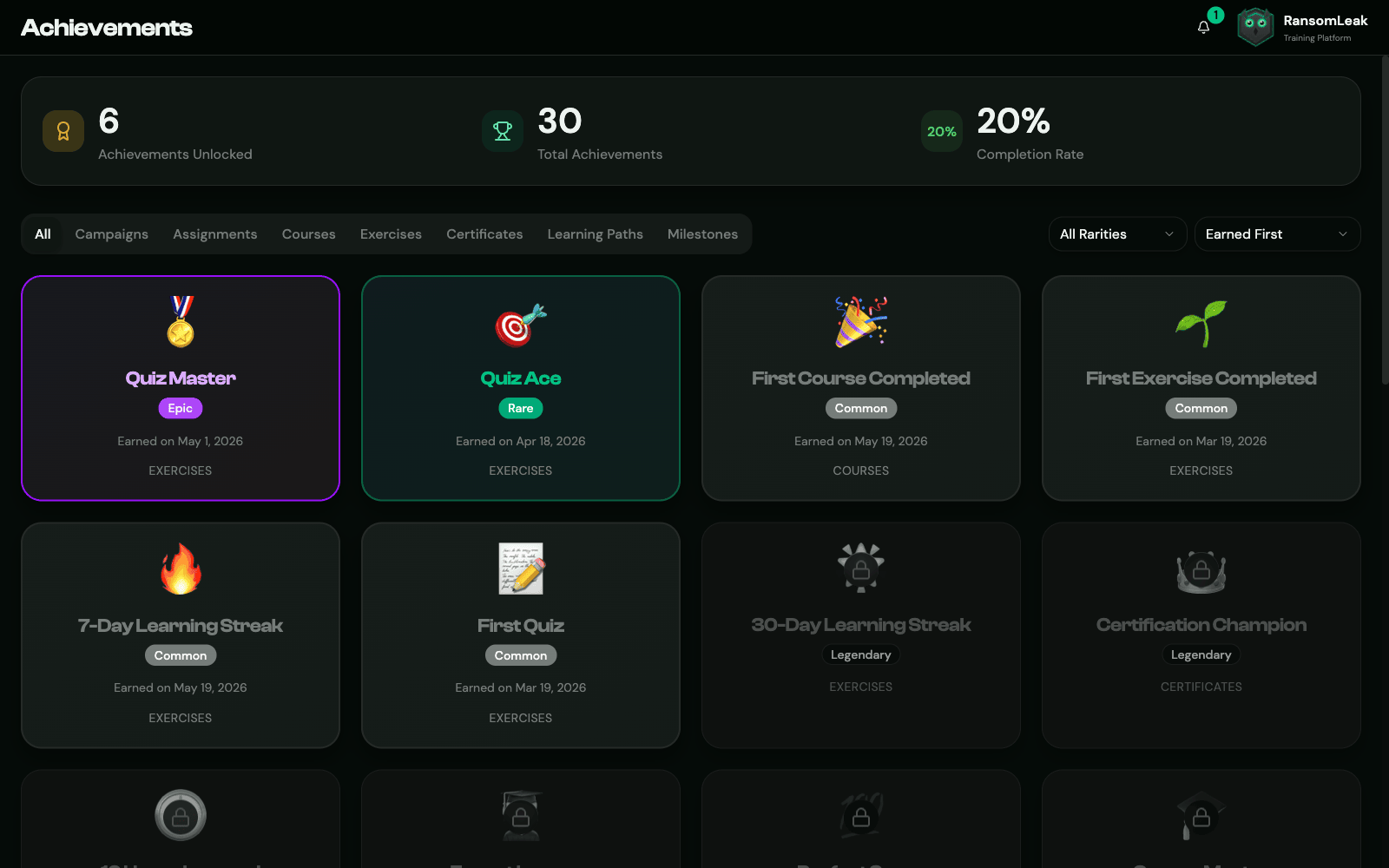
Streaks that bring learners back
Achievements with rarity tiers and a daily streak counter give learners a reason to return before the next deadline.
- Achievements unlocked across the learner journey
- Rarity tiers that make milestones feel earned
- Daily streak counter learners protect on their own
-
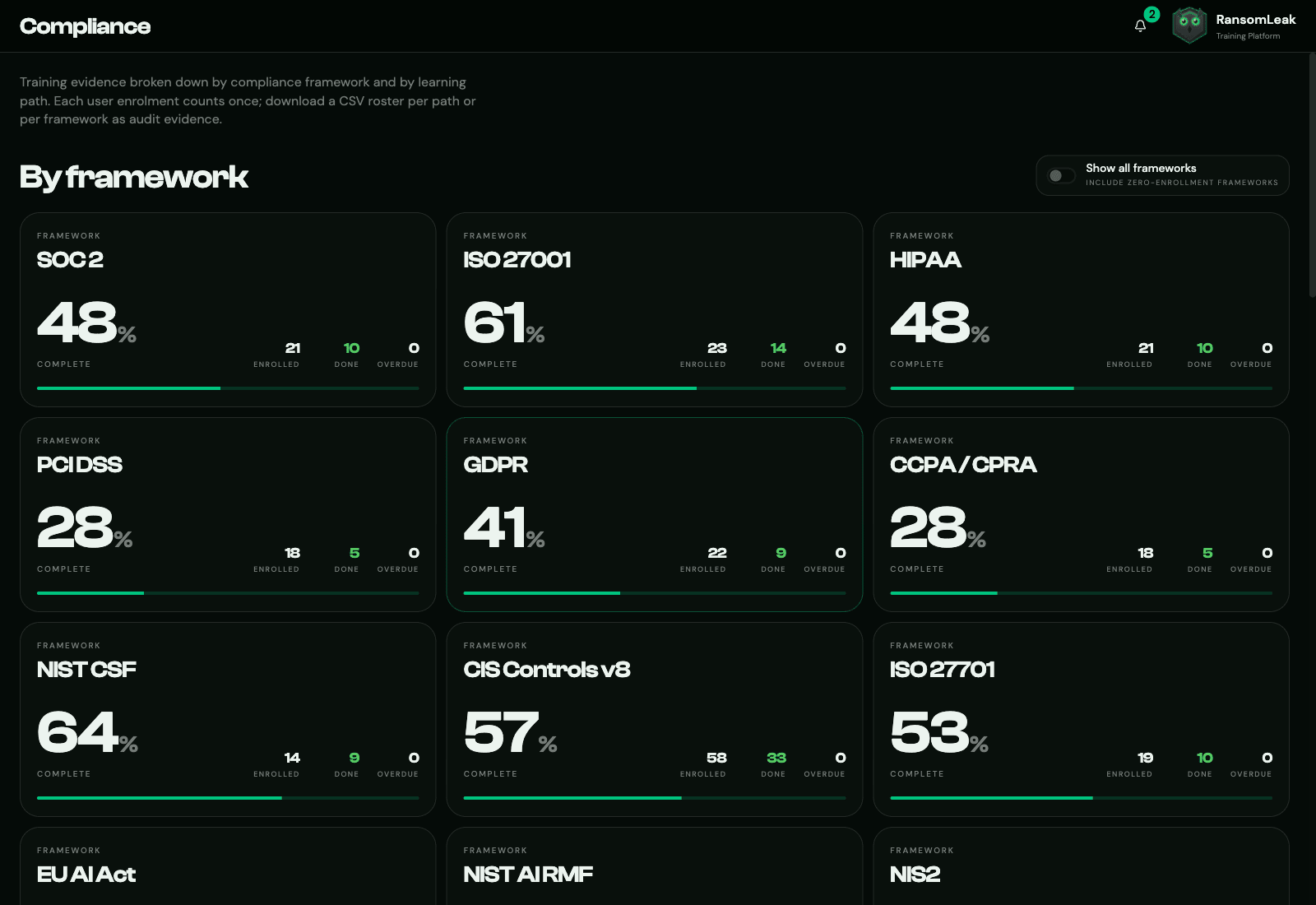
Framework-mapped evidence, on demand
Every completion maps to the controls it satisfies. SOC 2, ISO 27001, HIPAA, NIST CSF, and 21 more, all live.
- 25 frameworks mapped out of the box
- Per-framework completion percentages
- Vanta and Drata streaming integrations
-
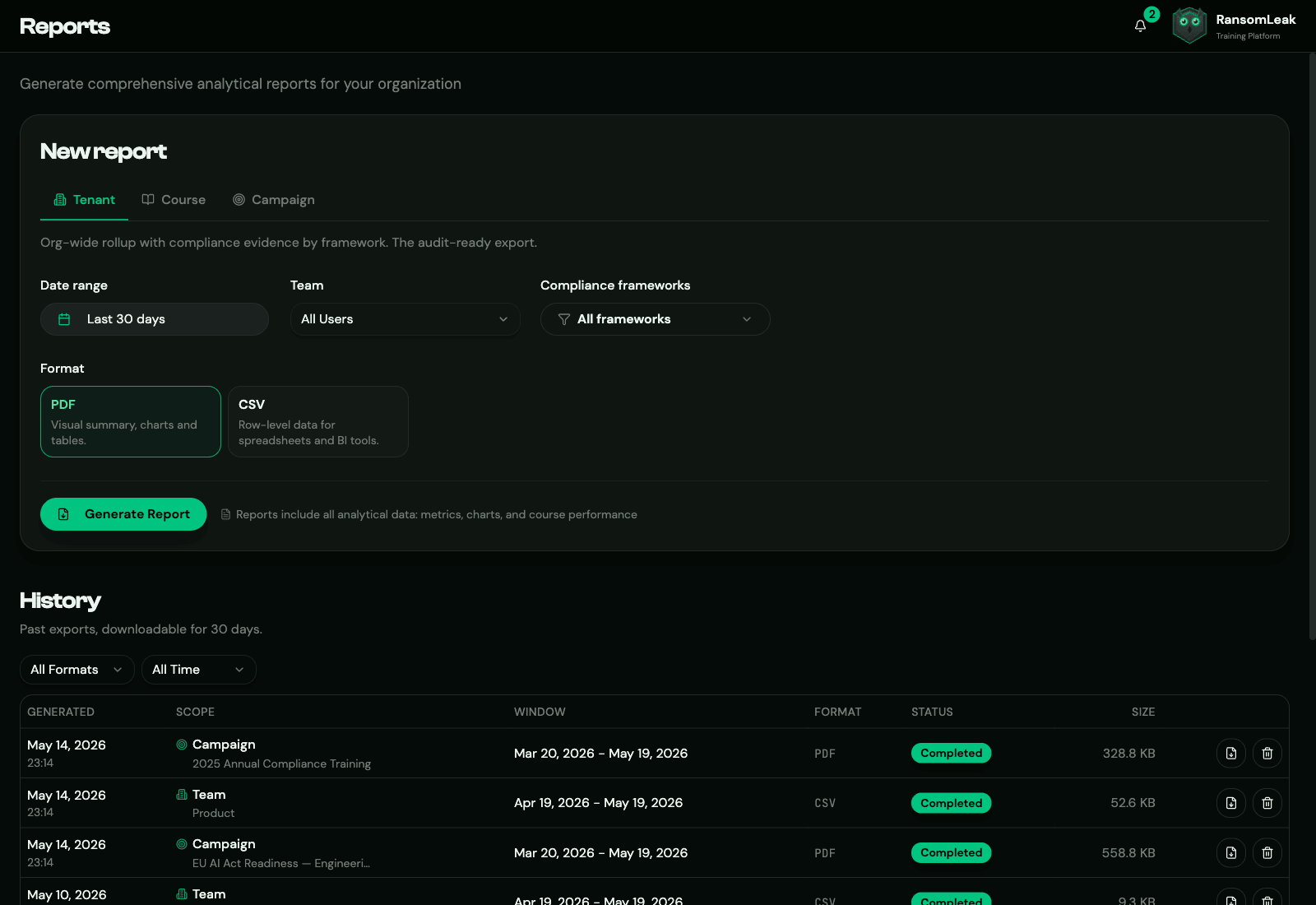
Auditor-ready exports in one click
Tenant, course, or campaign reports. Filter by team and pick from 25 compliance frameworks. PDF or CSV.
- Filter by team and framework before export
- Scheduled monthly delivery to GRC inboxes
- Per-user and per-cohort report formats
-
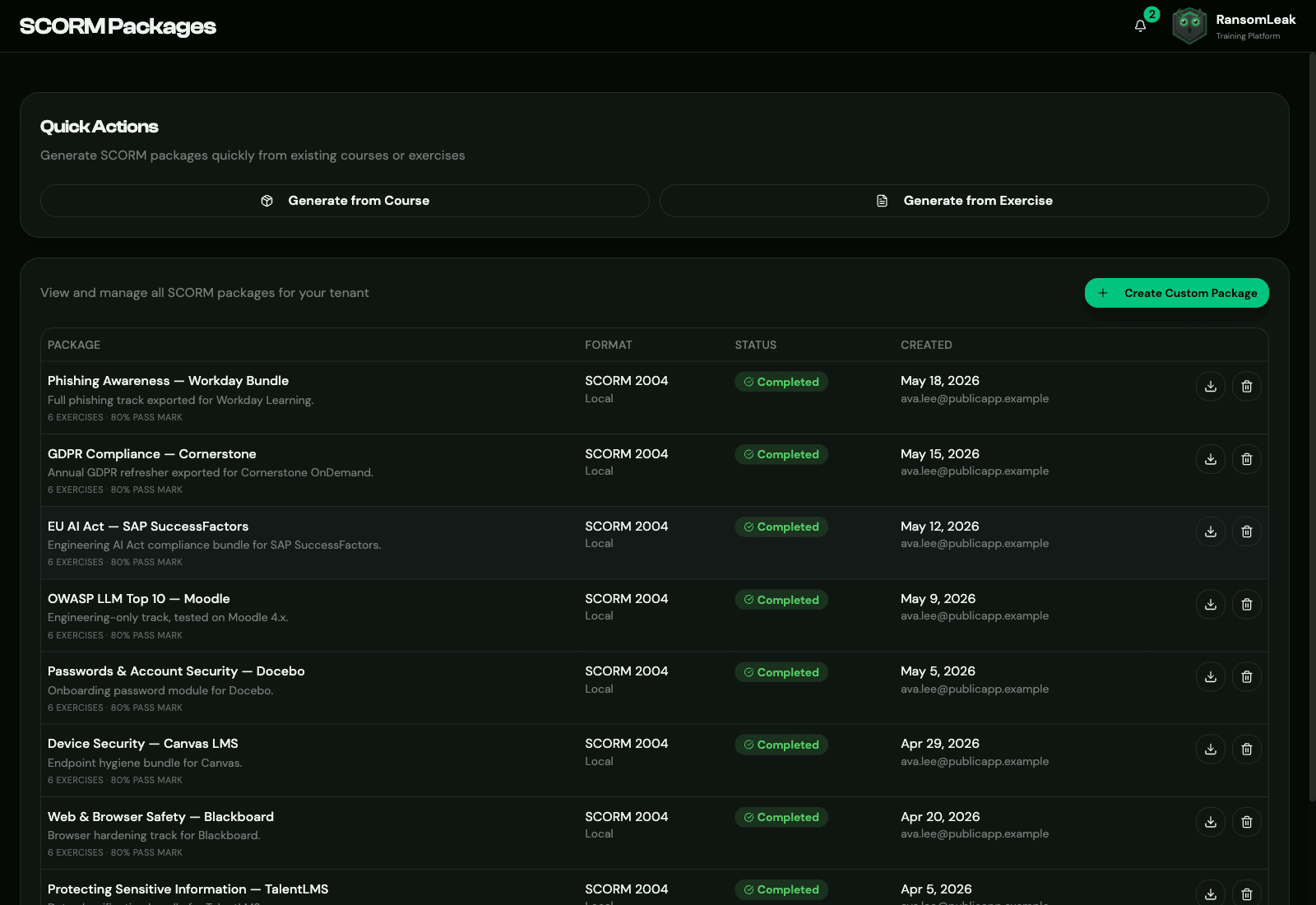
Ship every exercise via SCORM or LTI
Export any course as a SCORM 1.2 or 2004 zip, or launch it in your LMS over LTI 1.3. Instructors deep-link the exact exercise, course, or path, and completion and scores post back automatically. Works with Workday, Cornerstone, Moodle, Canvas, and more.
- One-click SCORM export, or an LTI 1.3 launch
- Deep linking, grade passback (AGS), and roster sync (NRPS)
- Tested across 50+ enterprise LMS platforms
Built for enterprise IT
What your identity, LMS and security reviewers will ask about, on one sheet.
See all features- Identity and access
- Your IdP or HRIS
- RansomLeak
- Employee account


-
Sign in with your IdP and provision people straight from your directory or HRIS.
- SAML 2.0 and OIDC SSO
- SCIM 2.0 provisioning
- MFA
- Role-based access control
- IP allowlisting
- Delivery
- RansomLeak
- Your LMS, Slack or Teams
- Completion posted back


-
Run training in our LMS, push it into yours, or send it to where people already work.
- RansomLeak cloud LMS
- SCORM 1.2 and 2004
- LTI 1.3 with grade passback
- Lessons in Slack and Teams
- Data and hosting
- Training events
- RansomLeak, US or EU
- Your SIEM

-
Pick where the data lives, stream events to your SOC and put your own brand on it.
- US or EU region
- Dedicated private cloud
- On-premises install
- SIEM export to Splunk, Datadog and Sentinel
- White-label tenant
Talk to us about your rollout
Tell us your team size, your LMS and the frameworks you report against. We will show you the exercises, campaigns and reports that fit.