Фішингові симуляції
Виміряйте, як ваші працівники реагують на фішингові атаки, і закрийте прогалини цільовим навчанням. Доставка напряму в поштову скриньку обходить спам-фільтри. Кнопки повідомлення фіксують поведінку співробітників у реальному часі. Автоматичне коригувальне навчання призначає відповідні вправи саме тим, кому вони потрібні.
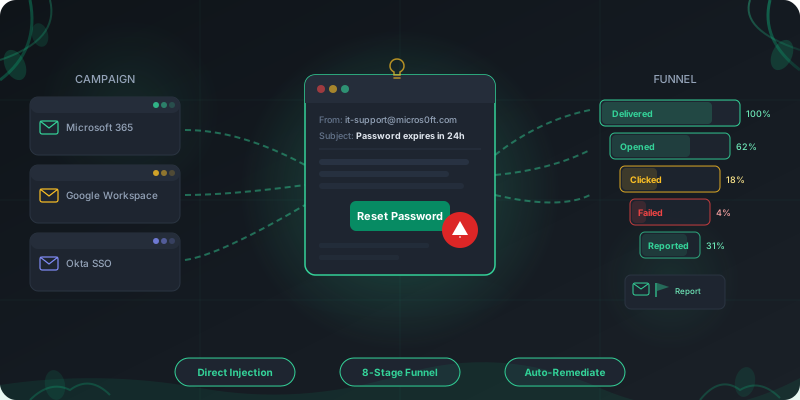
Як працює навчання на фішингових симуляціях
Від налаштування кампанії до коригувального навчання — увесь процес відбувається на одній платформі.
Налаштуйте кампанію
Оберіть шаблони за типом атаки та складністю (1–5). Задайте вікно надсилання, додайте випадковий розкид у часі, щоб поштовий шлюз не обмежував трафік, і виберіть цільові групи за відділом, роллю чи профілем ризику.
Доставте напряму в скриньку
Листи потрапляють у скриньки співробітників через M365 Graph API або Google Workspace. Жодних змін MX-записів, жодних проблем зі SPF/DKIM. Повідомлення надходить так само, як справжній фішинговий лист, що вже оминув периметрові фільтри.
Відстежуйте всю воронку
Стежте за кожним етапом: доставлено, відкрито, клікнуто, введено облікові дані, відкрито вкладення, надано доступ OAuth, отримано відповідь на BEC, повідомлено. Фільтр сканерів поштової безпеки відділяє бот-трафік Mimecast/Proofpoint від справжніх кліків людей.
Призначайте навчання автоматично
Співробітникам, які клікнули або ввели облікові дані, автоматично призначається навчальний шлях із налаштовуваним дедлайном і пільговим періодом. Тригери м’якого провалу роблять цей досвід навчальним, а не каральним.
Управління кампаніями, розраховане на масштаб
Плануйте, націлюйте та контролюйте фішингові кампанії по всій організації з одного дашборда.
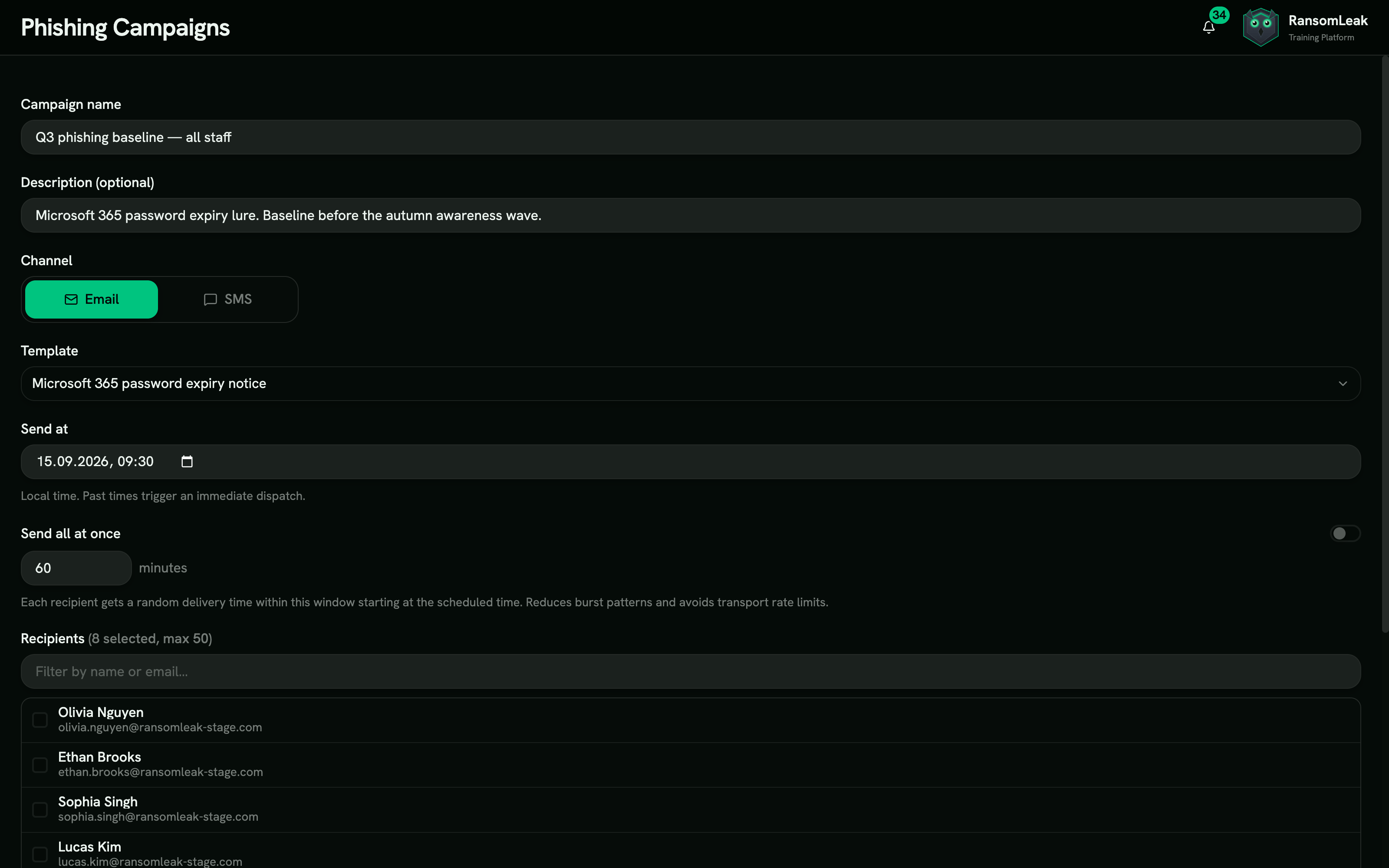
Розклад і вікна надсилання
Задавайте точні вікна доставки з випадковим розкидом у часі, щоб листи надходили поступово, а не підозрілою хвилею. Дата в минулому запускає негайне надсилання для разових перевірок.
Вибір аудиторії
Обирайте отримувачів за відділом, локацією, керівником, оцінкою ризику чи власними атрибутами. Проводьте A/B-тести тем листів, щоб з’ясувати, які типи атак дають найвищу частку кліків у вашій організації.
Перемикач видимості для керівників
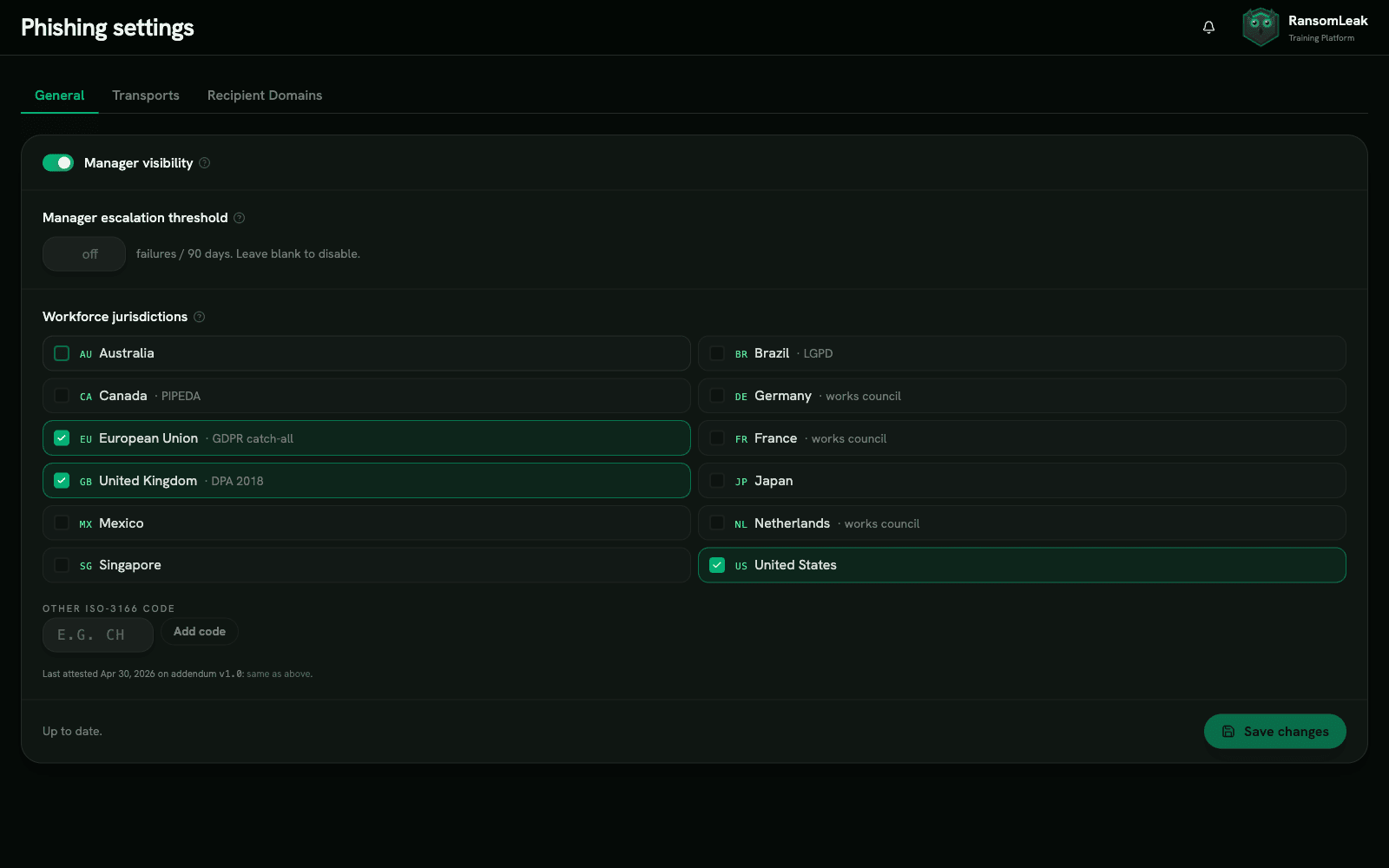
Дайте керівникам доступ до результатів їхніх прямих підлеглих із налаштовуваними порогами ескалації. Коли команда перевищує поріг частки кліків, керівник отримує сповіщення автоматично.
Майстер онбордингу з 4 кроків
Підпишіть додаток про активацію, підключіть транспорт M365 або Google Workspace, підтвердьте домени отримувачів через DNS TXT-запис і запустіть тестову кампанію. Першу кампанію можна запустити того ж дня.
Бібліотека шаблонів на основі реальних атак
Відтворюйте атаки, які ваші співробітники справді отримують, або клонуйте шаблони й створюйте власні.
Створюйте та налаштовуйте
Використовуйте підібрану бібліотеку як є, клонуйте будь-який шаблон, щоб підлаштувати тему, HTML-тіло, відправника та цільову сторінку під ваш бренд, або складіть новий з нуля зі змінними Liquid. Чернетки зберігаються приватно в бібліотеці «Мої шаблони» і подаються на перевірку перед запуском.
Пули персон-відправників
Microsoft, Google, Okta, Slack, DocuSign, Adobe, Dropbox, HR, IT і фінанси. Кожен пул містить імена відправників, які точно відтворюють бренд, домени-двійники та логотипи, що відповідають тому, що співробітники бачать у справжніх фішингових кампаніях.
Рівні складності 1–5
Шаблони рівня 1 мають очевидні тривожні ознаки (помилки в написанні, підозрілі URL). Шаблони рівня 5 майже не відрізняються від легітимних сповіщень: правильне форматування, правдоподібні домени та контекстна персоналізація.
Персоналізація через Liquid
Шаблони динамічно підставляють ім’я отримувача, email, команду, керівника, відділ, бренд компанії та вигадані номери рахунків, замовлень, зустрічей чи відстеження. Персоналізовані симуляції дають у 2–3 рази вищу залученість, ніж загальні розсилки.
Макети цільових сторінок
Чотири сімейства: збір облікових даних (M365, Google, Okta, DocuSign, Adobe, IT, HR), переглядач документів, згода OAuth (M365, Google) і навчальні сторінки після кліку. Кожен макет відповідає бренду, який імітує.
Вкладення та варіанти посилань
Підставні PDF, HTML-переглядачі документів і офісні файли з посиланнями. Відстежуйте, які типи вкладень ваші співробітники відкривають найчастіше, щоб відповідно спрямувати навчання.
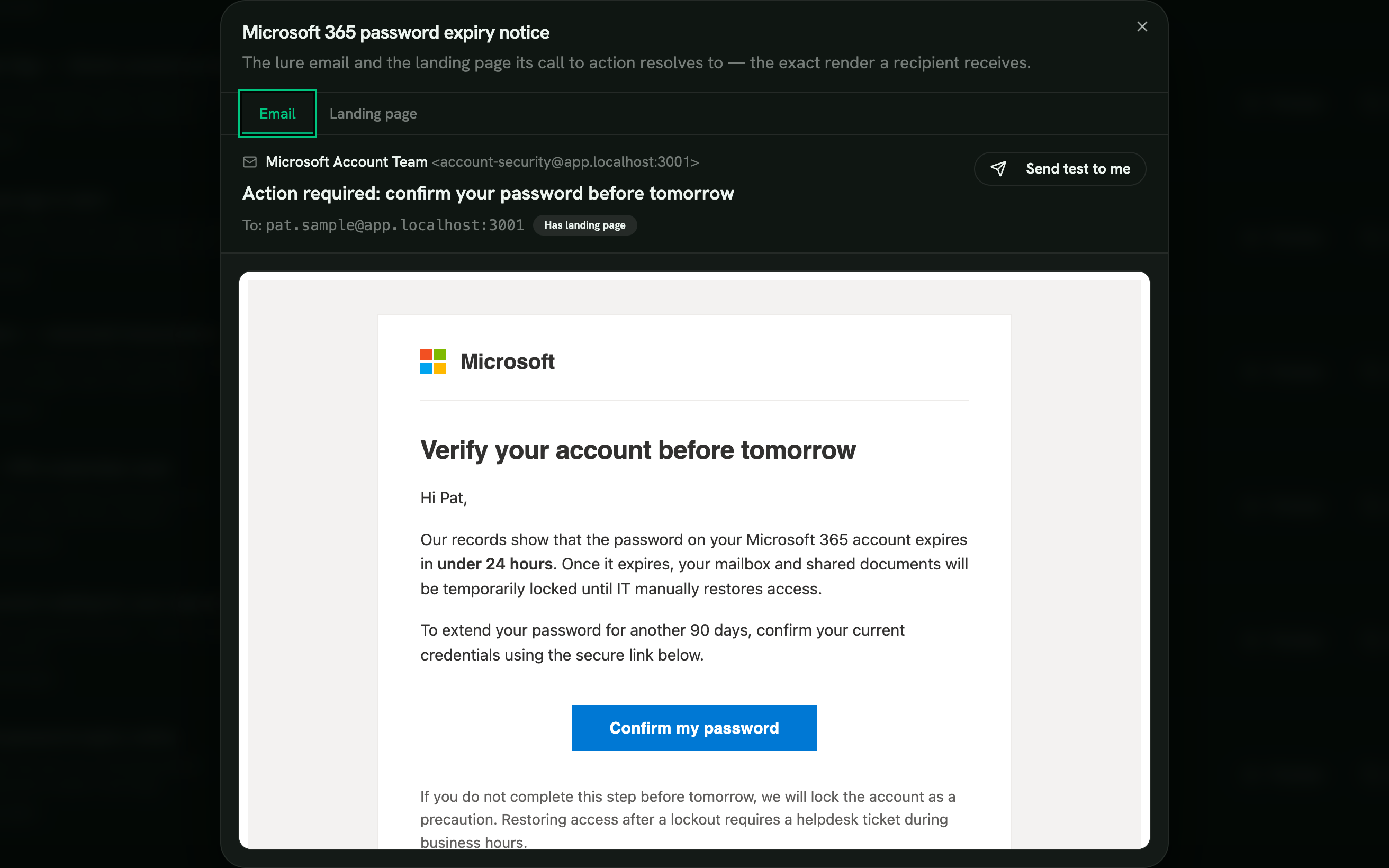
Кожну приманку можна налаштувати під себе
Надсилайте підібрані шаблони як є, клонуйте будь-який із них, щоб переробити відправника, тему, текст і цільову сторінку під ваш бренд, або напишіть нову приманку з нуля зі змінними Liquid. Чернетки залишаються приватними в «Моїх шаблонах», доки ви не подасте їх на перевірку.
- Використати як є
- Клонувати й відредагувати
- Створити з нуля
Приклади поштових приманок
Десять приманок із підібраної бібліотеки, кожна на основі реальної атаки.
-
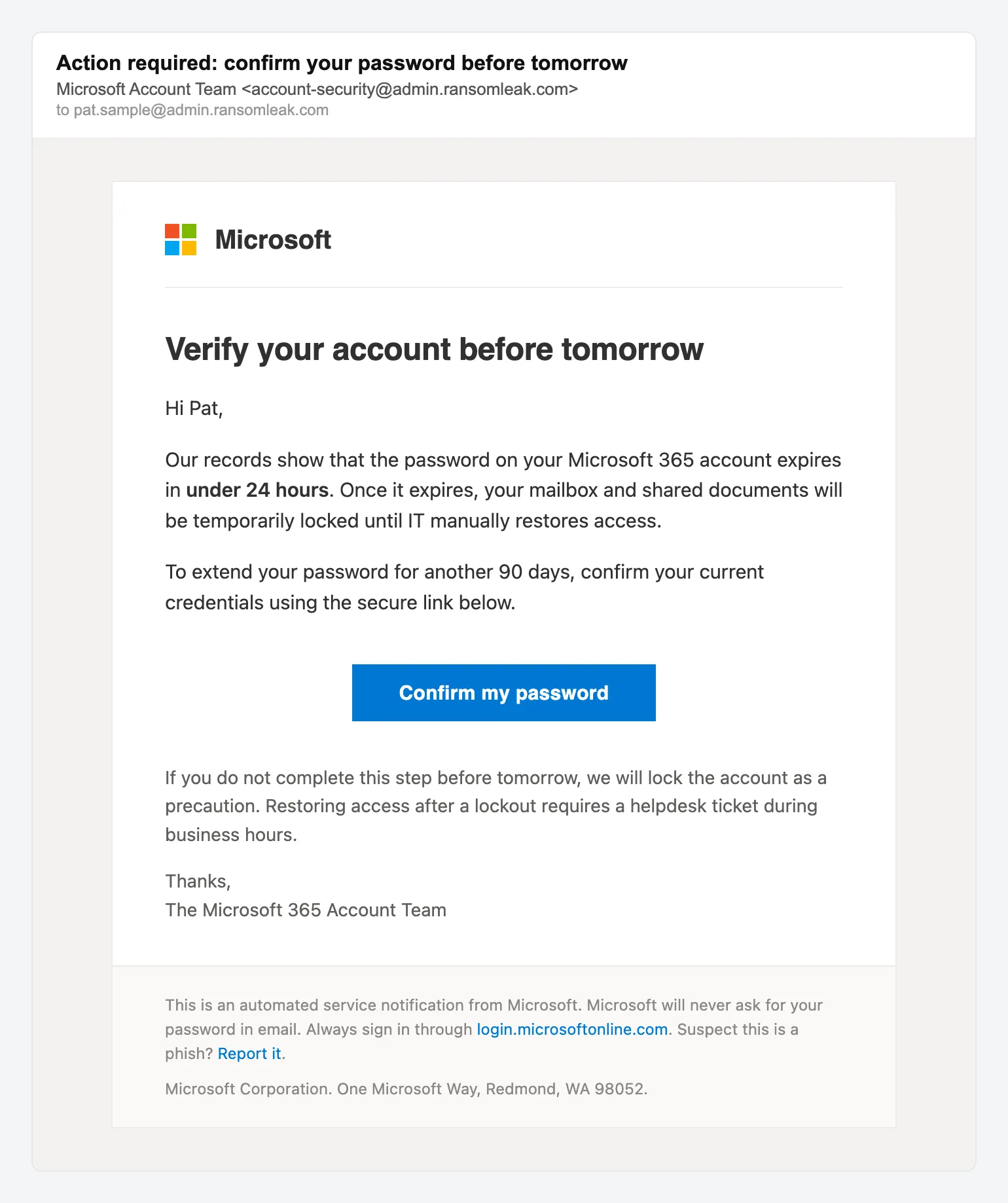
Збір облікових даних Закінчення терміну дії пароля Microsoft 365 -
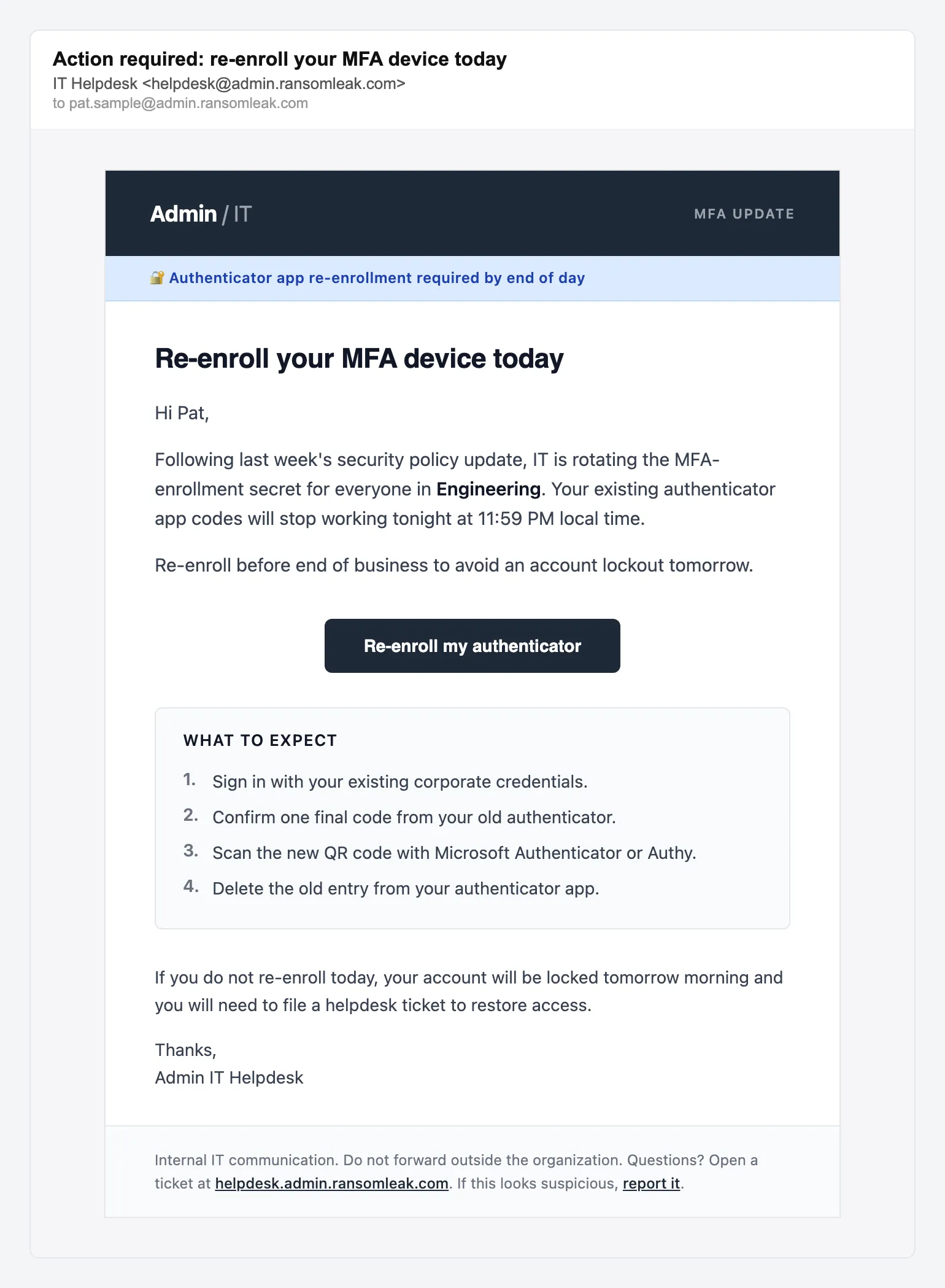
Скидання MFA Повторна реєстрація MFA від IT-підтримки -
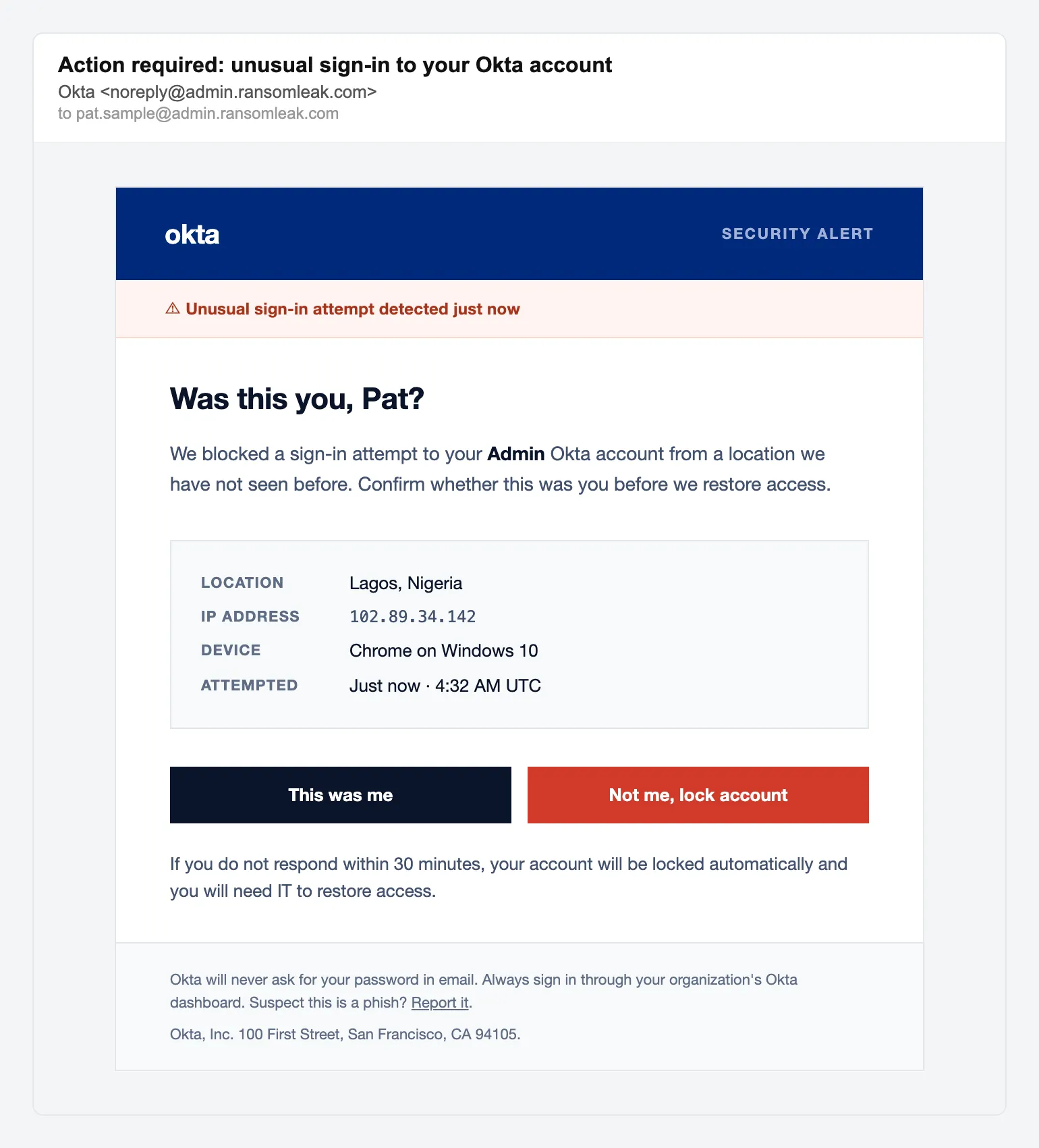
Збір облікових даних Сповіщення Okta про незвичний вхід -
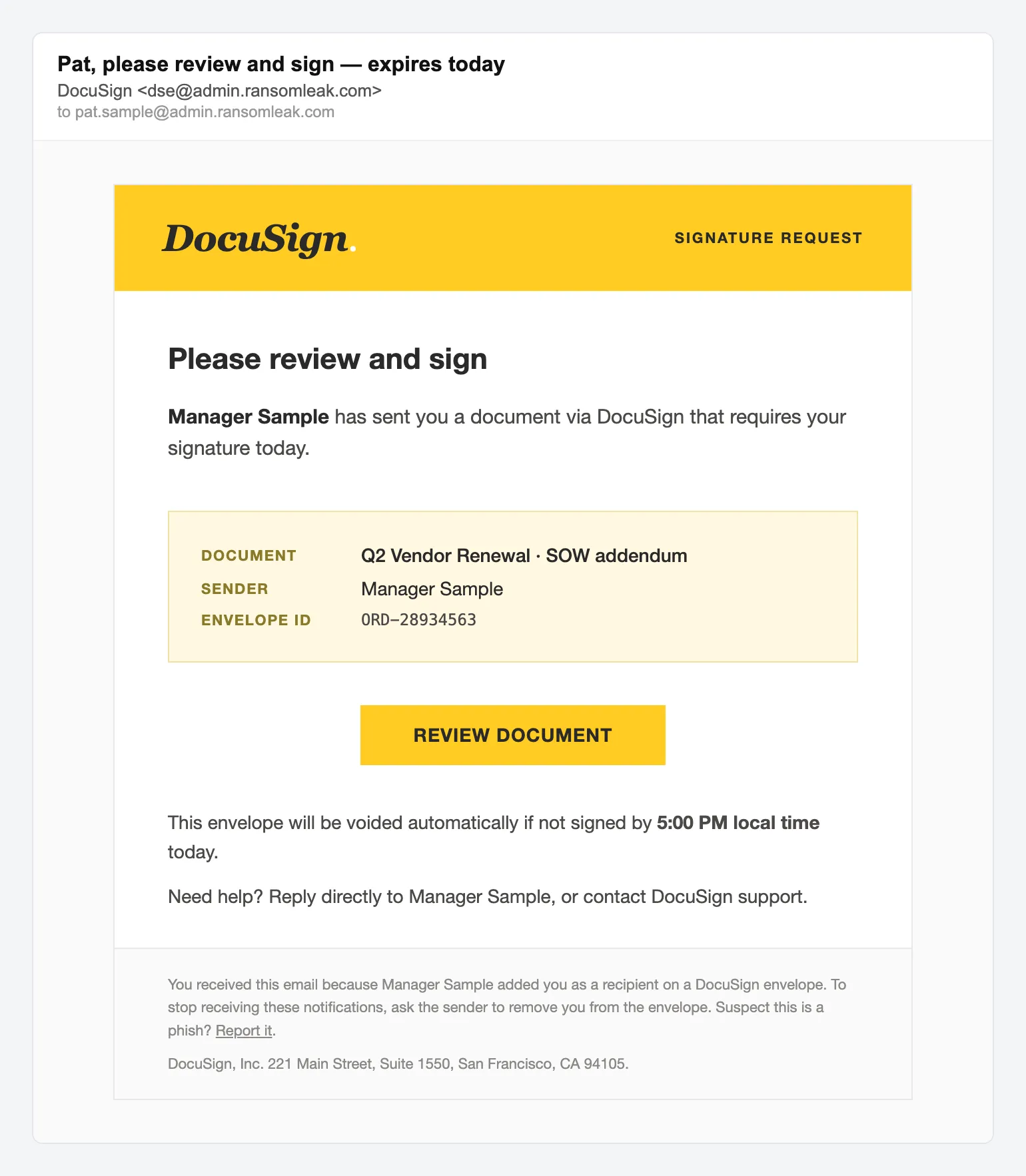
Приманка-документ Запит на підпис у DocuSign -
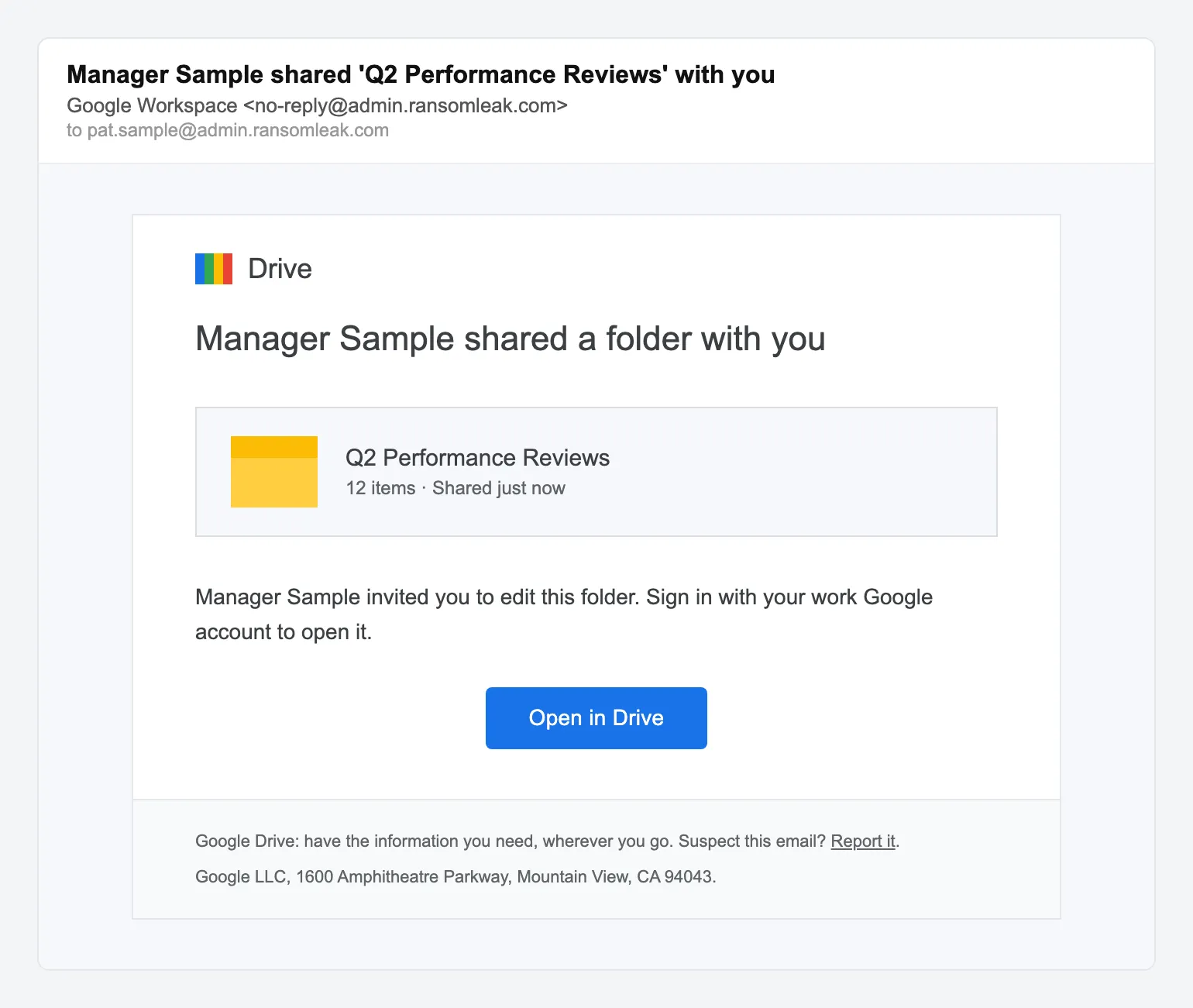
Приманка-документ Вам відкрили доступ до папки Google Drive -
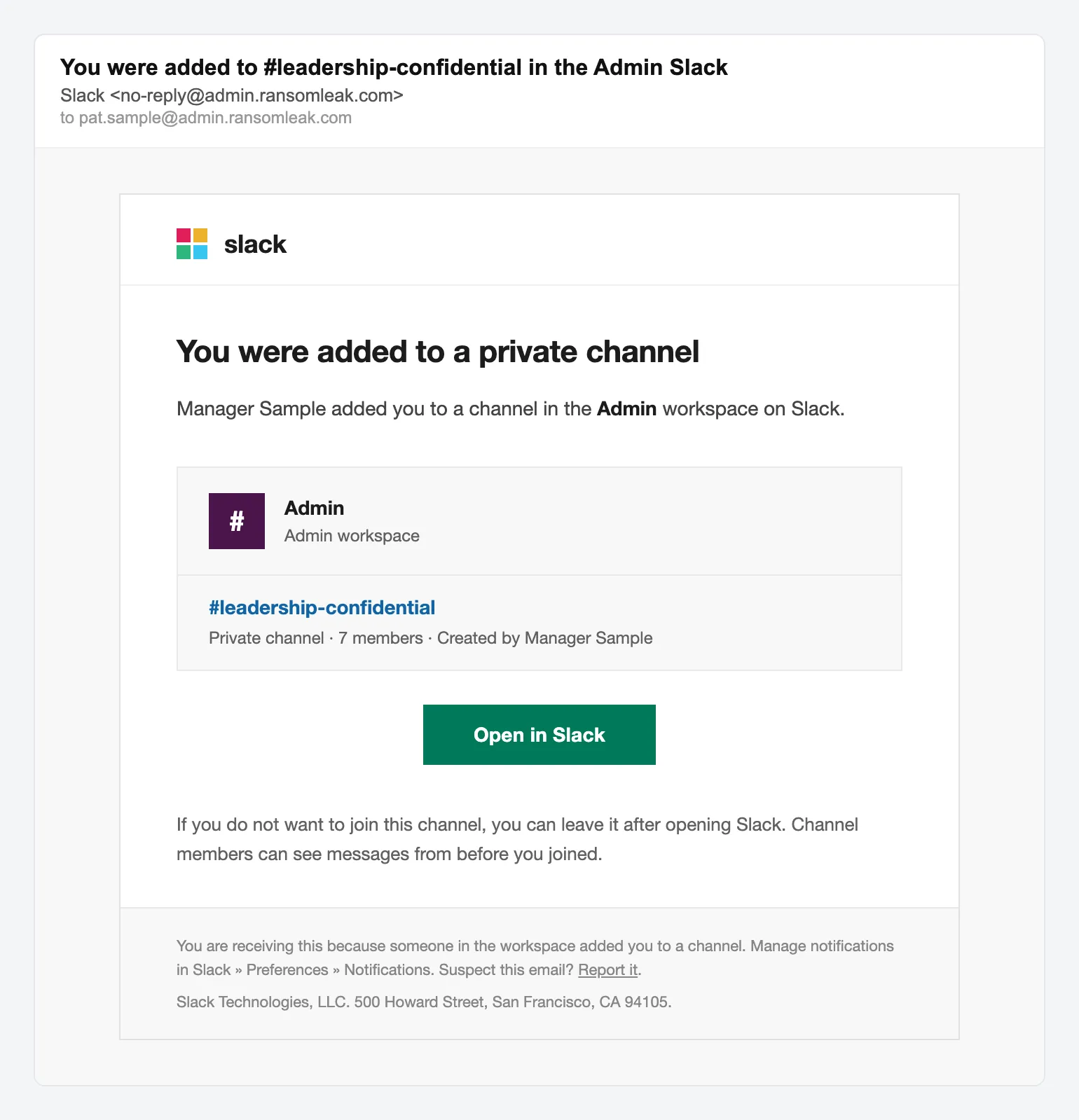
Збір облікових даних Запрошення до приватного каналу Slack -
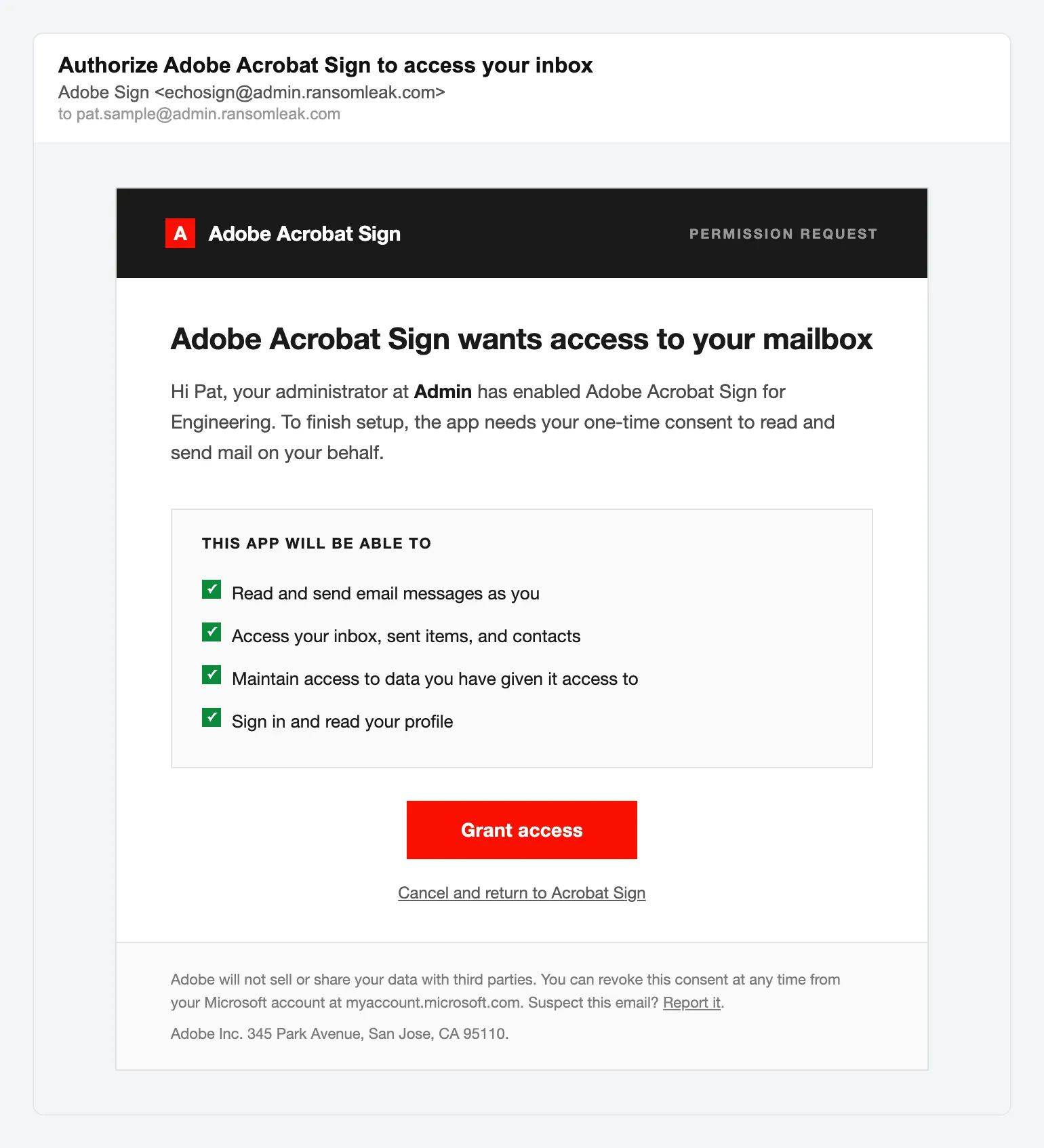
Згода OAuth Запит на підпис в Adobe Acrobat Sign -
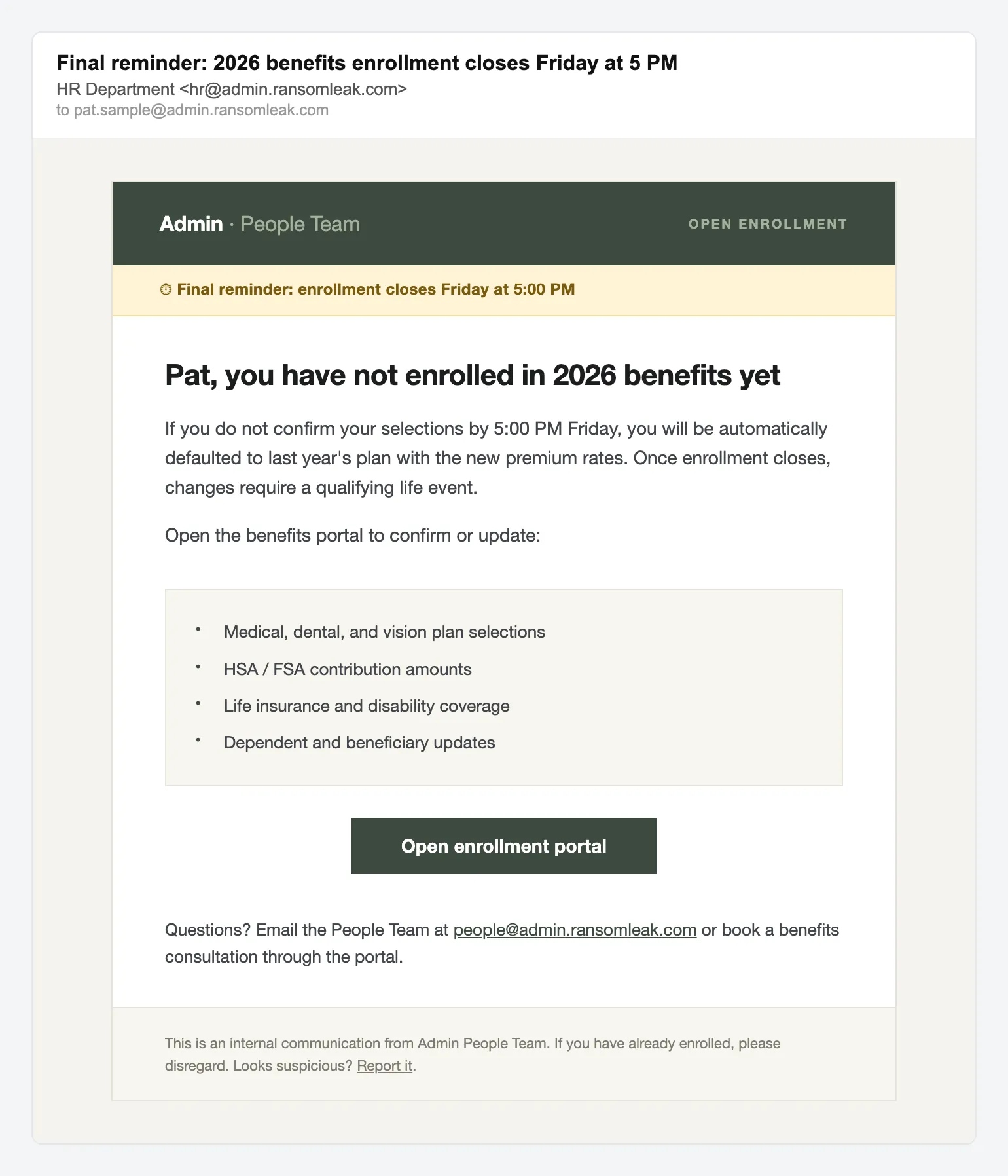
Збір облікових даних Нагадування HR про оформлення пільг -
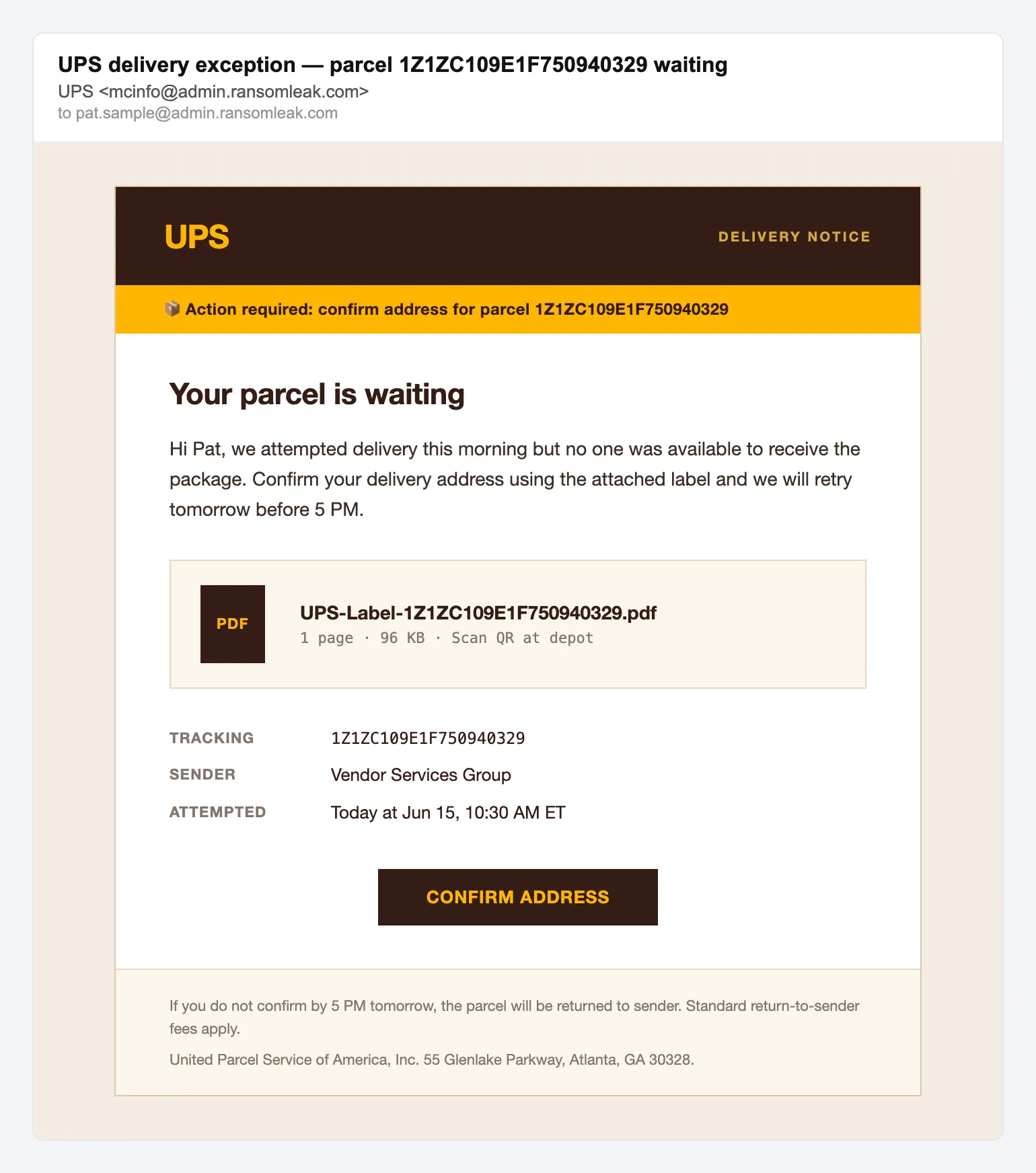
Шахрайство з доставкою Проблема з доставкою посилки UPS -
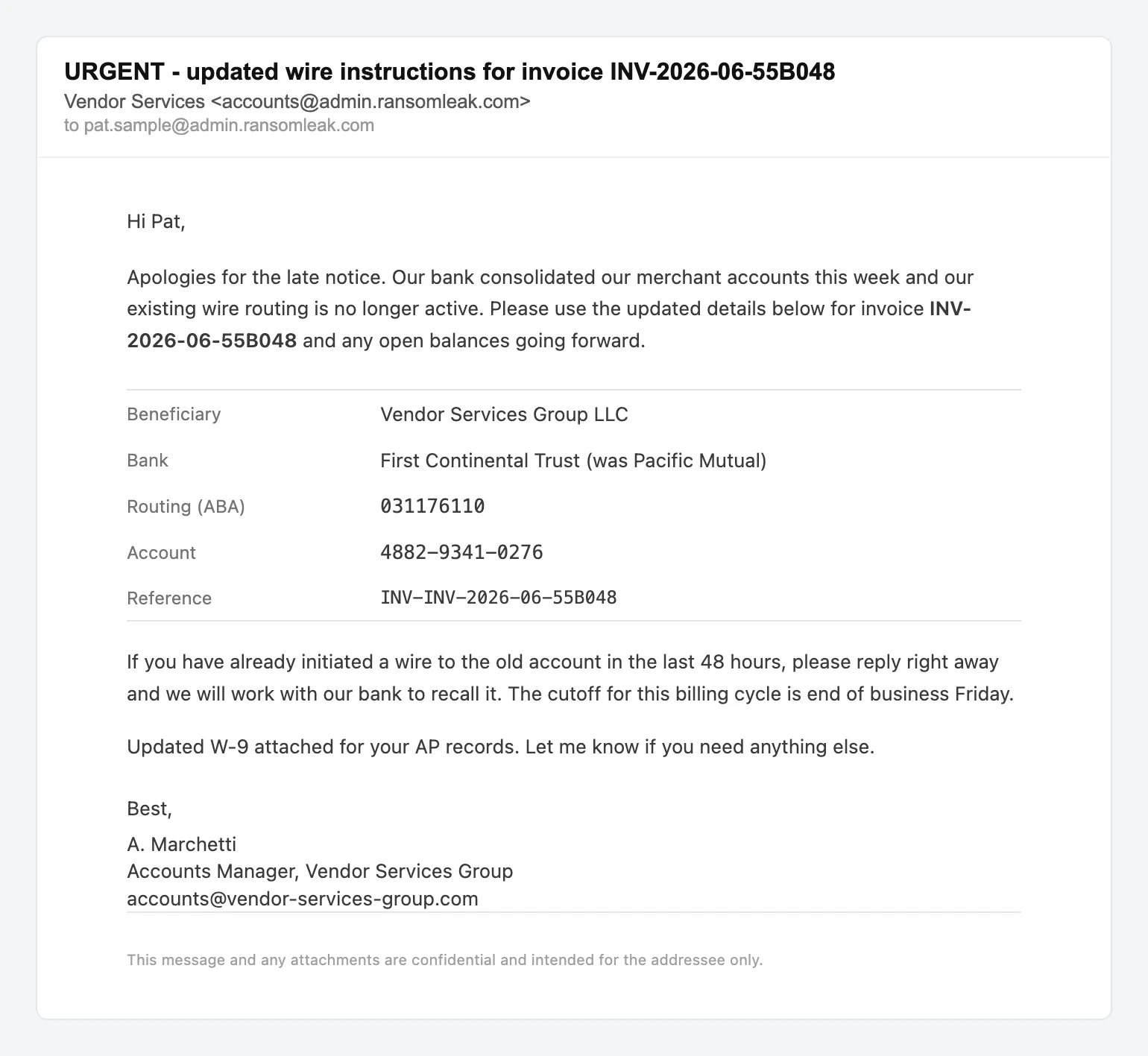
BEC Зміна платіжних реквізитів постачальника


Куди ведуть приманки
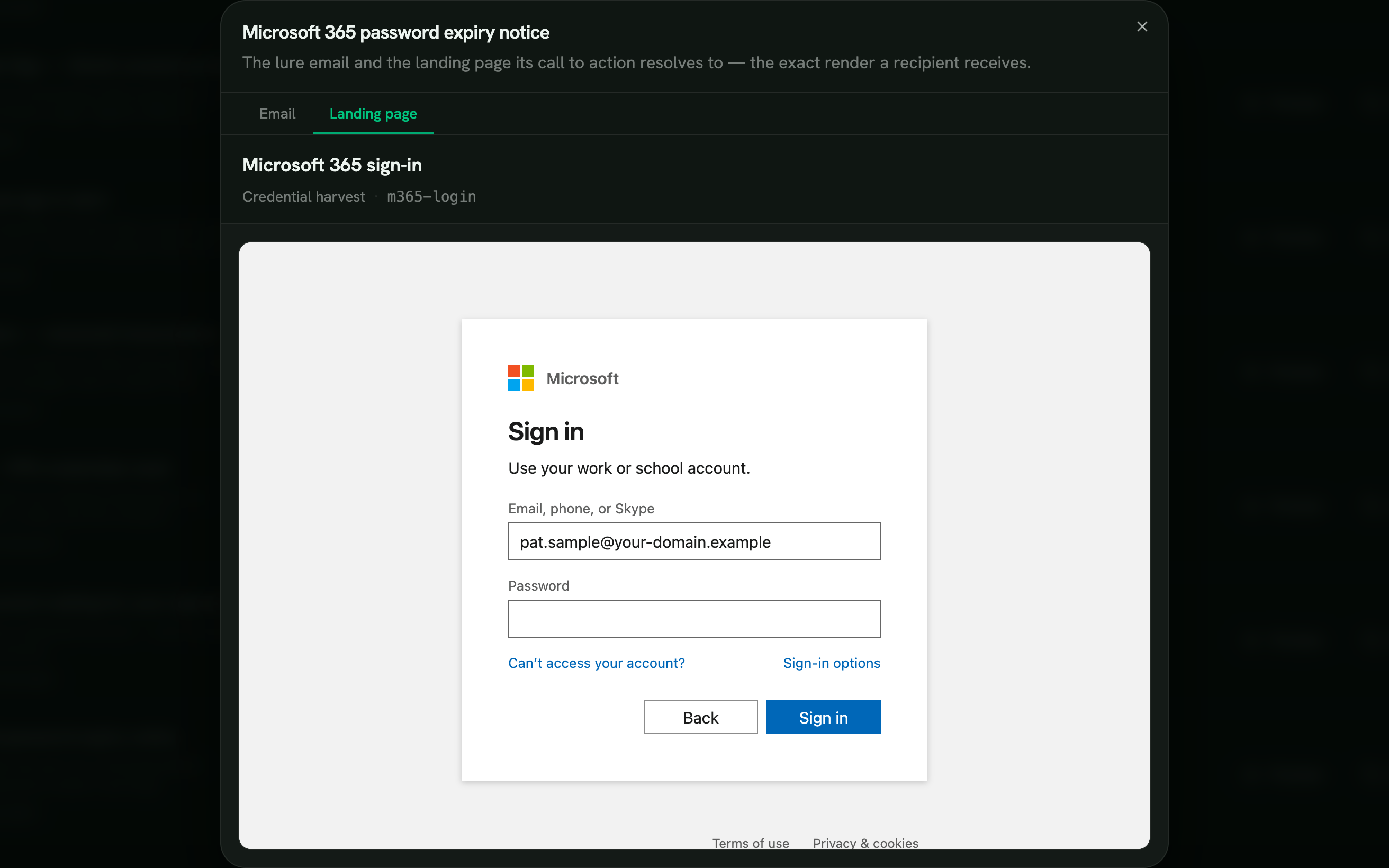
Вісім цільових сторінок, кожна підлаштована під бренд, який імітує.
-
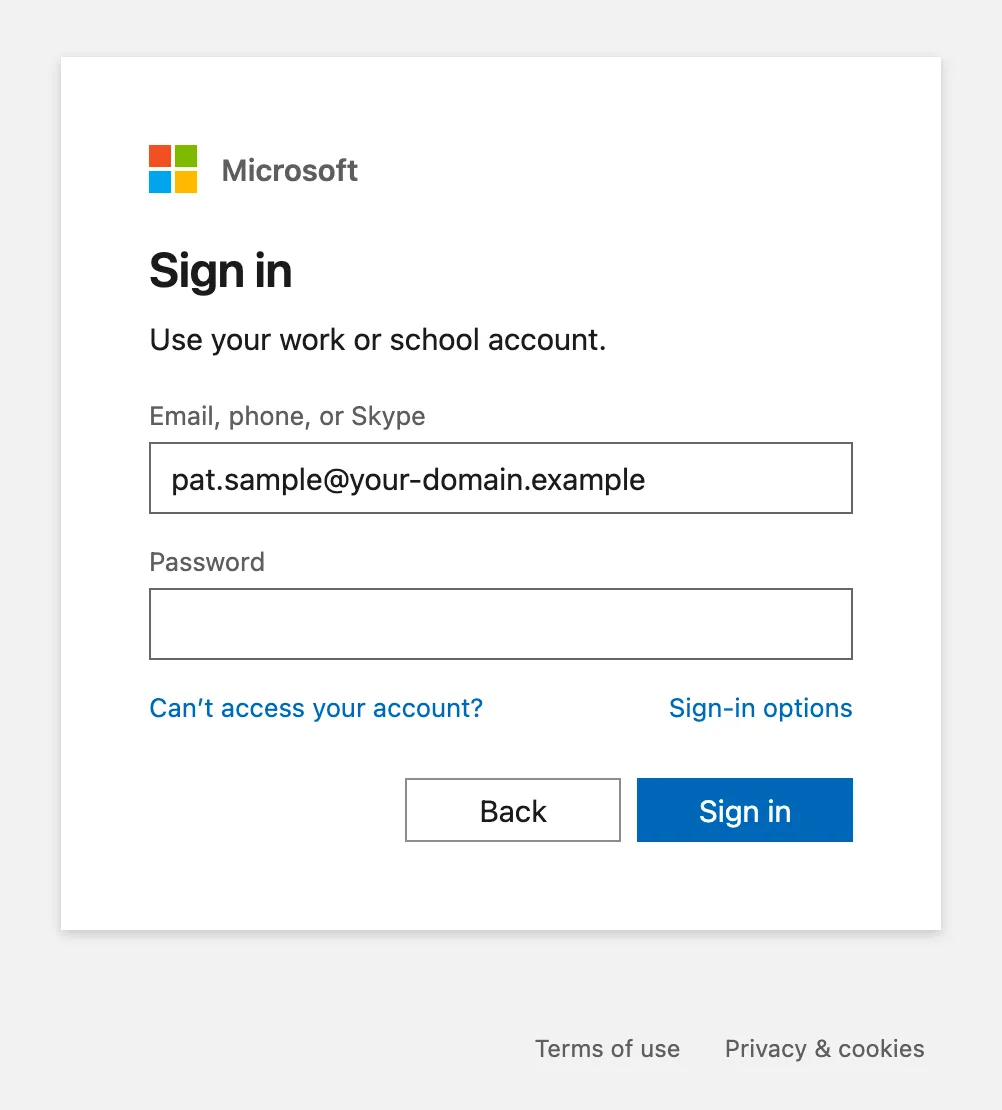
Збір облікових даних Вхід у Microsoft 365 -
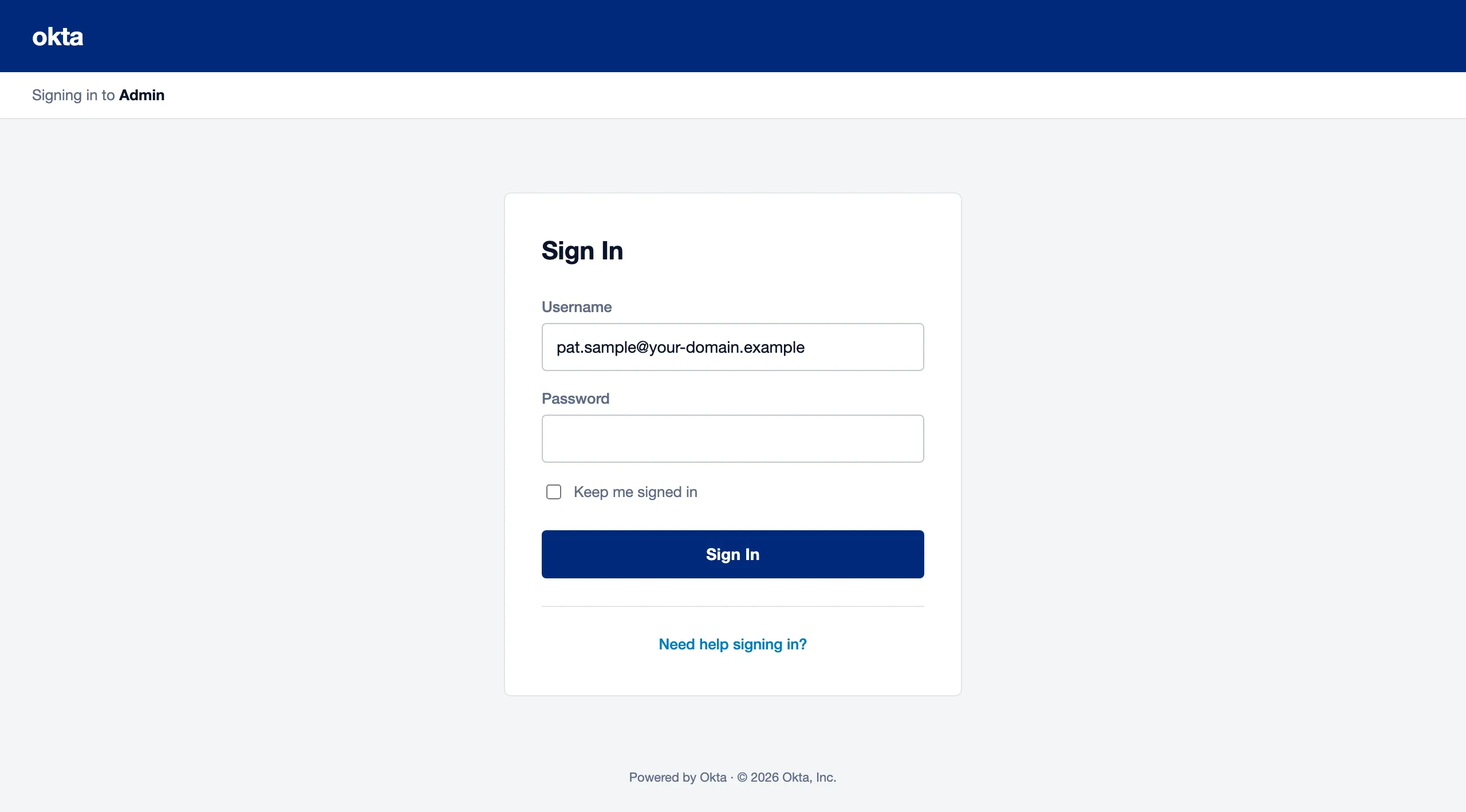
Збір облікових даних Вхід в Okta -
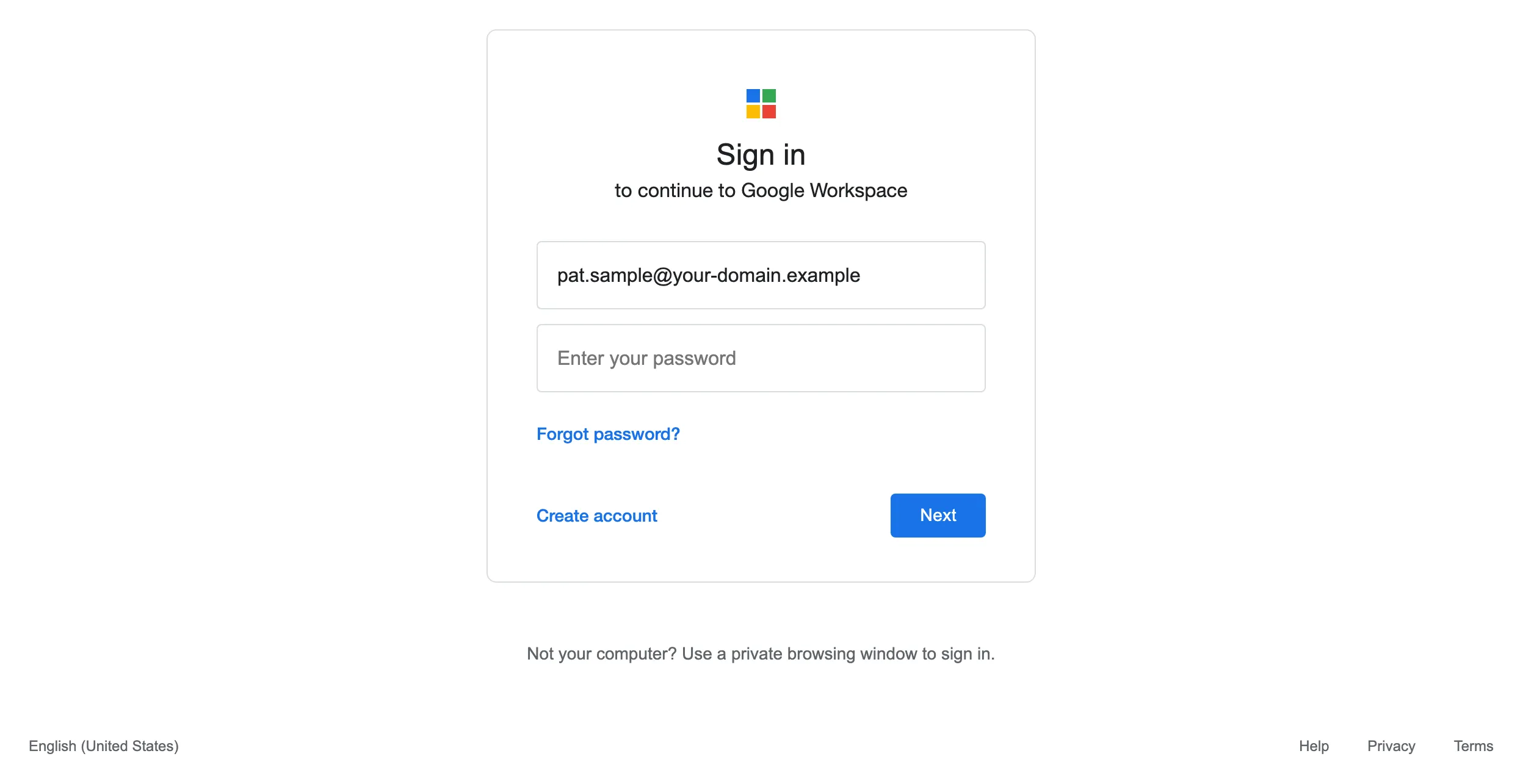
Збір облікових даних Вхід у Google Workspace -
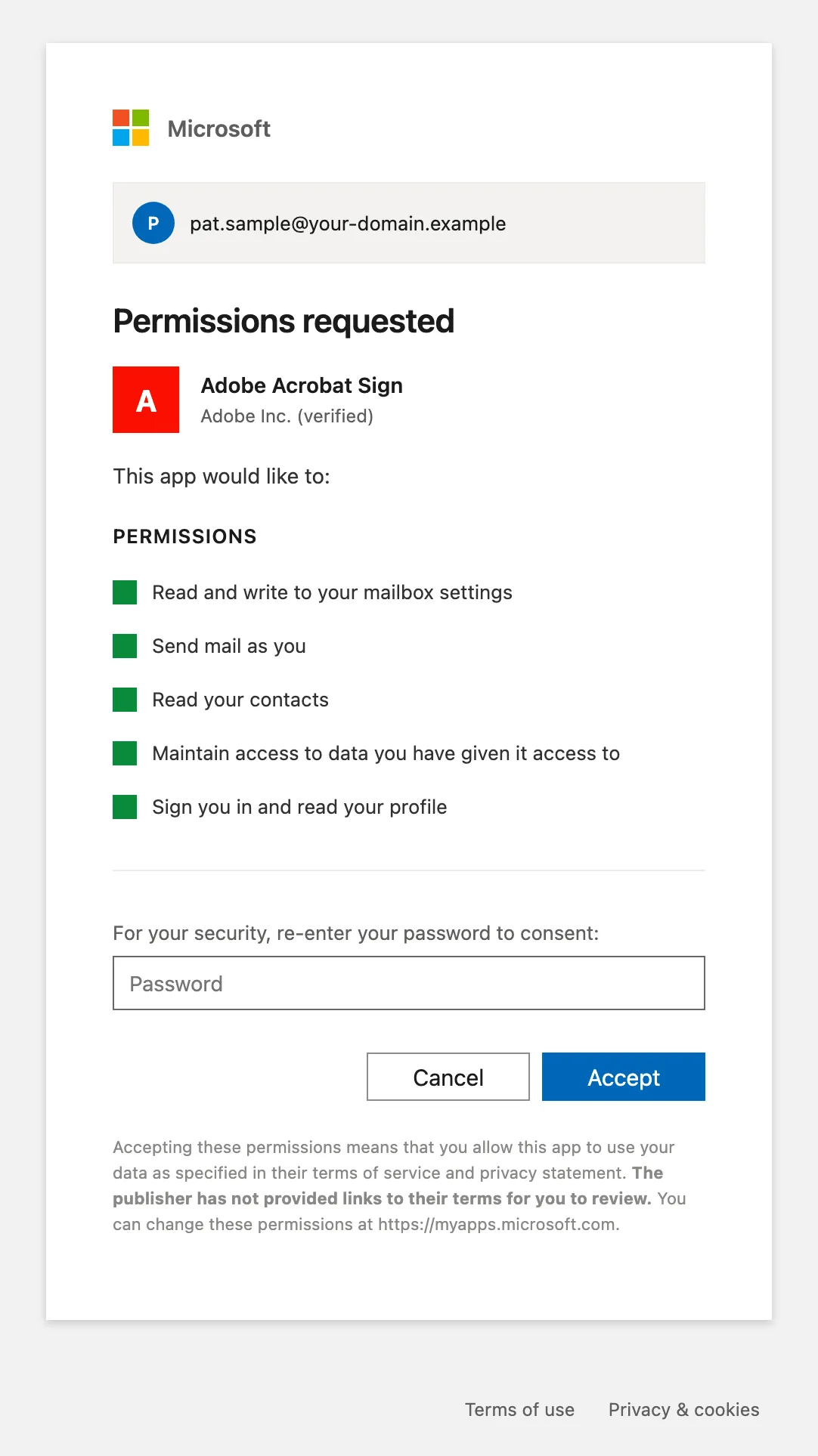
Згода OAuth Згода OAuth для Microsoft 365 -
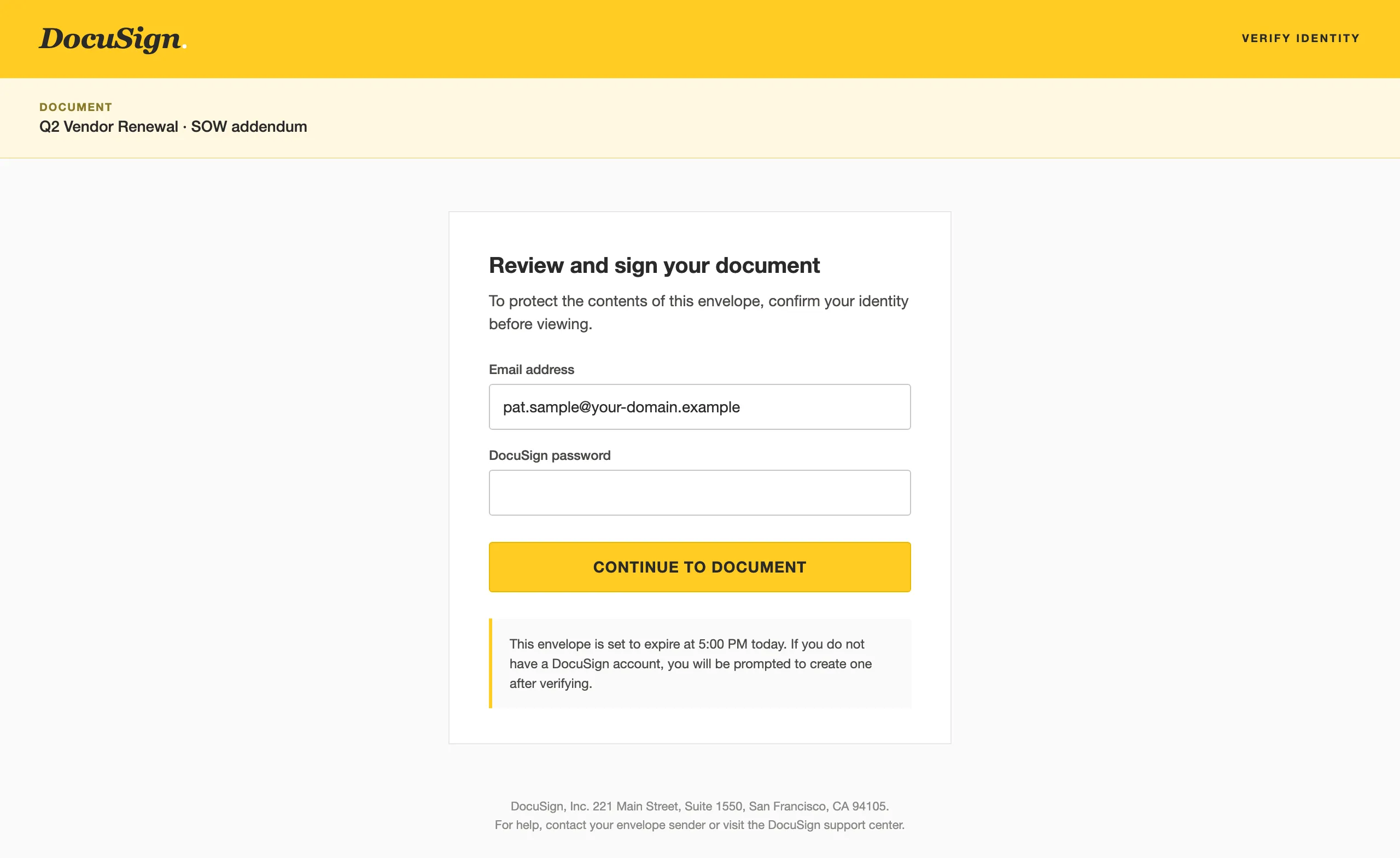
Переглядач документів Переглядач документів DocuSign -
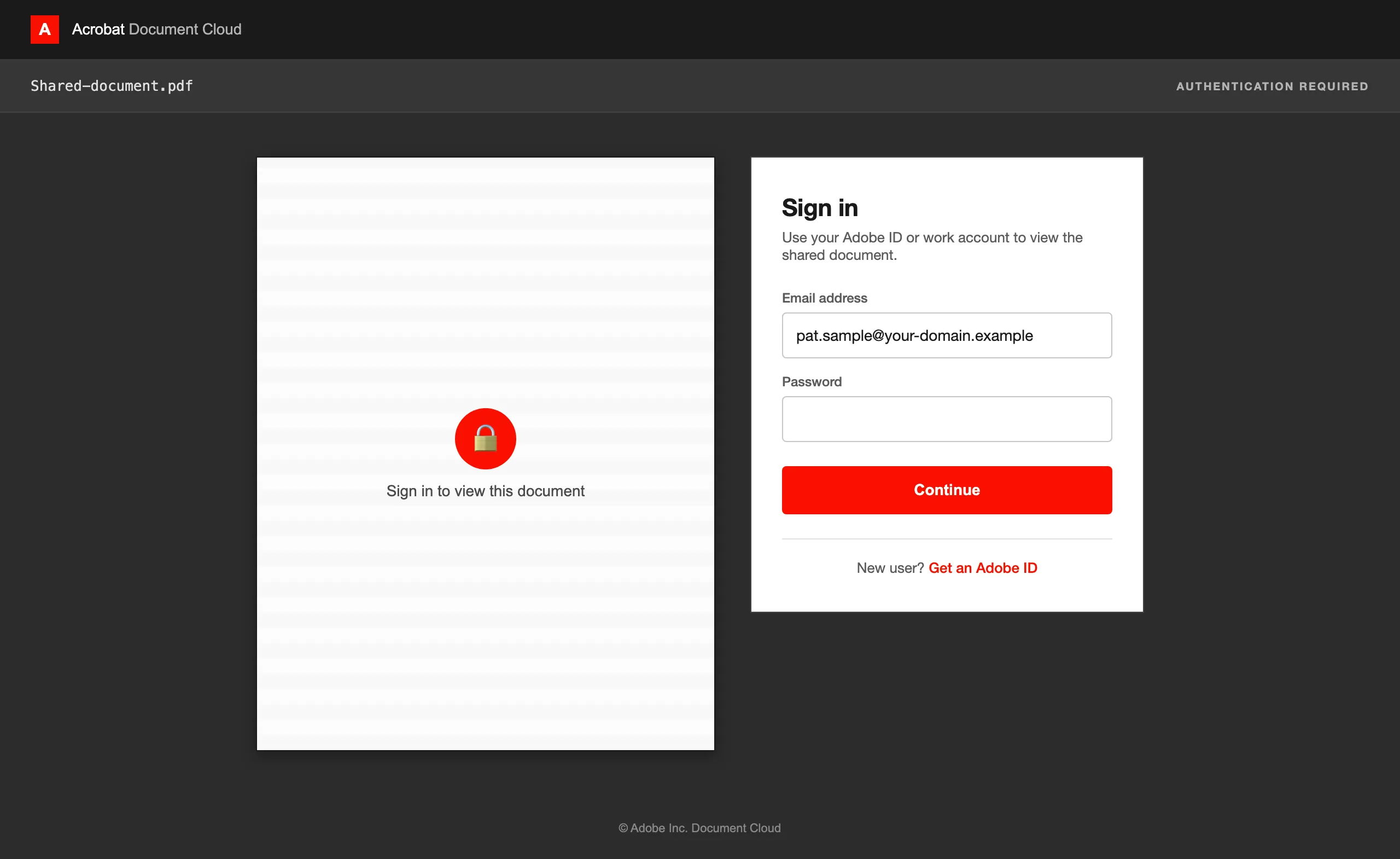
Переглядач документів Переглядач PDF від Adobe -
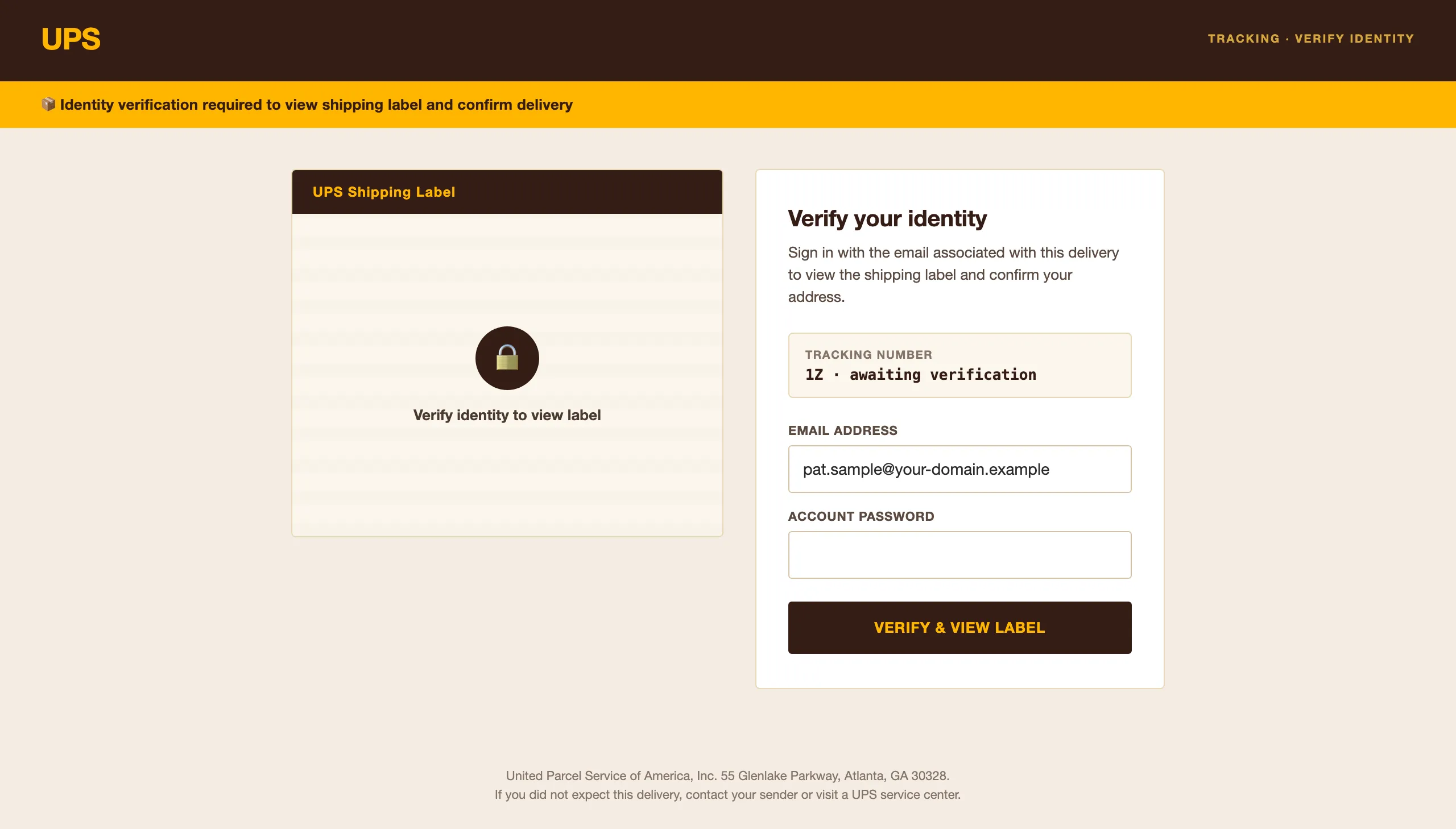
Переглядач документів Переглядач транспортної етикетки UPS -
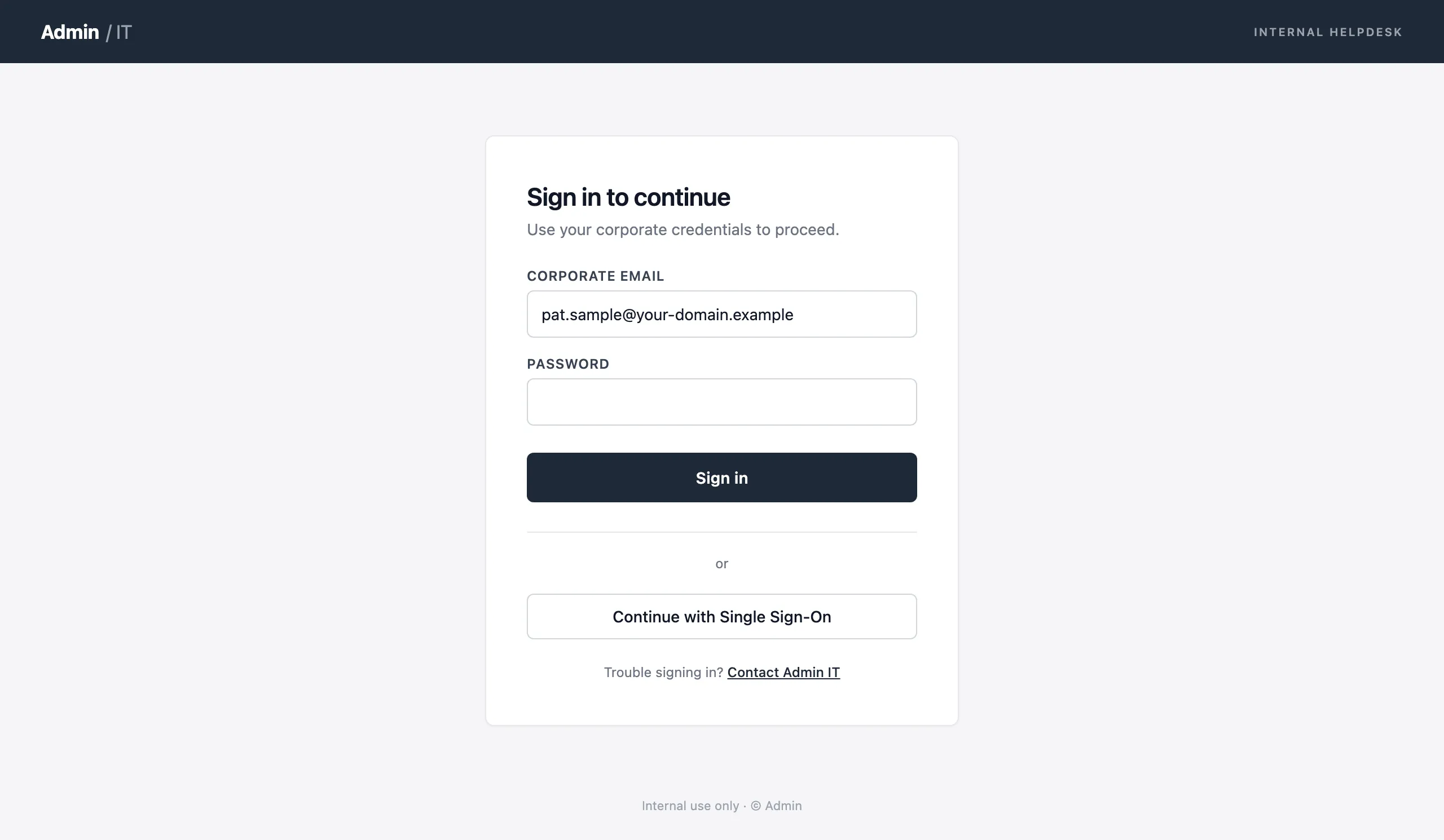
Збір облікових даних Портал IT-підтримки


Кнопки повідомлення для Outlook і Gmail
Дайте співробітникам змогу повідомляти про підозрілі листи одним кліком. Кожне повідомлення повертається у вашу аналітику симуляцій.
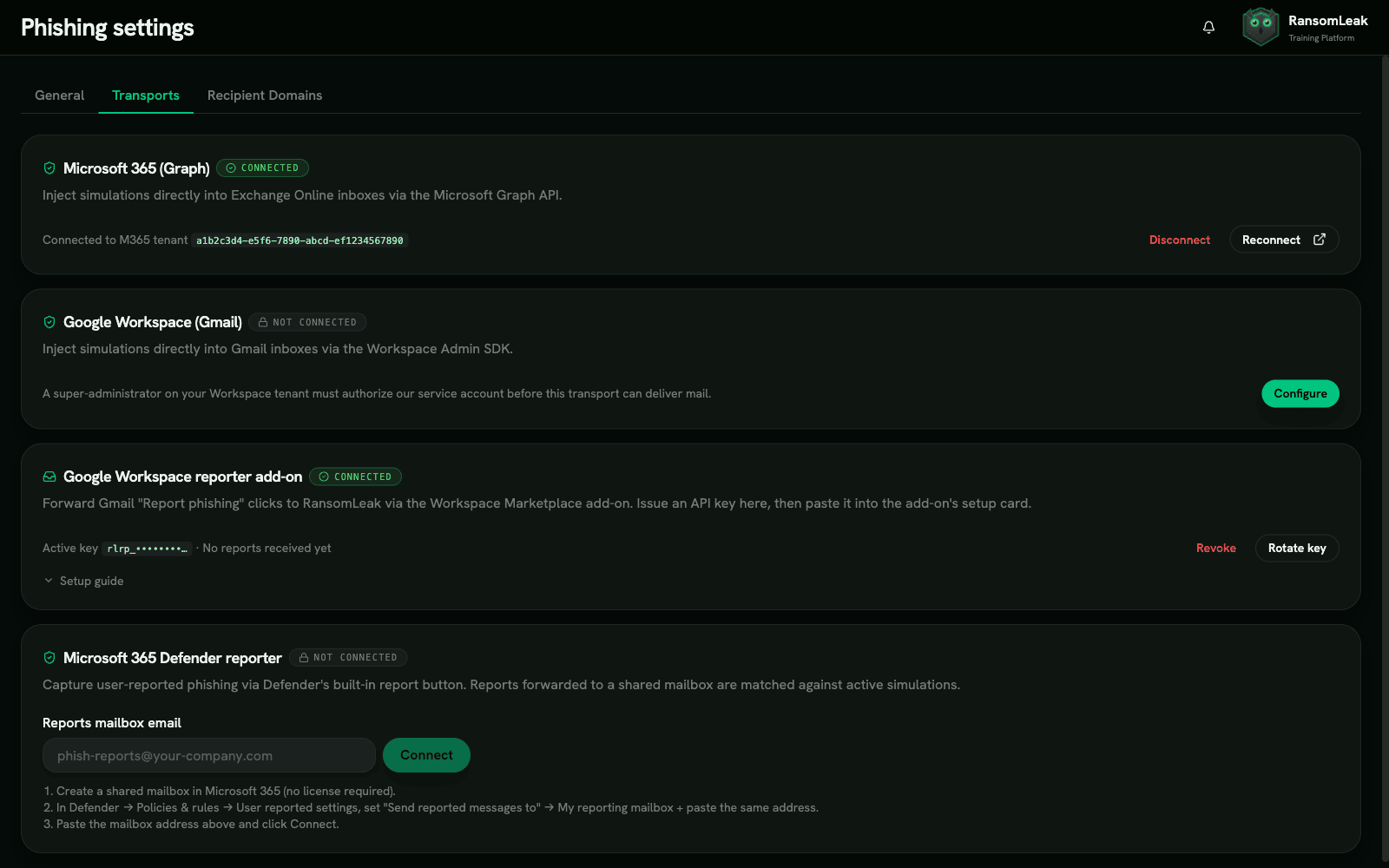

Microsoft 365 Defender
Нативна інтеграція з M365 Defender через вебхук. Співробітники натискають вбудовану кнопку повідомлення, і подія одразу потрапляє у вашу воронку симуляцій. Не потрібно встановлювати чи підтримувати окрему надбудову.

Gmail і Google Workspace
Надбудова з API-ключем для Gmail і Google Workspace. Кнопка повідомлення з’являється на панелі інструментів Gmail, а повідомлені листи в реальному часі зіставляються з активними кампаніями.
Аналітика всієї фішингової воронки
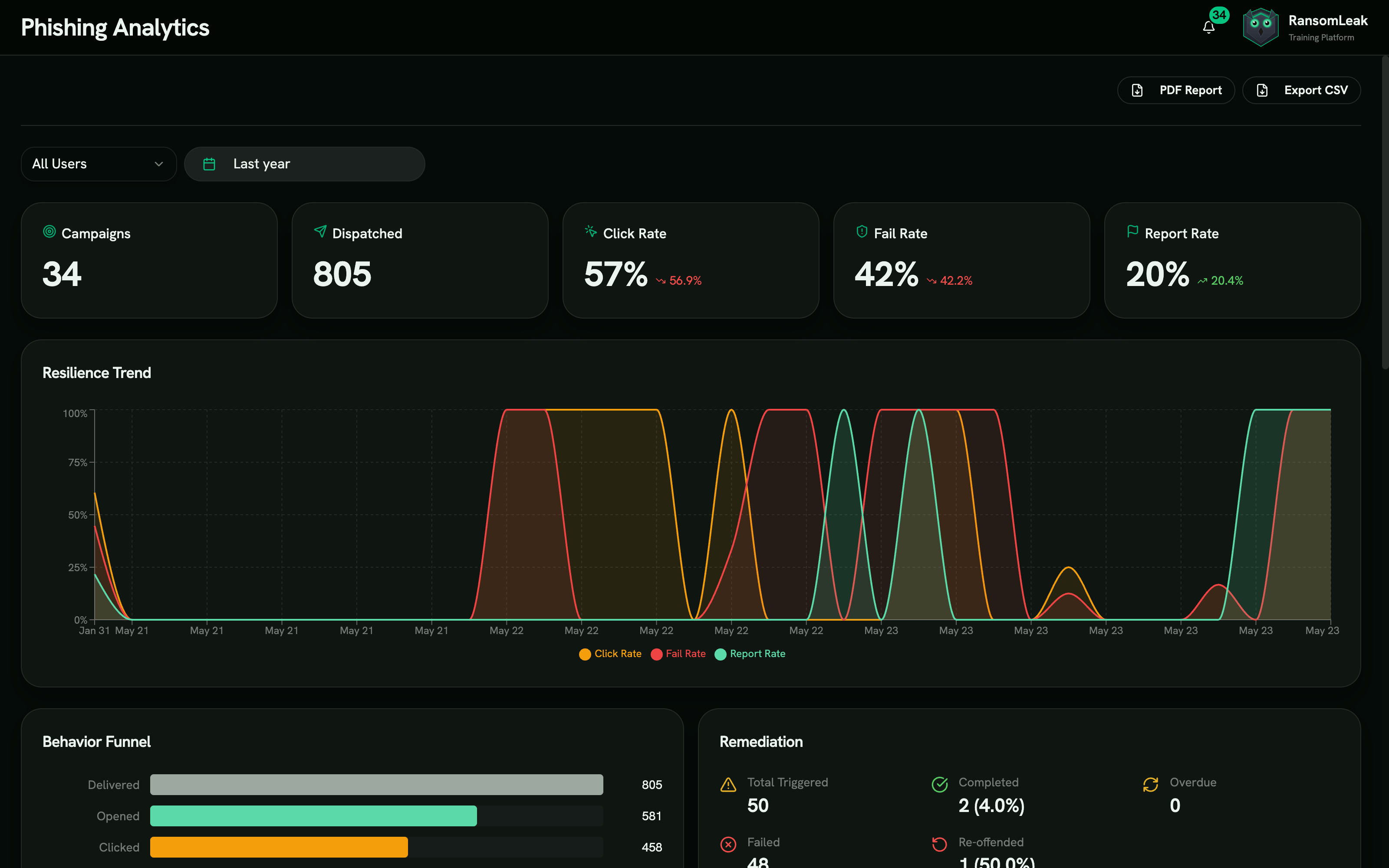
Не обмежуйтеся частками відкриттів і кліків. Відстежуйте кожен етап ланцюга атаки: від доставки до введення облікових даних і повідомлення.
Багатоетапна воронка
Відстежуйте вісім окремих етапів: доставлено, відкрито, клікнуто, введено облікові дані, відкрито вкладення, надано доступ OAuth, отримано відповідь на BEC, повідомлено. Ви точно бачите, де співробітники помиляються, а де ваше навчання працює.
Аналіз трендів і бенчмаркінг
Порівнюйте частку кліків, частку повідомлень і час до повідомлення між кампаніями, відділами та періодами. Побачите, чи кожна кампанія справді змінює поведінку, чи лише ставить галочку.
Відстеження повторних порушників
Позначайте співробітників, які не проходять кілька симуляцій. Призначайте їм дедалі складніші шляхи коригувального навчання та відстежуйте, чи зменшує додаткове навчання їхню вразливість із часом.
Ефективність шаблонів
Дивіться, які типи атак, персони відправників і рівні складності дають найвищу частку кліків. Використовуйте ці дані, щоб будувати дедалі точніші кампанії.
Експорт у PDF і CSV
Формуйте готові до аудиту звіти у PDF і CSV для перевірок SOC 2, ISO 27001, HIPAA та PCI DSS. Експортуйте за запитом для фахівців з комплаєнсу.
Автоматичне коригувальне навчання, а не пошук винних
Кожна провалена симуляція стає нагодою для навчання. Співробітники вчаться на помилках одразу, а не через кілька місяців на квартальному огляді.
Призначення навчального шляху
Коли співробітник клікає на фішингове посилання чи вводить облікові дані, йому автоматично призначається цільовий навчальний шлях. Він містить інтерактивні вправи на 5–10 хвилин, присвячені саме тому типу атаки, на який людина клюнула.
Налаштовувані дедлайни та пільгові періоди
Задайте дедлайн для проходження коригувального навчання та пільговий період до ескалації. Так досвід залишається навчальним, а співробітники мають достатньо часу, щоб опанувати матеріал.
Тригери м’якого провалу
Навчальні сторінки після кліку пояснюють, що сталося і чому. Співробітники бачать тривожні ознаки, які пропустили, дізнаються, як слід було перевірити лист, і одразу переходять до навчання. Без публічного присоромлення, без тікетів в IT.
Статистика коригувального навчання
Відстежуйте частку завершення коригувального навчання, середній час проходження та те, чи краще співробітники, які його пройшли, справляються з наступними симуляціями.
Юридичні та комплаєнс-контролі
Фішингові симуляції зачіпають трудове право, регулювання конфіденційності та угоди з профспілками. Платформа бере на себе комплаєнс-навантаження, тож вашій юридичній команді не доведеться будувати все з нуля.
Юридичний додаток із хеш-верифікацією
Кожна кампанія містить юридичний додаток із цифровою перевіркою. Хеш-верифікація гарантує незмінність умов від запуску до завершення.
Декларації юрисдикції
Вбудована підтримка статті 88 GDPR (моніторинг на робочому місці), вимог профспілок Німеччини, Франції та Нідерландів, а також законів штатів США про конфіденційність. Задекларуйте юрисдикцію під час налаштування кампанії, і платформа підлаштує вимоги до згоди та сповіщень.
Верифікація домену
Верифікація через DNS TXT-запис підтверджує, що домен надсилання належить вам, перш ніж стартує будь-яка кампанія. Немає підтвердженого домену — немає надсилань.
Відстеження відповідей на BEC з розпізнаванням автовідповідей
Відстежуйте симуляції компрометації корпоративної електронної пошти (BEC) з фільтрацією автовідповідей за RFC 3834. Відділяйте справжні відповіді людей від автоматичних повідомлень про відсутність в офісі та сповіщень про доставку.
Поширені запитання
Як фішингові симуляції посилюють безпеку підприємства?
Фішингові симуляції дають команді безпеки вимірюваний спосіб оцінити людський ризик. Замість здогадок, які відділи вразливі, ви отримуєте конкретні дані: частку кліків, частку введення облікових даних, частку повідомлень і час до повідомлення по кожній команді.
За даними Verizon DBIR 2024, у 68% витоків був задіяний людський чинник. Регулярні кампанії фішингових симуляцій у поєднанні з цільовим коригувальним навчанням знижують частку кліків на 50–75% за 12 місяців. Перевірка й навчання підсилюють одне одного: з кожним раундом на приманку клює менше людей, а ті, хто клюнув, навчаються саме тому, що пропустили.
Які найкращі практики фішингових симуляцій?
Почніть із базової кампанії ще до оголошення програми. Спочатку використовуйте шаблони складності 1–2, а коли організація підтягнеться, переходьте до рівнів 4–5. Проводьте кампанії щомісяця, а не щокварталу, бо за довгі перерви навички згасають.
Змінюйте типи атак. Чергуйте збір облікових даних, переглядач документів, згоду OAuth і симуляції відповідей на BEC, щоб співробітники навчилися розпізнавати різні типи загроз. Завжди поєднуйте перевірку з негайним коригувальним навчанням.
Уникайте каральних підходів. Навчальні сторінки після кліку, які пояснюють тривожні ознаки та ведуть до навчання, дають кращі результати, ніж списки «ганьби» чи дисциплінарні заходи.
Як працює доставка напряму в поштові скриньки?
RansomLeak доставляє листи фішингових симуляцій через M365 Graph API або Google Workspace API, розміщуючи їх безпосередньо в поштових скриньках співробітників. Це повністю оминає ваші периметрові поштові фільтри (Mimecast, Proofpoint, Barracuda).
Пряма доставка важлива, бо справжні фішингові листи, які дійшли до скриньки, вже пройшли ваші фільтри. Перевірка лише того, що ловлять фільтри, нічого не каже про поведінку співробітників, коли повідомлення таки проходить. Пряма доставка також усуває проблеми з узгодженням SPF/DKIM, через які листи симуляцій потрапляють у спам.
Як платформа відрізняє кліки ботів від кліків людей?
Інструменти поштової безпеки, як-от Mimecast, Proofpoint і Microsoft Safe Links, попередньо сканують посилання в листах і генерують автоматичні кліки, які спотворюють дані. Платформа використовує фільтр сканерів поштової безпеки, який виявляє бот-трафік і відсіює його від справжніх кліків.
Без цього частка кліків була б завищена через автоматичне сканування, а звіти про повторних порушників позначали б людей, які насправді нікуди не клікали.
Чи законні фішингові симуляції в ЄС?
Так, за наявності належних контролів. Стаття 88 GDPR дозволяє обробляти дані працівників з метою безпеки на робочому місці, якщо впроваджено відповідні запобіжники. У Німеччині, Франції та Нідерландах перед проведенням кампаній потрібно повідомити профспілку або отримати її згоду.
Платформа передбачає декларації юрисдикції під час налаштування кампанії та формує комплаєнс-документацію, потрібну вашій юридичній команді. Кожна кампанія супроводжується юридичним додатком із хеш-верифікацією, що забезпечує придатний для аудиту ланцюг зберігання доказів.
Чи можна поєднати фішингові симуляції з нашим наявним навчанням з кібербезпеки?
Фішингові симуляції — це доповнення до платформи навчання RansomLeak. Коли співробітник не проходить симуляцію, йому автоматично призначаються інтерактивні вправи з бібліотеки вправ, присвячені саме тому типу атаки, який він пропустив.
Так утворюється замкнений цикл: симуляції визначають, кому потрібне навчання, платформа його проводить, а наступні симуляції вимірюють, чи воно спрацювало. До процесів коригувального навчання можна також додати власні навчальні шляхи та сторонній SCORM-контент.
Чи підтримуєте ви SMS-симуляції (смішинг)?
Так. Крім пошти, платформа проводить симуляції SMS-фішингу (смішингу), які надсилають вашим працівникам реалістичні, але безпечні текстові приманки, з відстеженням кліків, доставкою в робочі години та обробкою відписки через STOP/REPORT.
Смішингові кампанії використовують той самий розклад, вибір аудиторії та автоматичне коригувальне навчання, що й пошта, тож клік у SMS скеровує отримувача на цільове навчання так само, як клік у листі.
Чи підтримуєте ви голосові симуляції (вішинг)?
Не як живий канал кампаній. Кампанії поштою та SMS доступні вже сьогодні; вихідні голосові дзвінки закладені в архітектурі платформи, але відкладені до пізнішого релізу, тож ми не продаємо їх як доступну функцію.
Рефлекс можна тренувати вже зараз за допомогою імерсивної вправи з вішингу та вправи з фішингу зі зворотним дзвінком. Подивіться, як працює голосовий фішинг (вішинг) з боку атаки, або сторінку смішингових симуляцій, щоб дізнатися, що SMS-канал уміє сьогодні.
Чи фішинговий тест — це те саме, що фішингова симуляція?
На практиці так. І фішинговий тест, і фішингова симуляція означають надсилання контрольованої, безпечної приманки власному персоналу та вимірювання того, що люди з нею зроблять. «Тест» — давніша, неформальна назва.
Справжня різниця — між разовим тестом і програмою. Один тест дає частку кліків. Програма повторюється, змінює канал і складність, навчає тих, хто клюнув, і перевіряє їх знову — саме це насправді змінює поведінку.
Скільки коштує сервіс фішингових симуляцій?
Більшість постачальників включають симуляції в річну ціну за користувача, а не продають окремо, і прайси в категорії коливаються приблизно від $5 до $50 за користувача на рік. Найбільше на ціну зазвичай впливає глибина симуляцій.
Ми детально розбираємо категорію в гіді з цін на навчання з кібербезпеки. У RansomLeak симуляції — доповнення до навчальної платформи.
Чи впливає провалена симуляція на оцінку ризику співробітника?
Так, і в цьому суть. Найгірша дія в кожній симуляції визначає компонент вразливості в оцінці людського ризику цієї людини: від відкриття через клік до введення облікових даних.
Повідомлення про приманку зараховується у зворотний бік. Далі автоматизація за рівнем ризику діє на основі оцінки й автоматично призначає навчання тим, хто перетнув поріг, із пробним запуском і журналом аудиту, тож нічого не спрацьовує зненацька.
Подивіться RansomLeak у дії
Спробуйте безкоштовні вправи або замовте демо, щоб побачити аналітику, експорт SCORM, SSO та індивідуальний контент у вашому середовищі.