Phishing Simulations
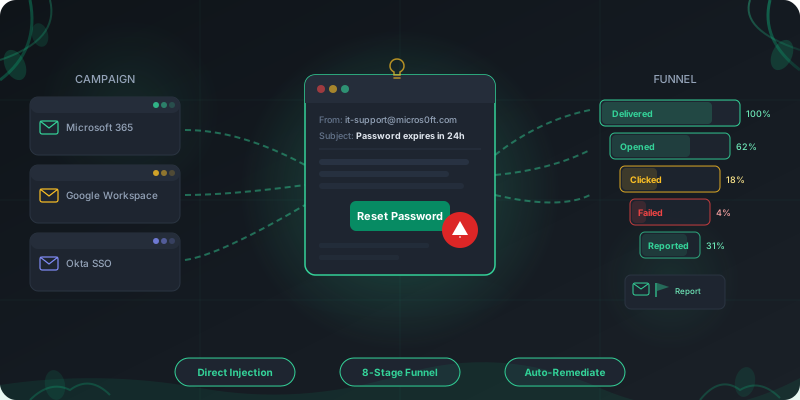
Measure how your workforce responds to phishing attacks, then close the gaps with targeted training. Direct mailbox injection bypasses spam filters. Reporter buttons capture real-time employee behavior. Auto-remediation assigns the right exercises to the people who need them.
How Phishing Simulation Training Works
From campaign setup to remediation, the entire workflow runs inside one platform.
Configure Your Campaign
Pick templates by attack pattern and difficulty (1-5). Set the send window, add jitter to avoid mail gateway throttling, and choose your target groups by department, role, or risk profile.
Deliver via Direct Injection
Emails land in employee inboxes through M365 Graph API or Google Workspace injection. No MX record changes, no SPF/DKIM issues. The message arrives the same way a real phishing email would after bypassing perimeter filters.
Track the Full Funnel
Monitor every stage: delivered, opened, clicked, credentials submitted, attachments opened, OAuth granted, BEC reply received, and reported. Mail-security scanner filtering separates Mimecast/Proofpoint bot traffic from real human clicks.
Remediate Automatically
Employees who click or submit credentials are assigned a learning path with a configurable deadline and grace period. Soft-fail triggers ensure the experience is educational, not punitive.
Campaign Management Built for Scale
Schedule, target, and monitor phishing campaigns across your entire organization from a single dashboard.
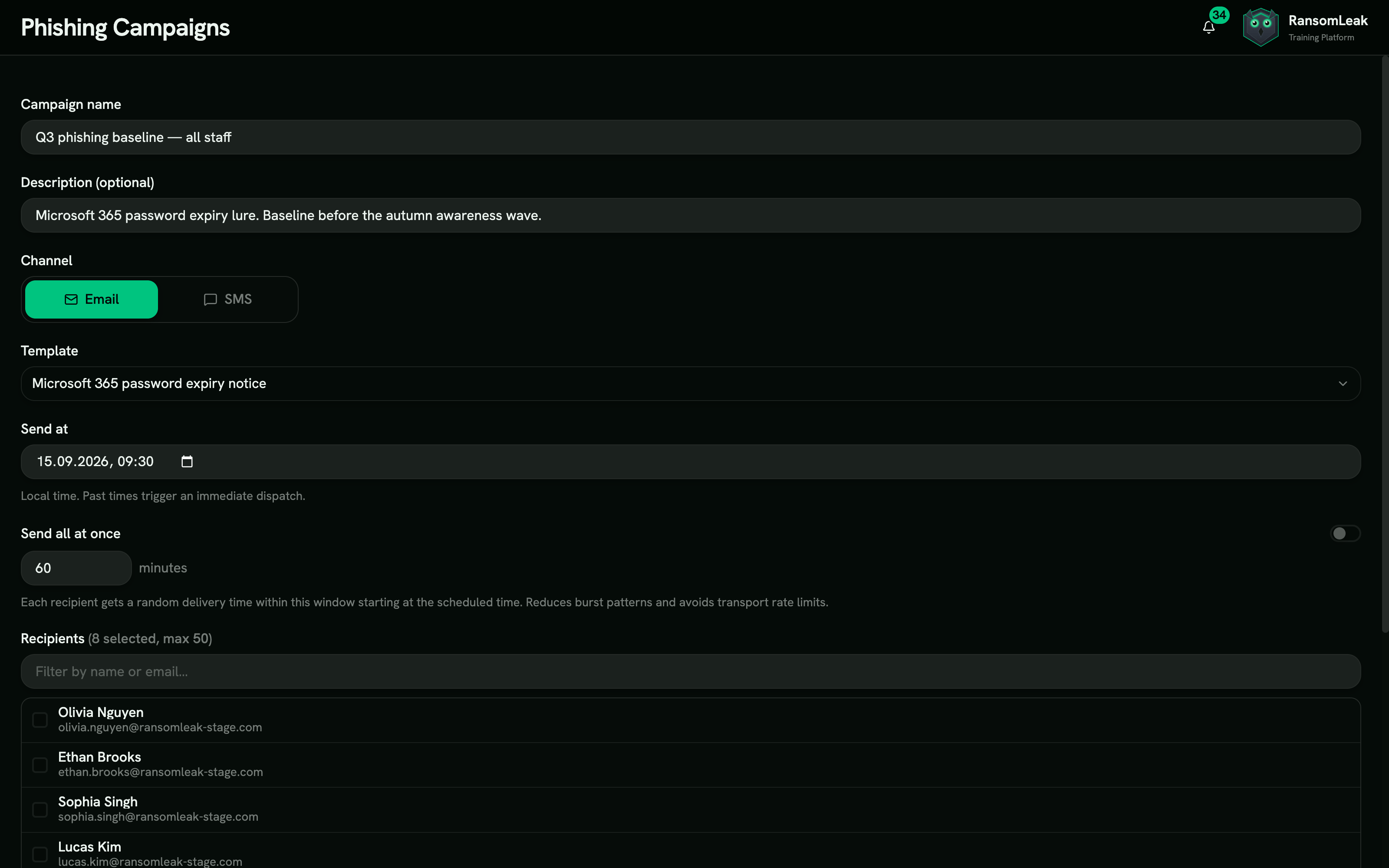
Scheduling and Send Windows
Define exact delivery windows with randomized jitter so emails trickle in naturally instead of arriving in a suspicious burst. Past-time scheduling triggers immediate dispatch for ad-hoc tests.
Audience Targeting
Target by department, location, manager, risk score, or custom attributes. Run A/B tests on subject lines to find which attack patterns get the highest click rates in your organization.
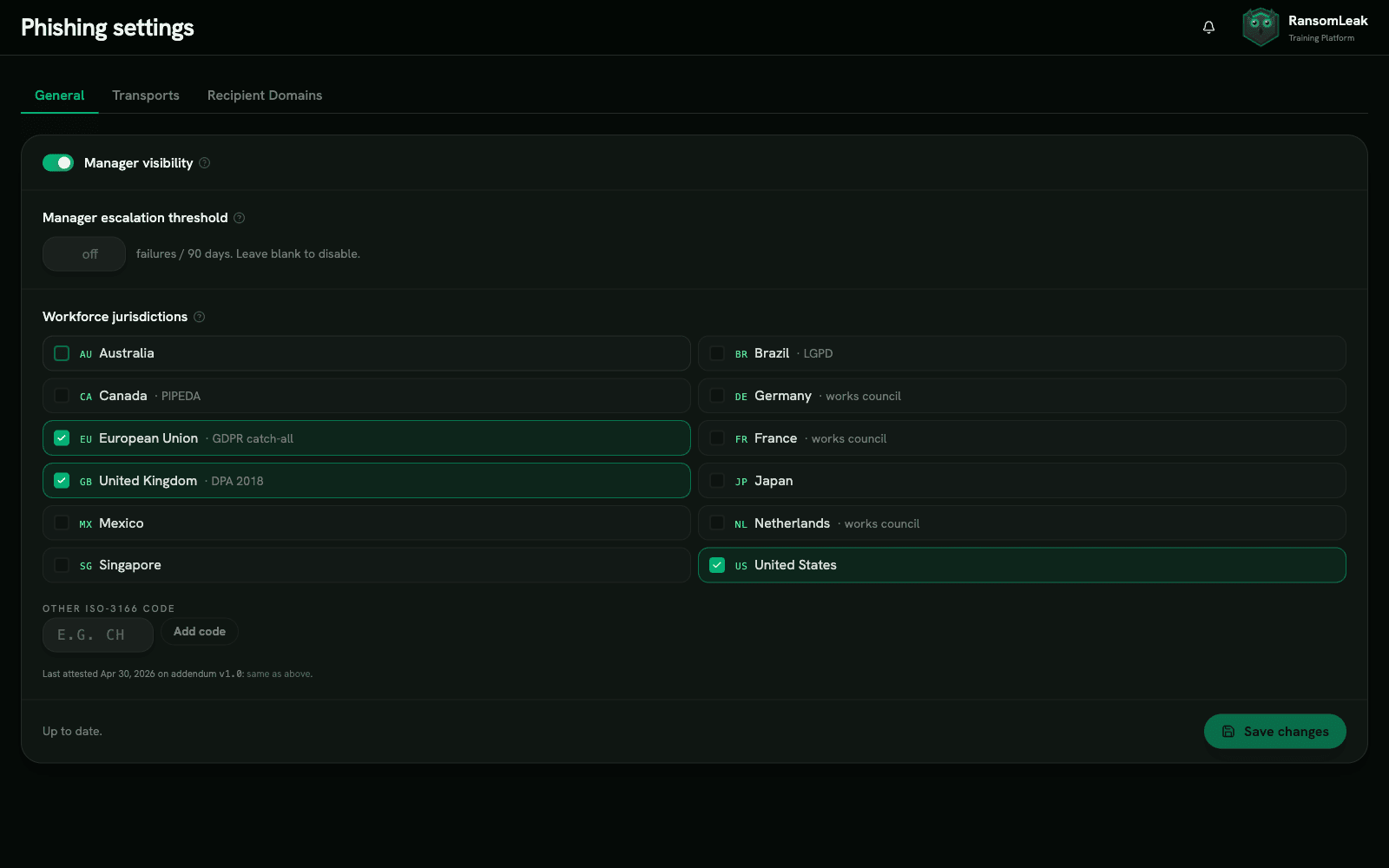
Manager Visibility Toggle
Give managers visibility into their direct reports with configurable escalation thresholds. When a team exceeds the click-rate threshold, the manager gets notified automatically.
4-Step Onboarding Wizard
Sign the activation addendum, connect your M365 or Google Workspace transport, verify recipient email domains via DNS TXT record, and launch a test campaign. First campaign can go live the same day.
Template Library with Real Attack Patterns
Mirror the attacks your employees actually receive, or clone and author your own.
Author and Customize
Use the curated library as-is, clone any template to tailor the subject, HTML body, sender, and landing page to your brand, or compose a new one from scratch with Liquid variables. Drafts save privately to a My Templates library and submit for review before launch.
Sender Persona Pools
Microsoft, Google, Okta, Slack, DocuSign, Adobe, Dropbox, HR, IT, and Finance. Each pool includes brand-accurate sender names, lookalike domains, and logo assets that match what employees see in real phishing campaigns.
Difficulty Levels 1-5
Level 1 templates have obvious red flags (misspellings, suspicious URLs). Level 5 templates are near-identical to legitimate notifications, with correct formatting, valid-looking domains, and contextual personalization.
Liquid Personalization
Templates dynamically insert the recipient name, email, team, manager, department, company brand, and fake invoice, order, meeting, or tracking tokens. Personalized simulations get 2-3x higher engagement than generic blasts.
Landing Page Layouts
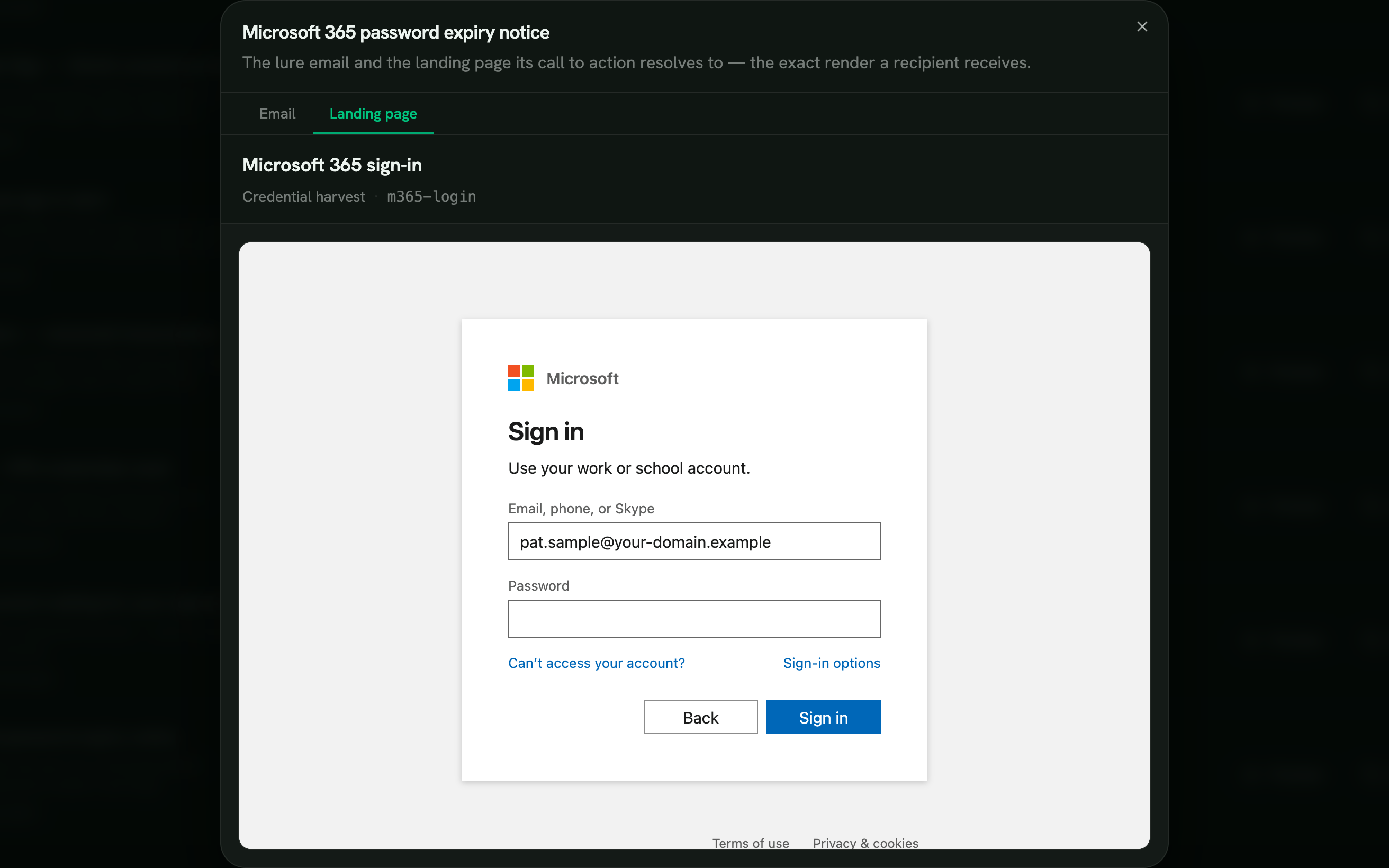
Four families: credential harvest (M365, Google, Okta, DocuSign, Adobe, IT, HR), document viewer, OAuth consent (M365, Google), and educational gotcha pages. Each layout matches the brand it impersonates.
Attachments and Link Variants
Decoy PDFs, HTML document viewers, and office link files. Track which attachment types your employees are most likely to open so you can target training accordingly.
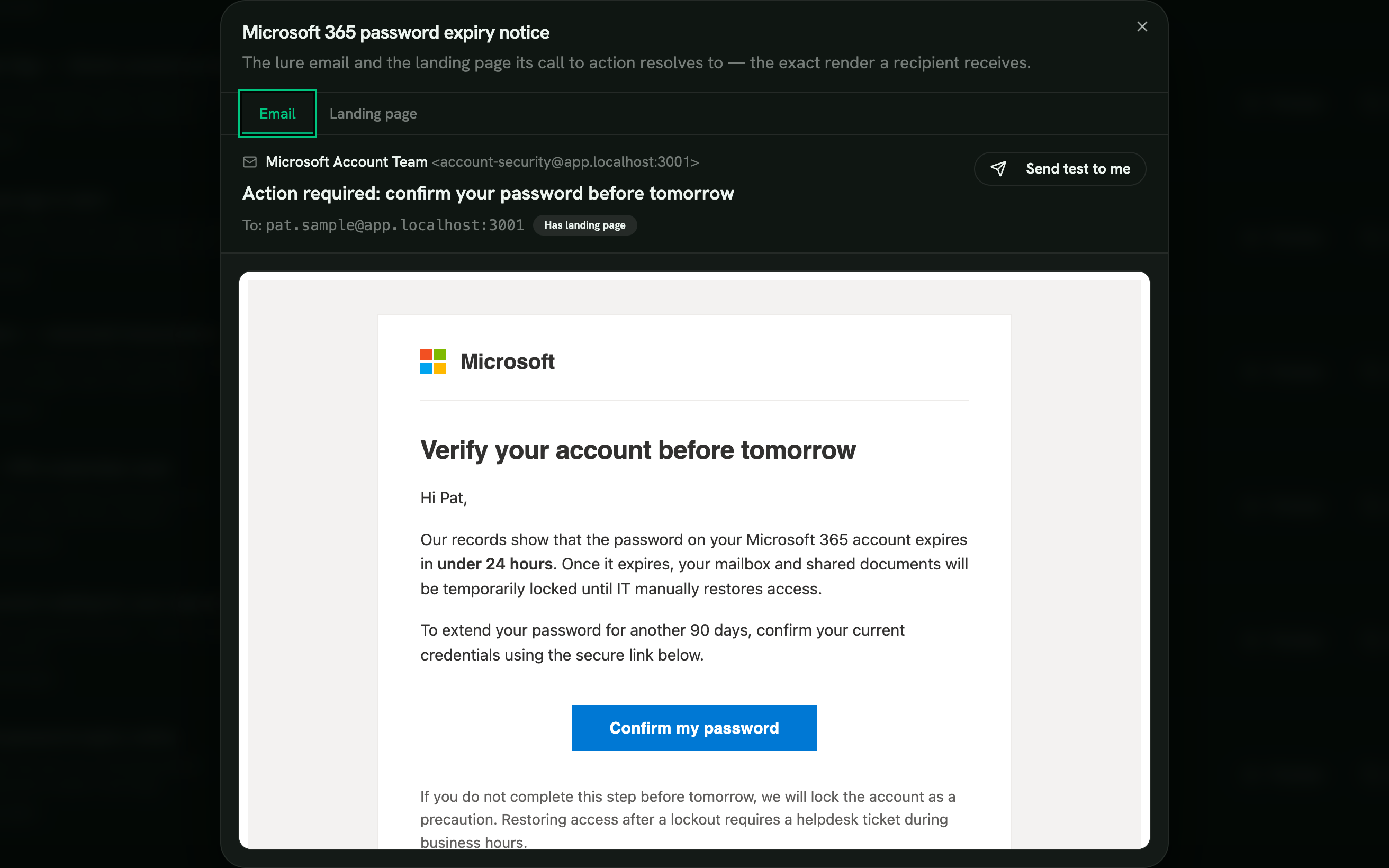
Every lure is yours to customize
Send the curated templates as they are, clone any of them to rework the sender, subject, body, and landing page for your brand, or write a brand-new lure from scratch with Liquid variables. Drafts stay private in My Templates until you submit them for review.
- Use as-is
- Clone and edit
- Build from scratch
Example email lures
Ten lures from the curated library, each based on a real attack pattern.
-
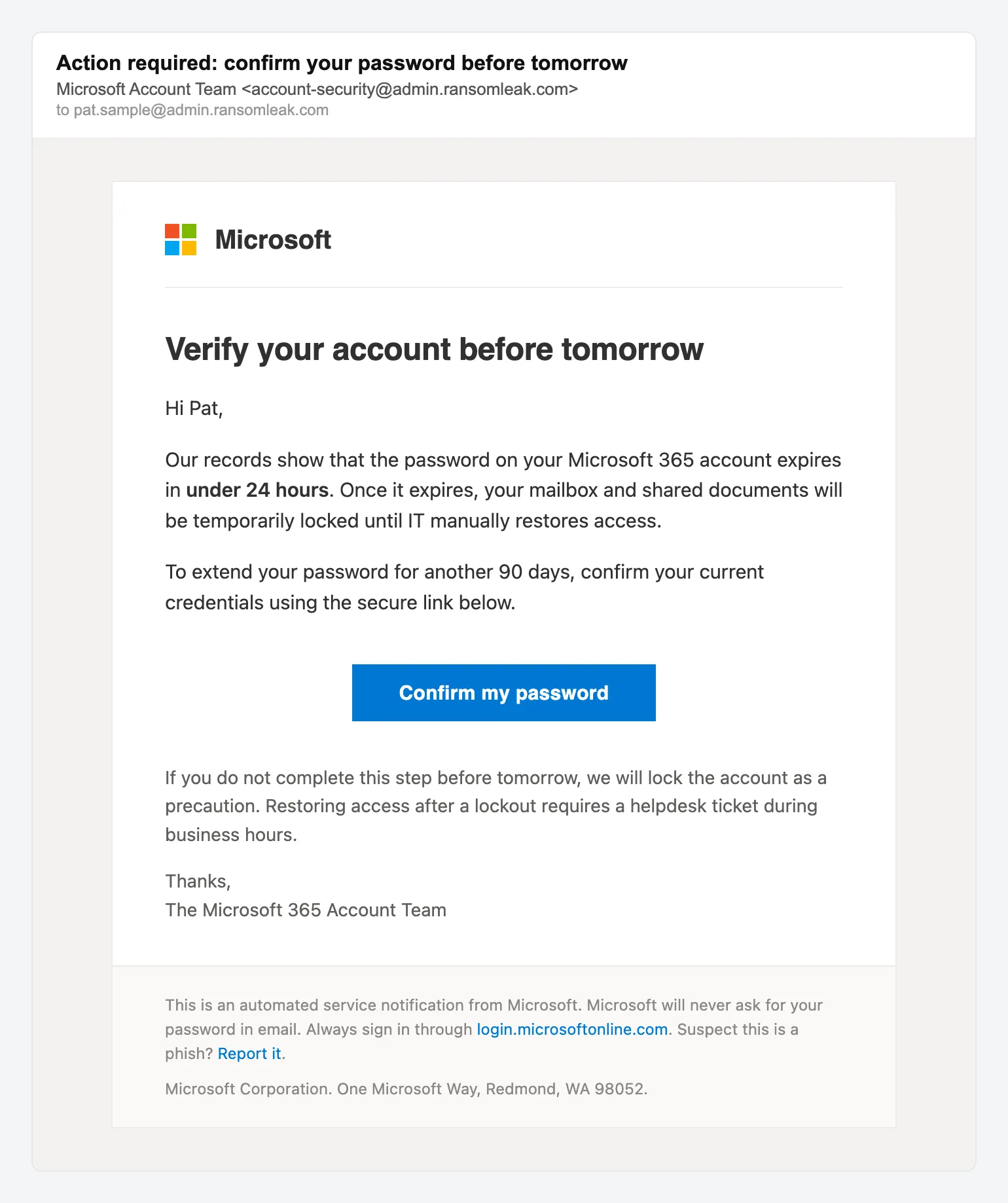
Credential harvest Microsoft 365 password expiry -
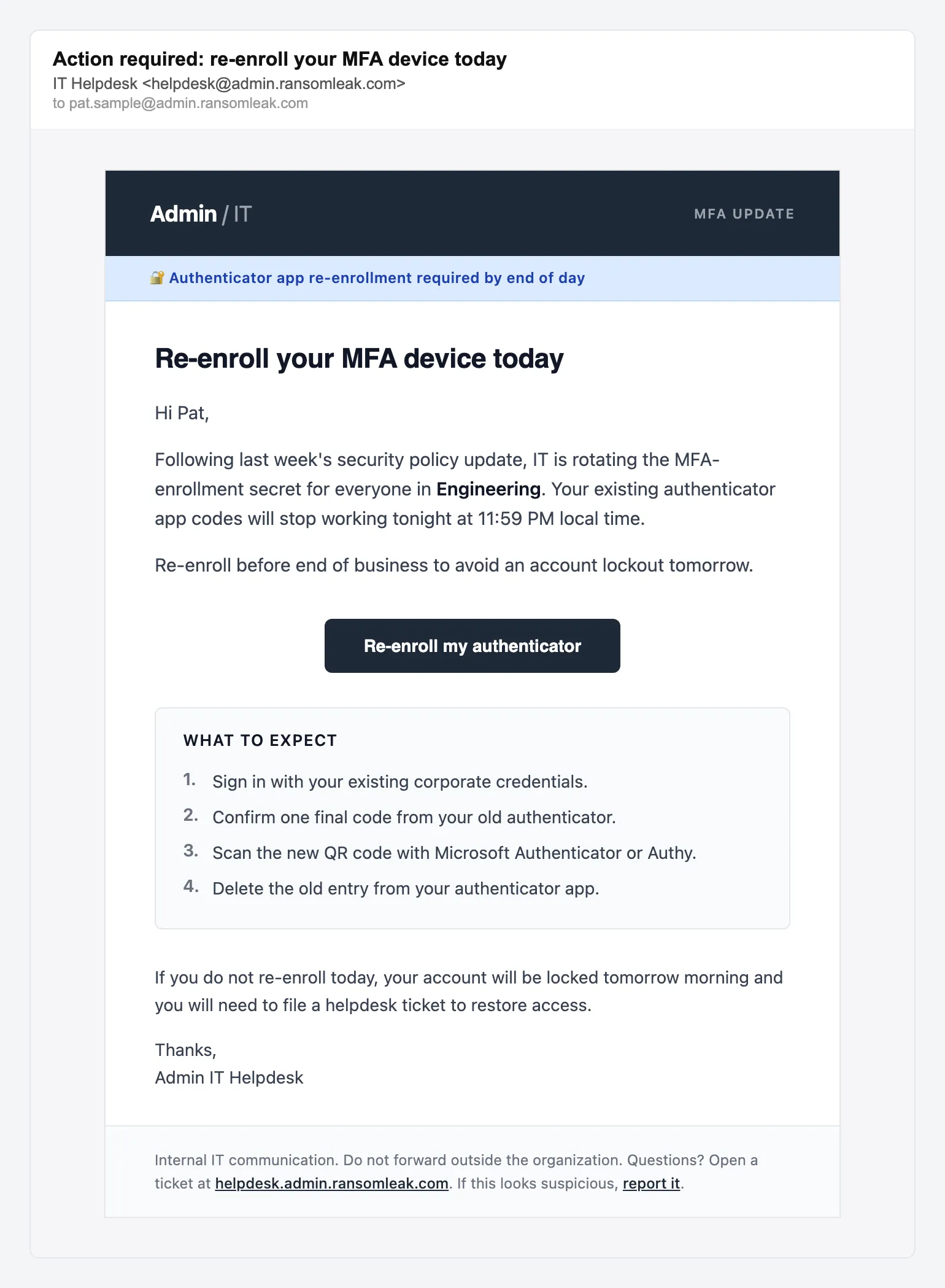
MFA reset IT helpdesk MFA re-enrollment -
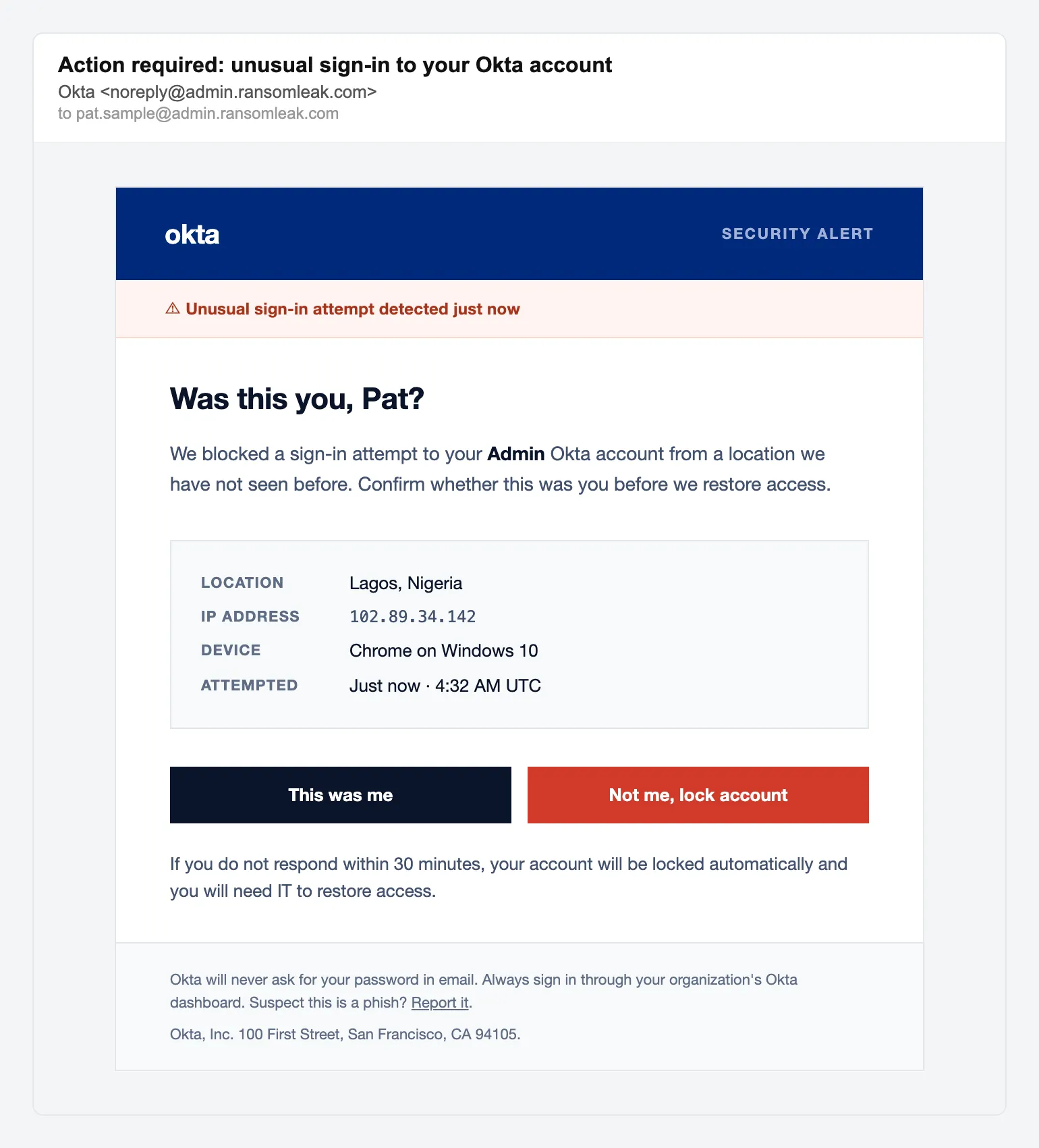
Credential harvest Okta unusual sign-in alert -
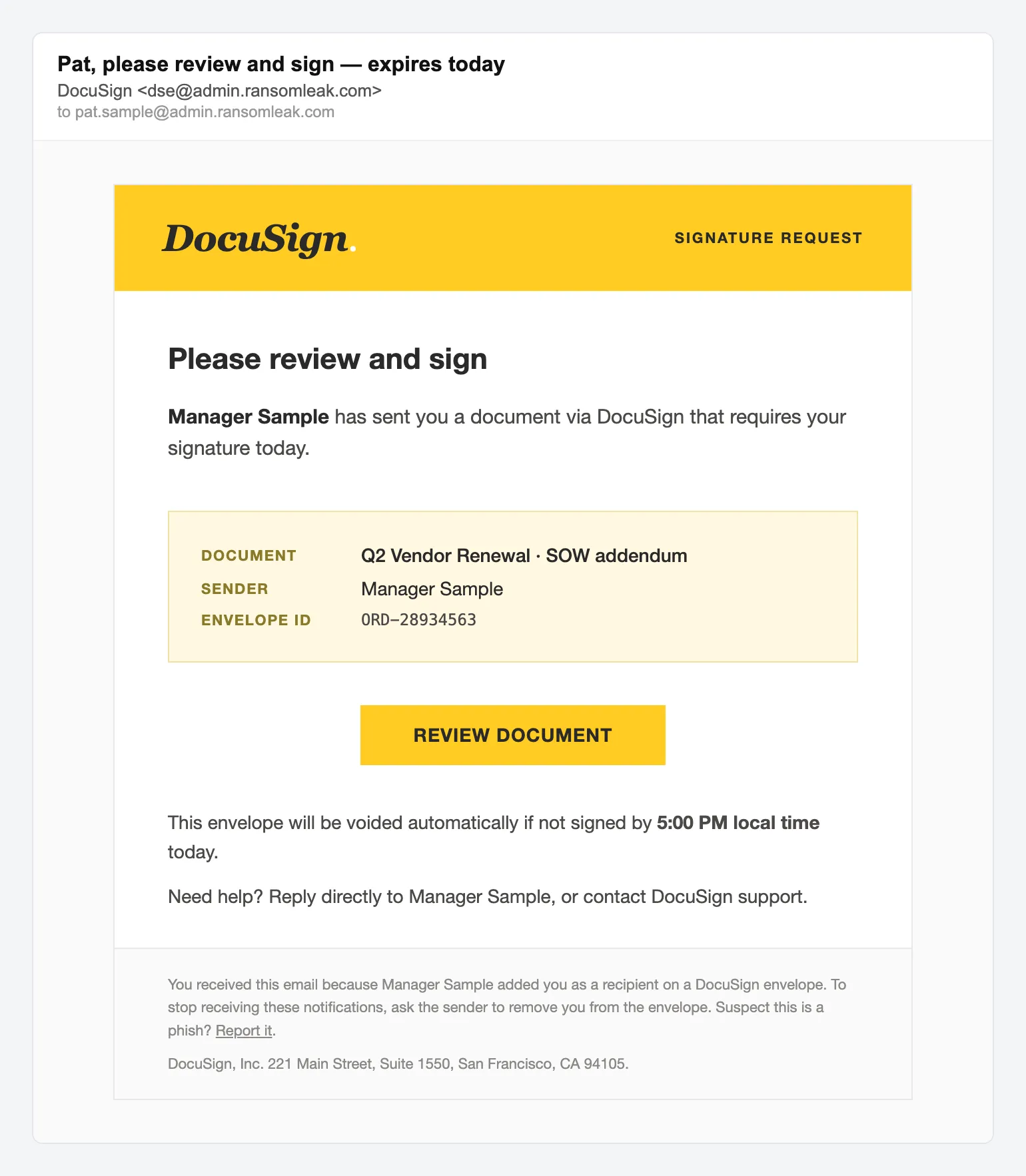
Document lure DocuSign signature request -
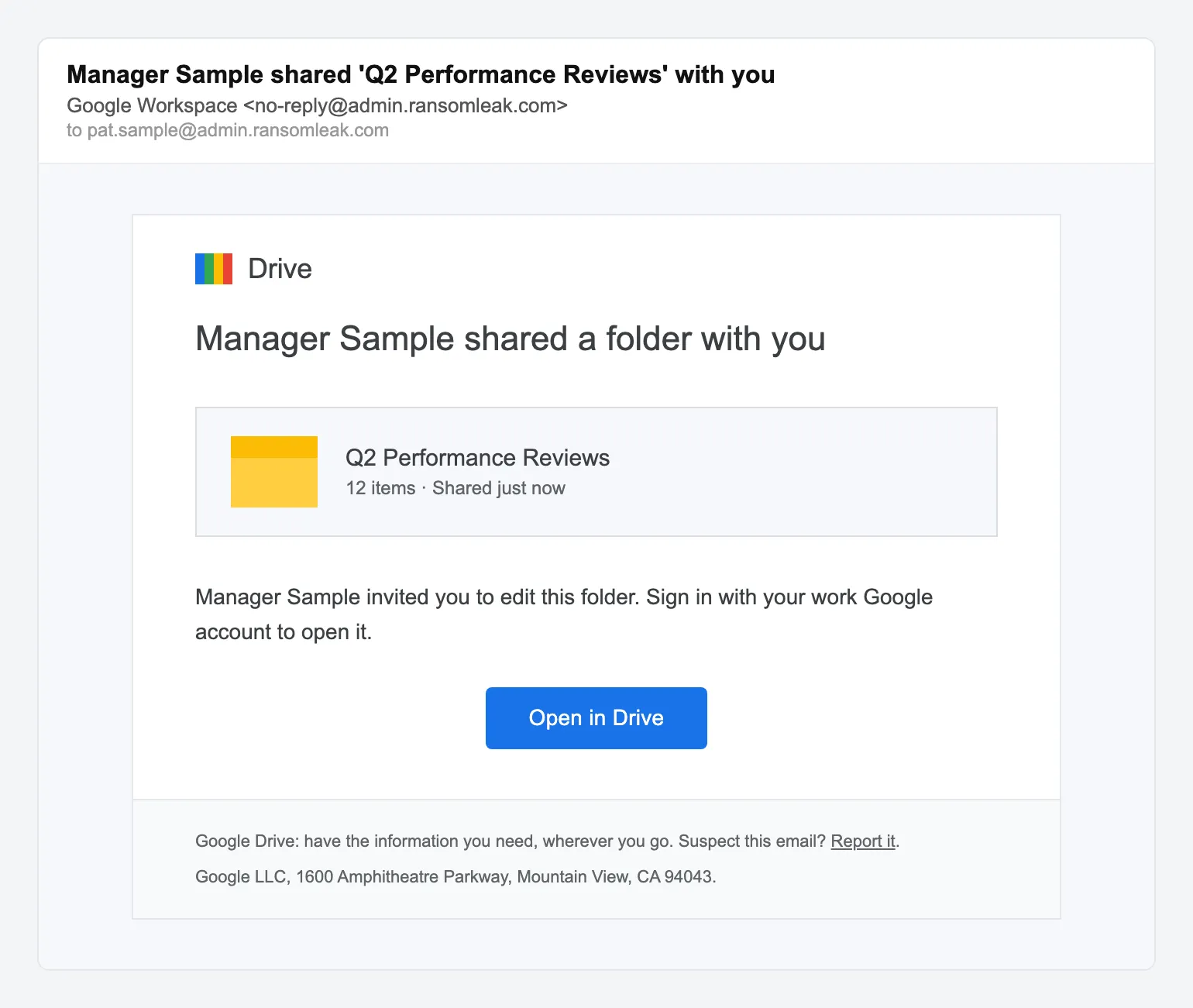
Document lure Google Drive folder shared -
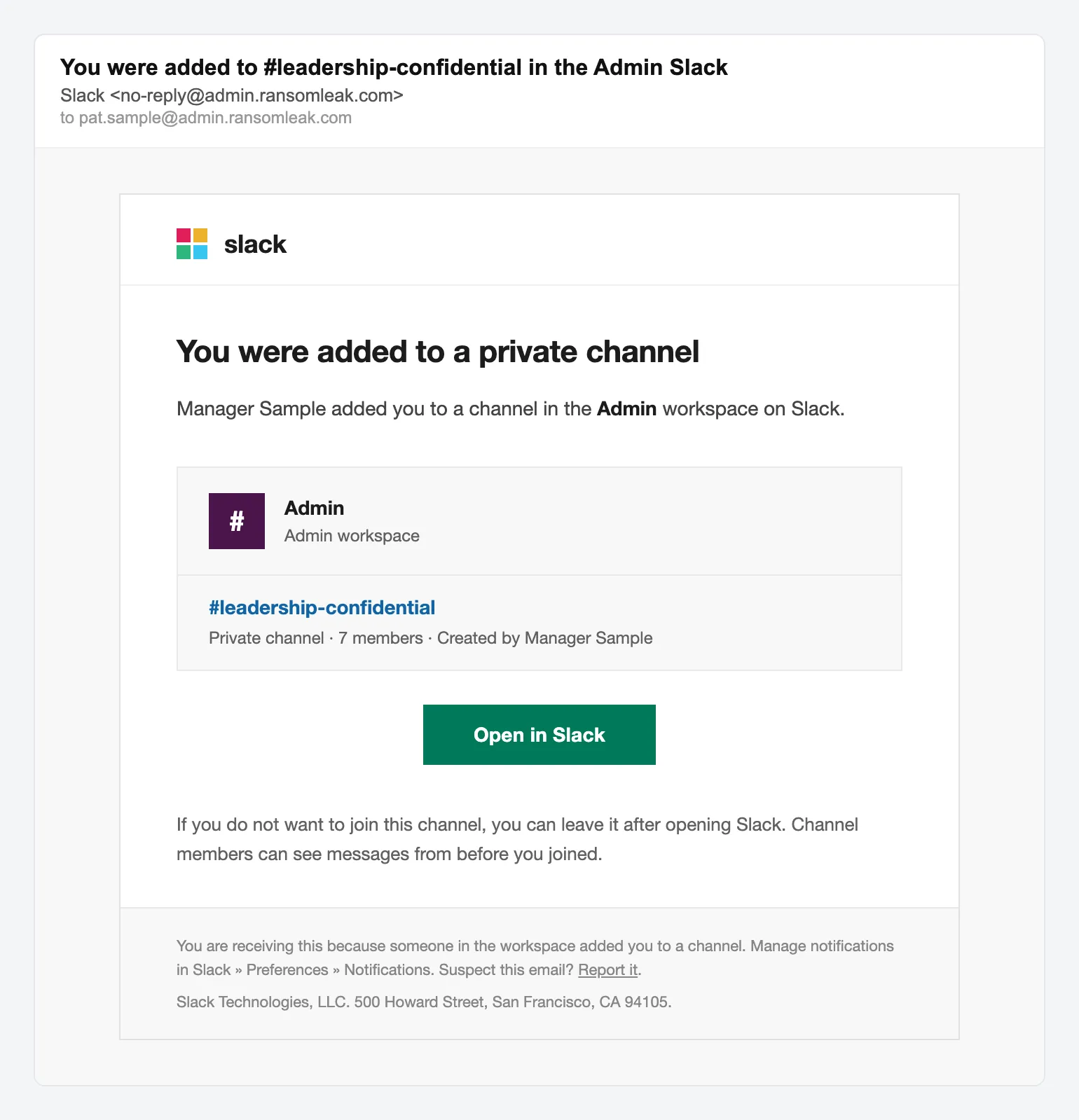
Credential harvest Slack private channel invite -
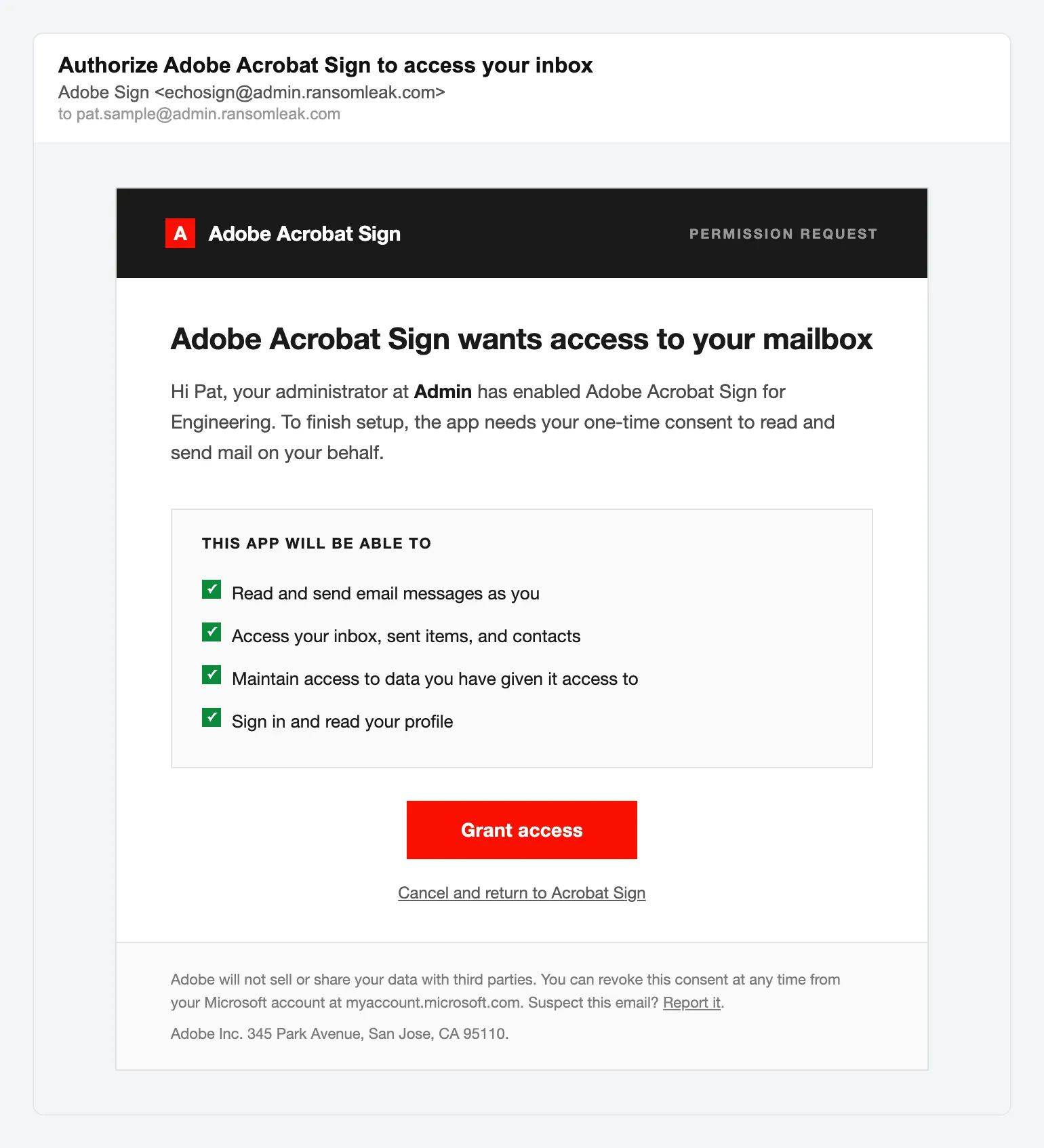
OAuth consent Adobe Acrobat Sign request -
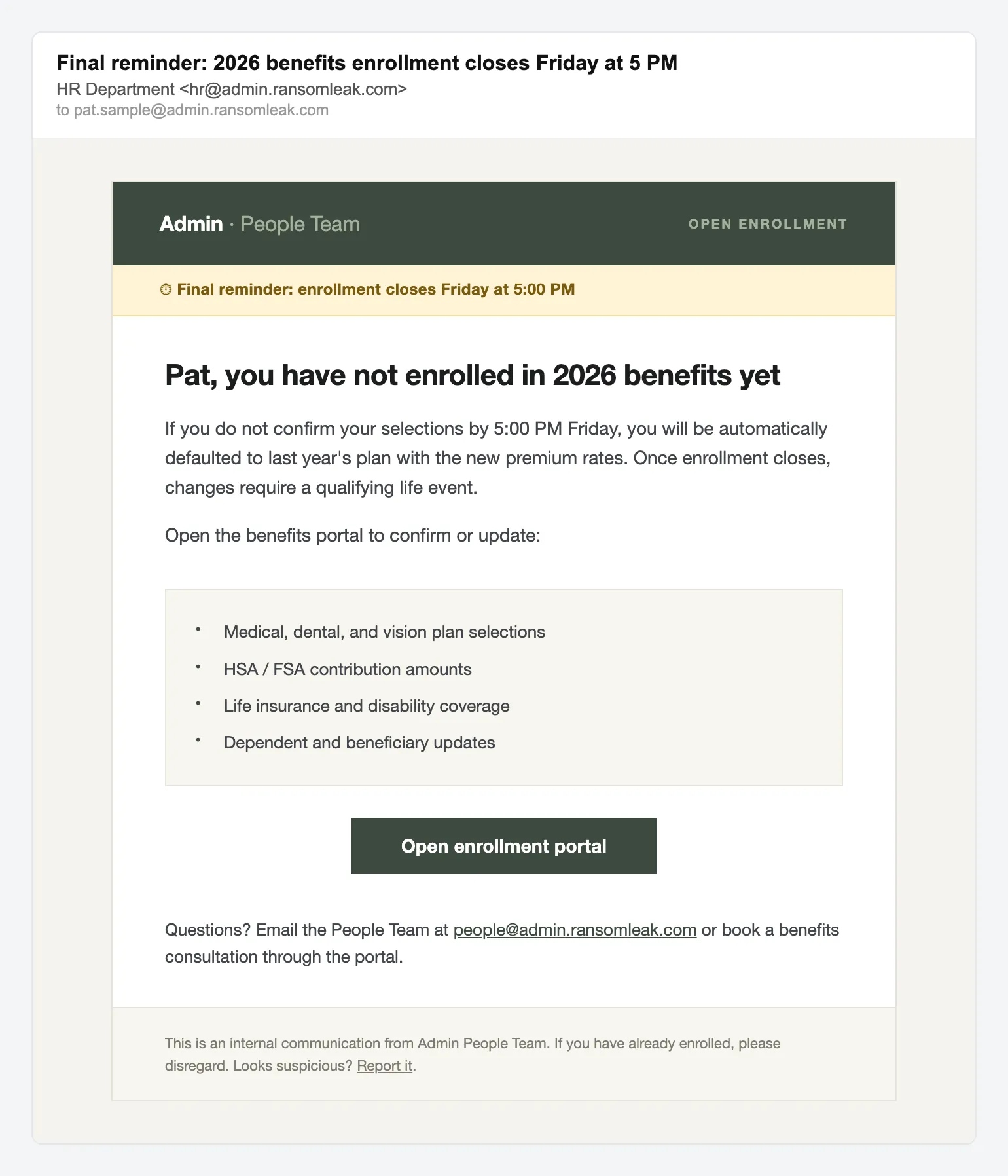
Credential harvest HR benefits enrollment reminder -
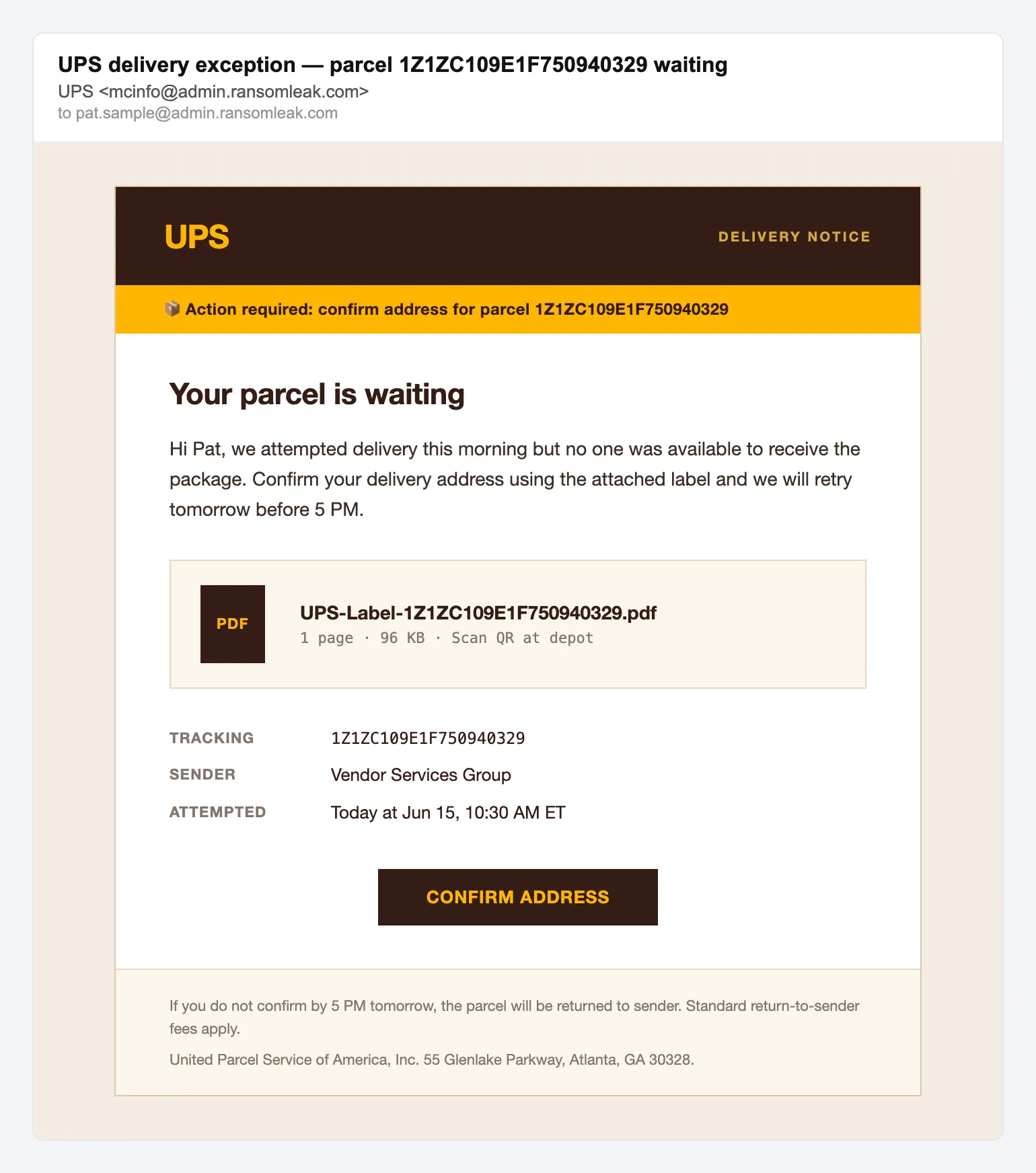
Delivery scam UPS parcel delivery exception -
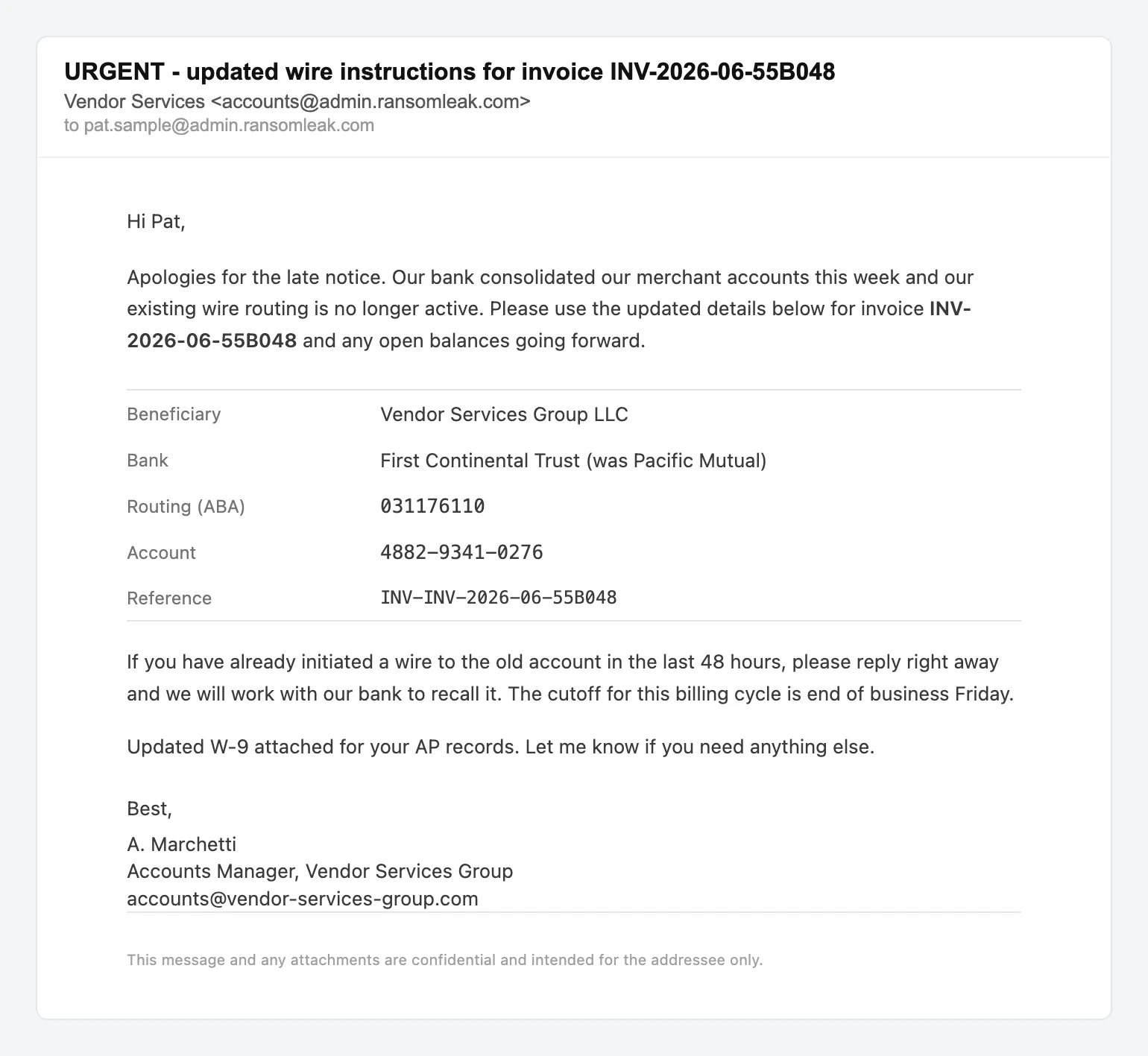
BEC Vendor wire instruction change


Where the lures land
Eight landing pages, each matched to the brand it imitates.
-
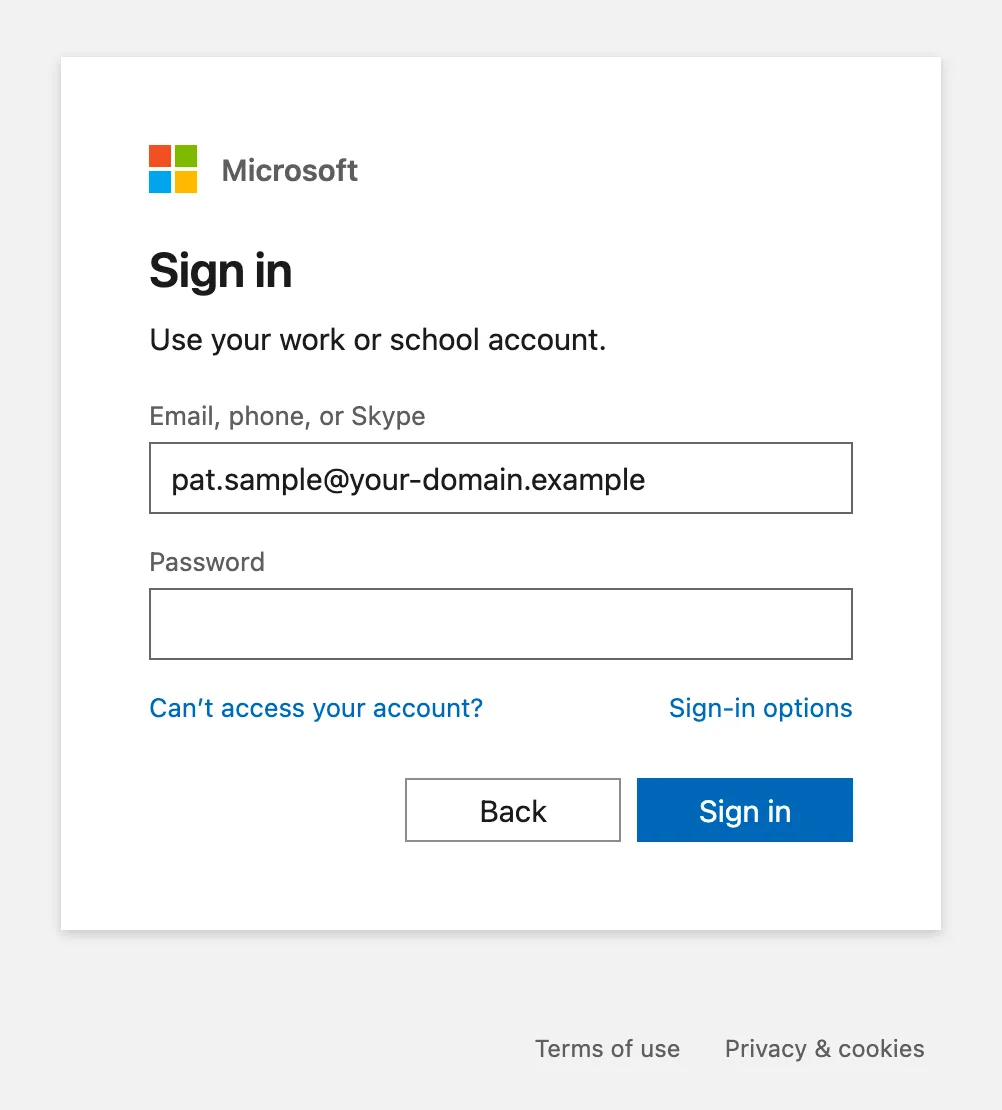
Credential harvest Microsoft 365 sign-in -
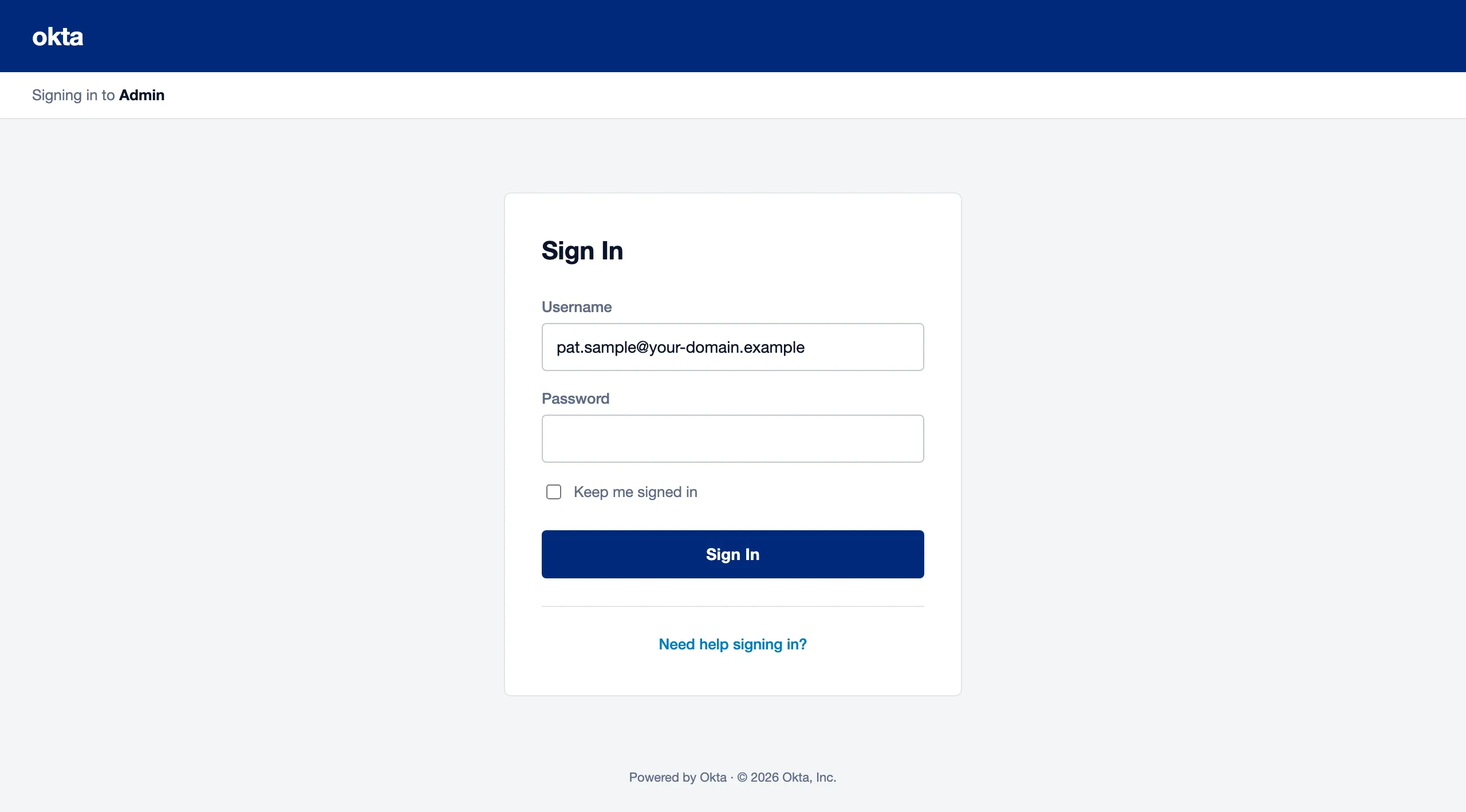
Credential harvest Okta sign-in -
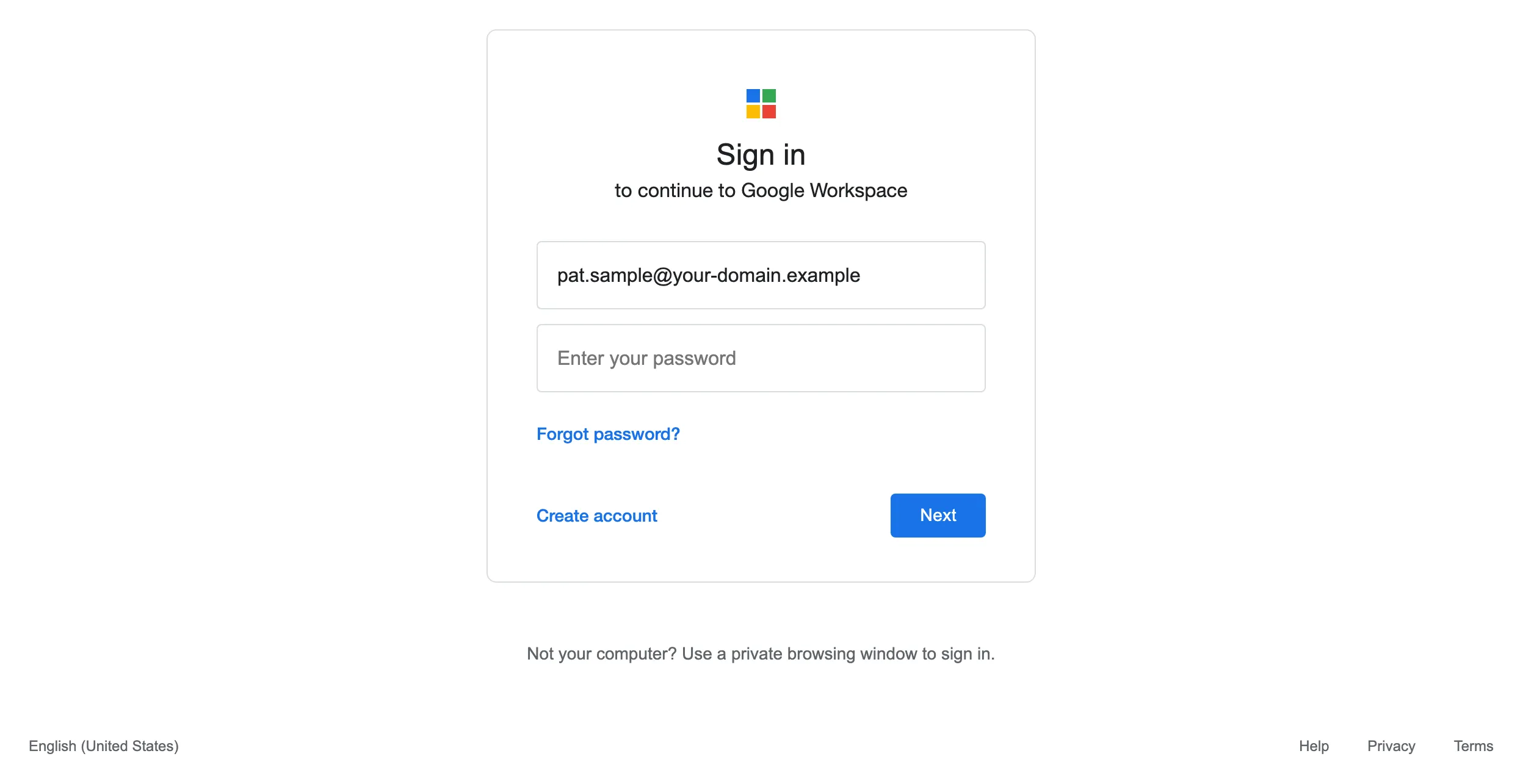
Credential harvest Google Workspace sign-in -
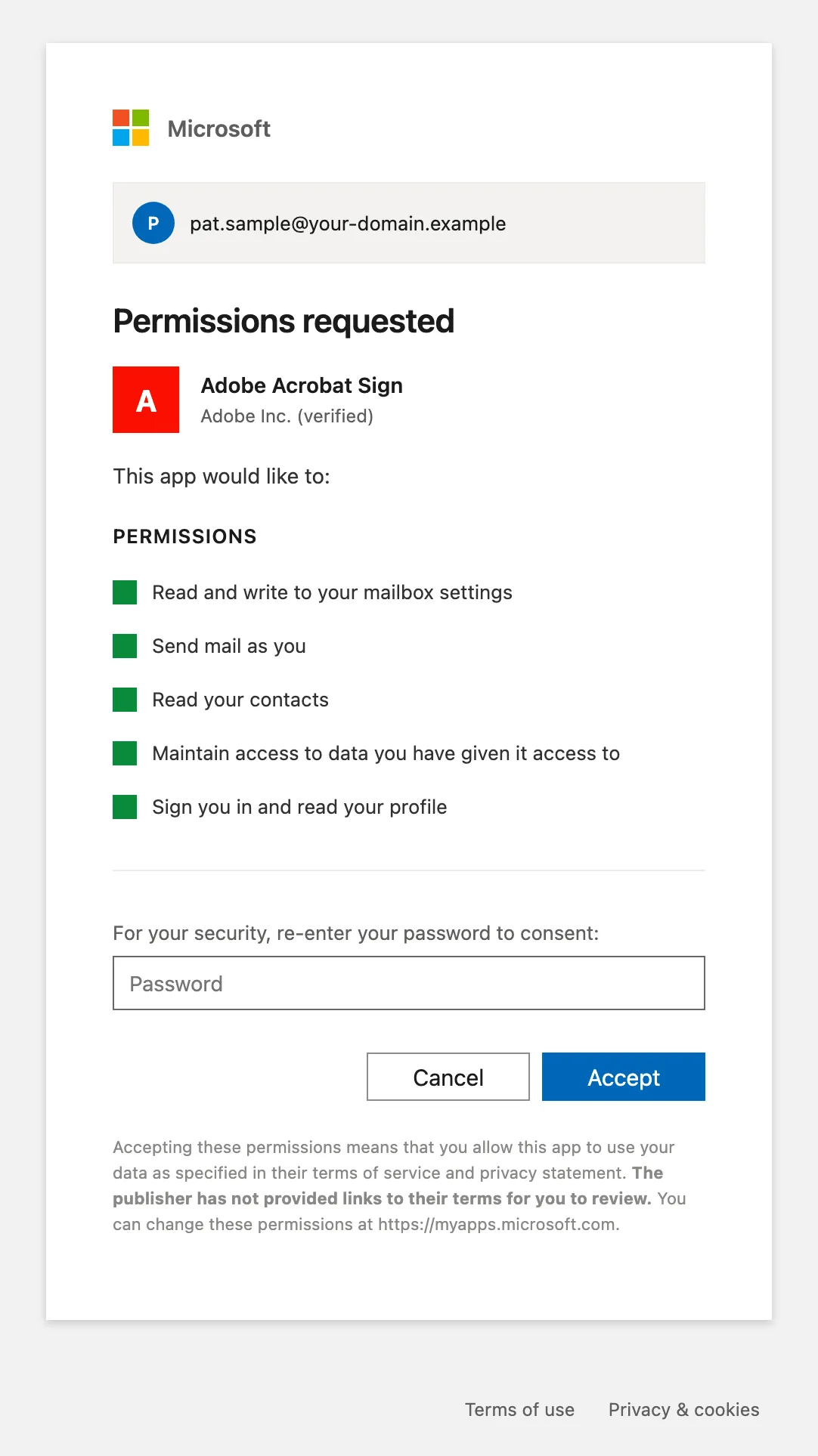
OAuth consent Microsoft 365 OAuth consent -
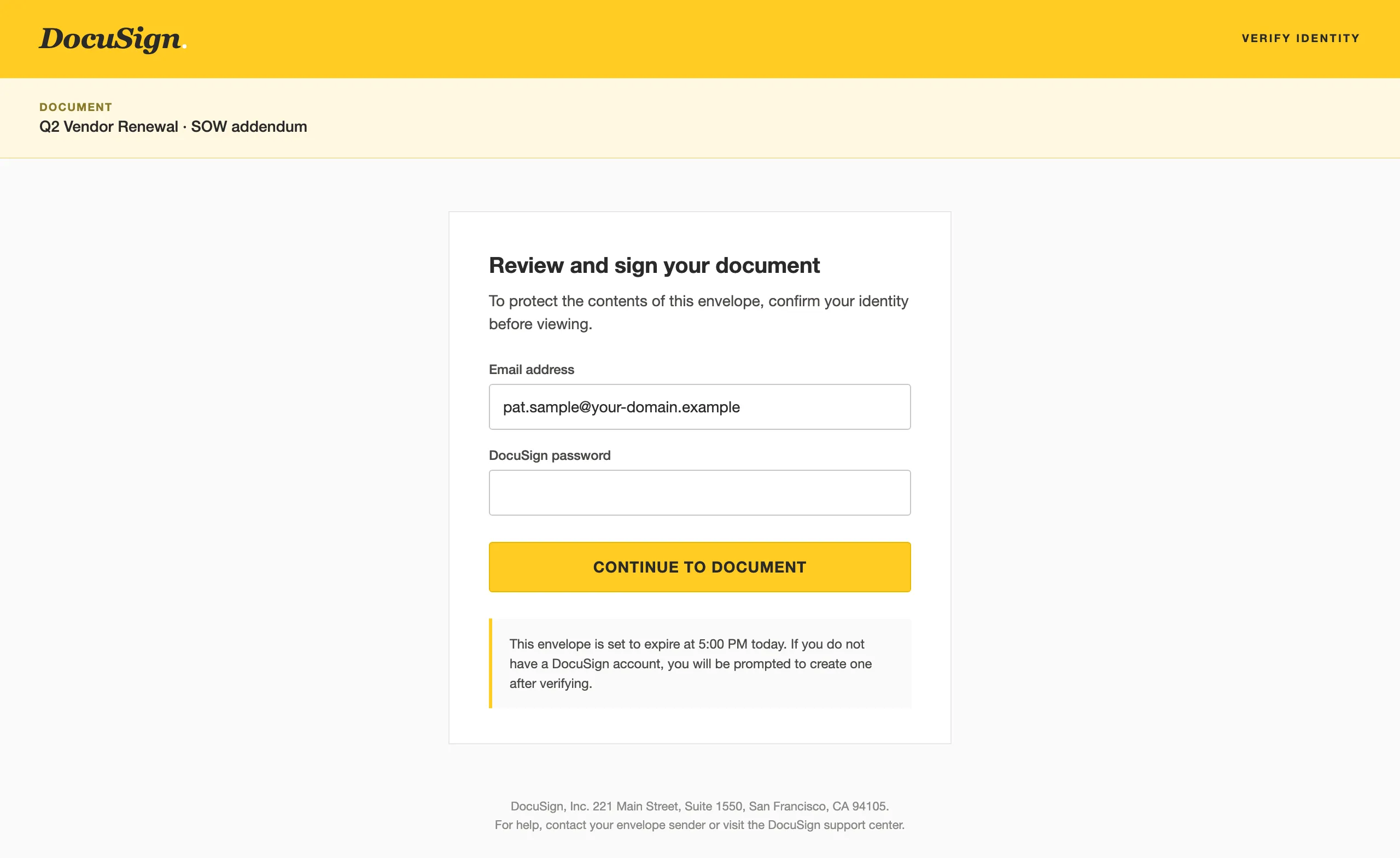
Document viewer DocuSign document viewer -
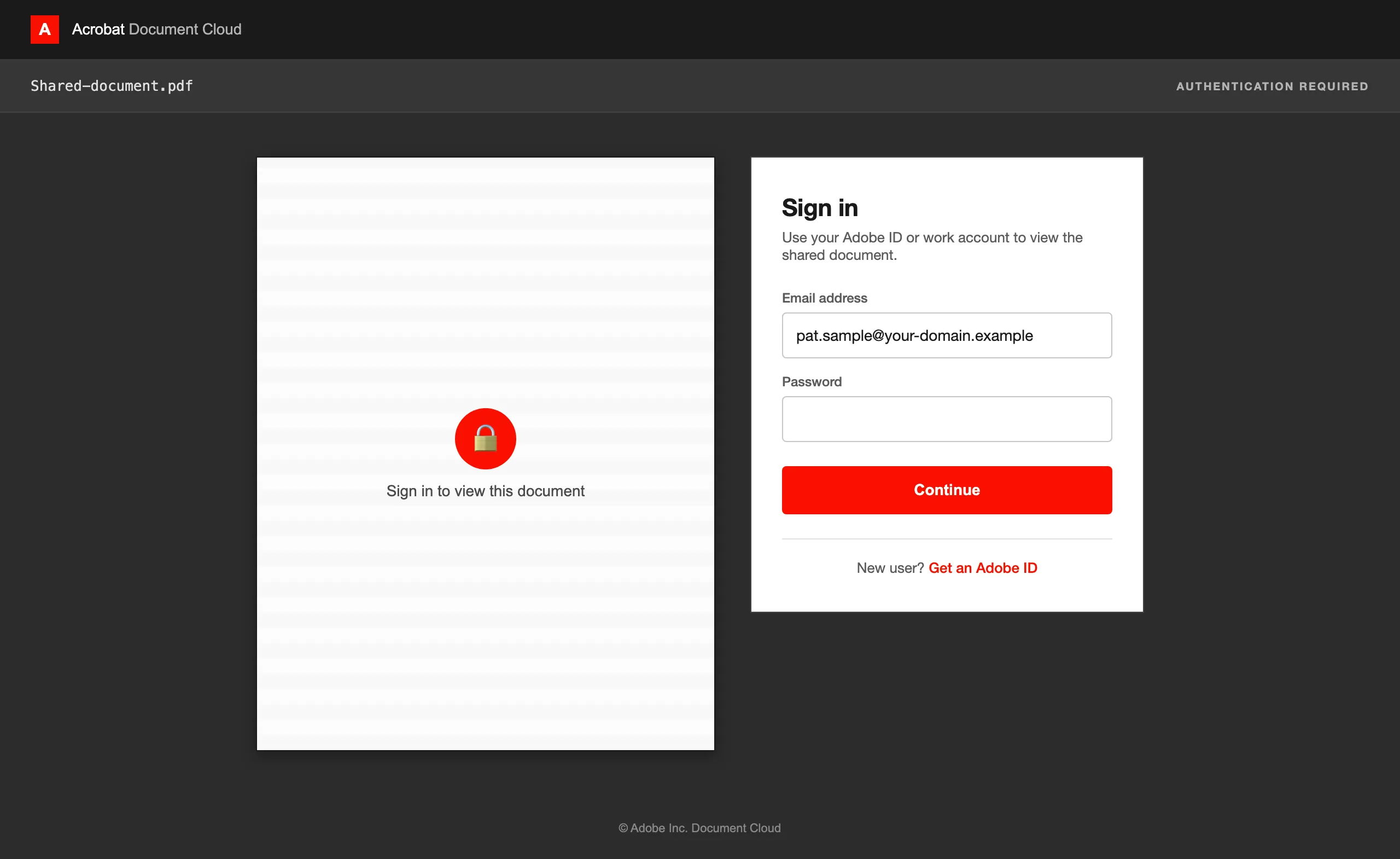
Document viewer Adobe PDF viewer -
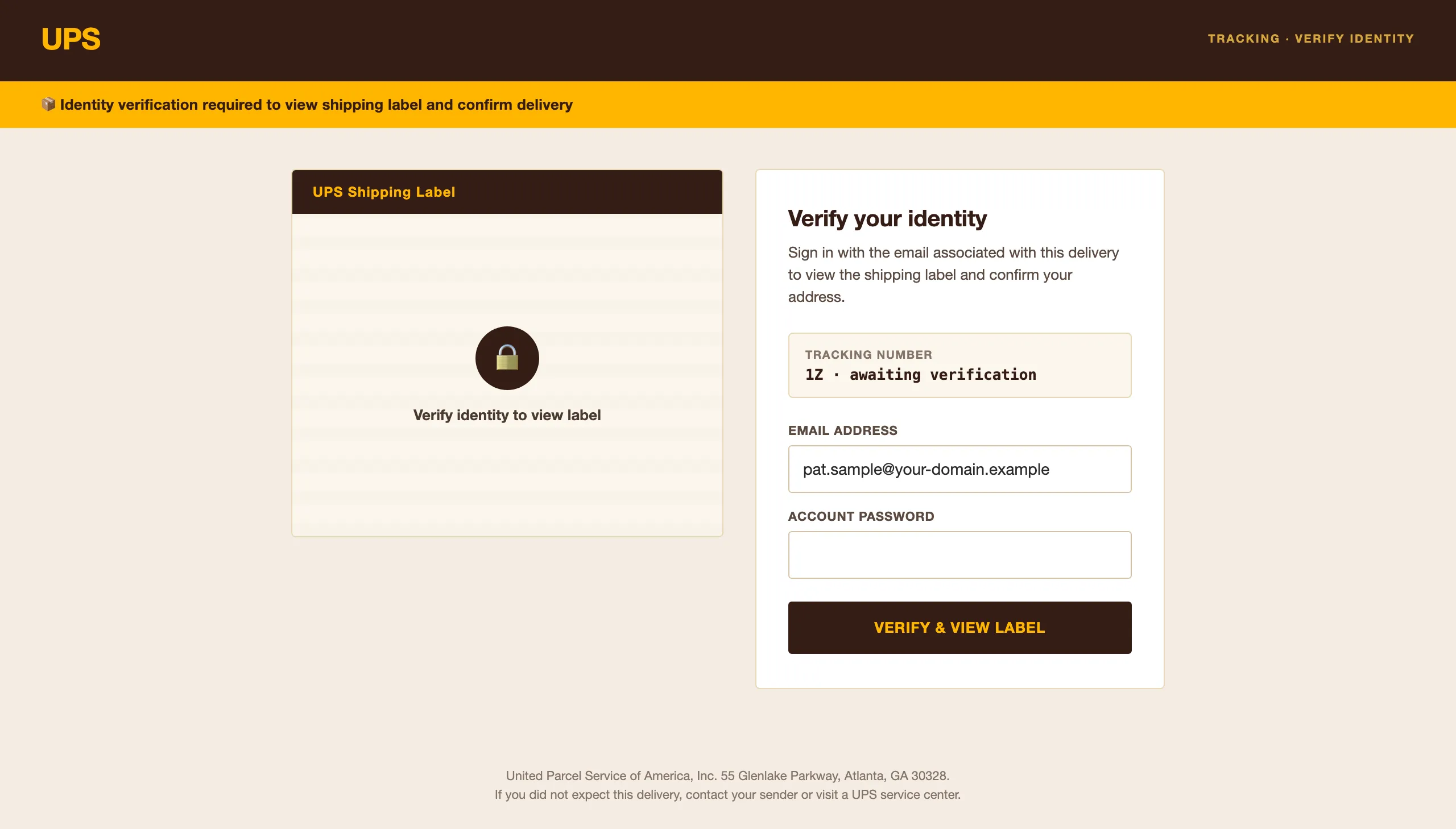
Document viewer UPS shipping label viewer -
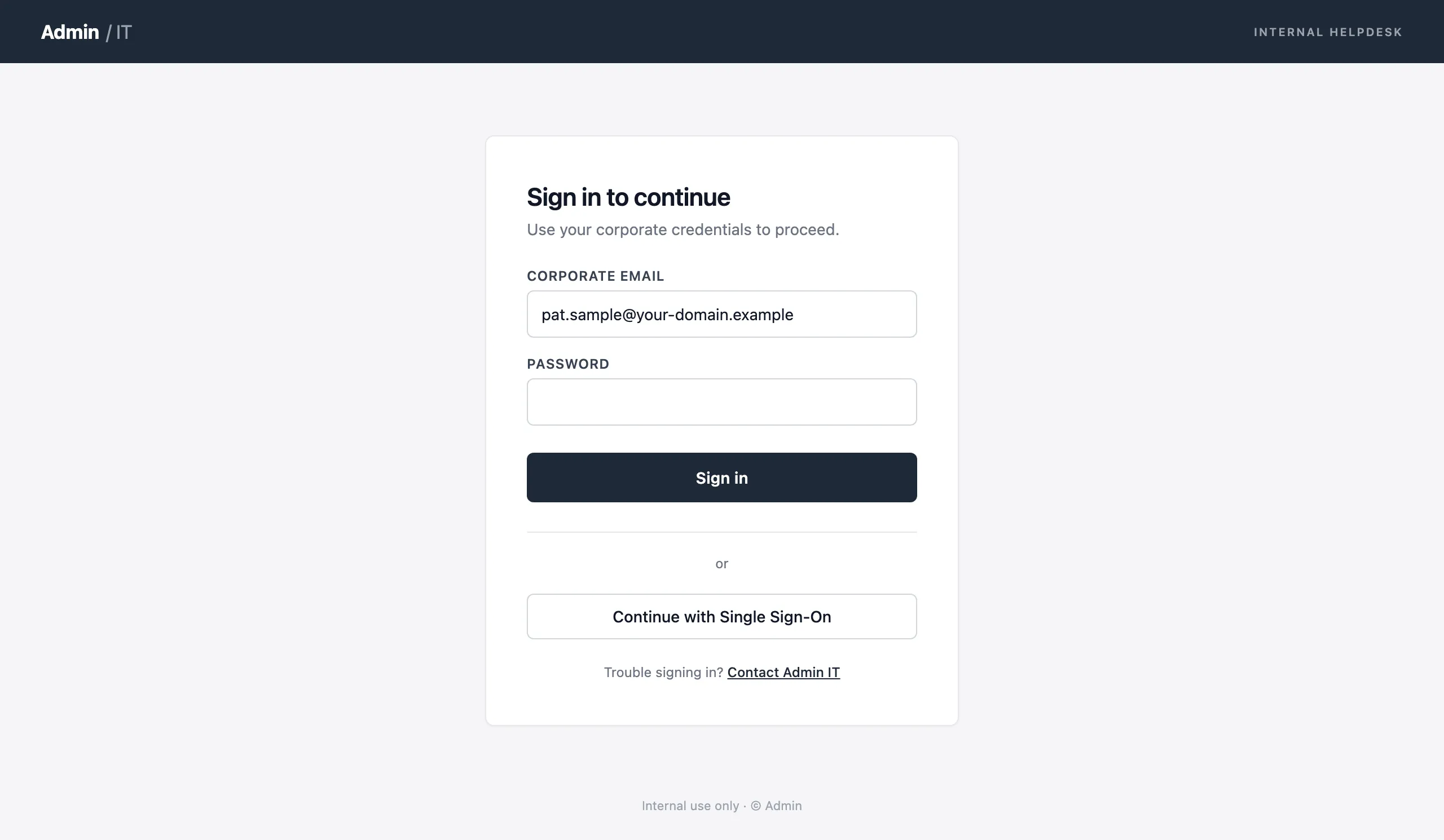
Credential harvest IT helpdesk portal


Reporter Buttons for Outlook and Gmail
Give employees a one-click way to report suspicious emails. Every report feeds back into your simulation analytics.
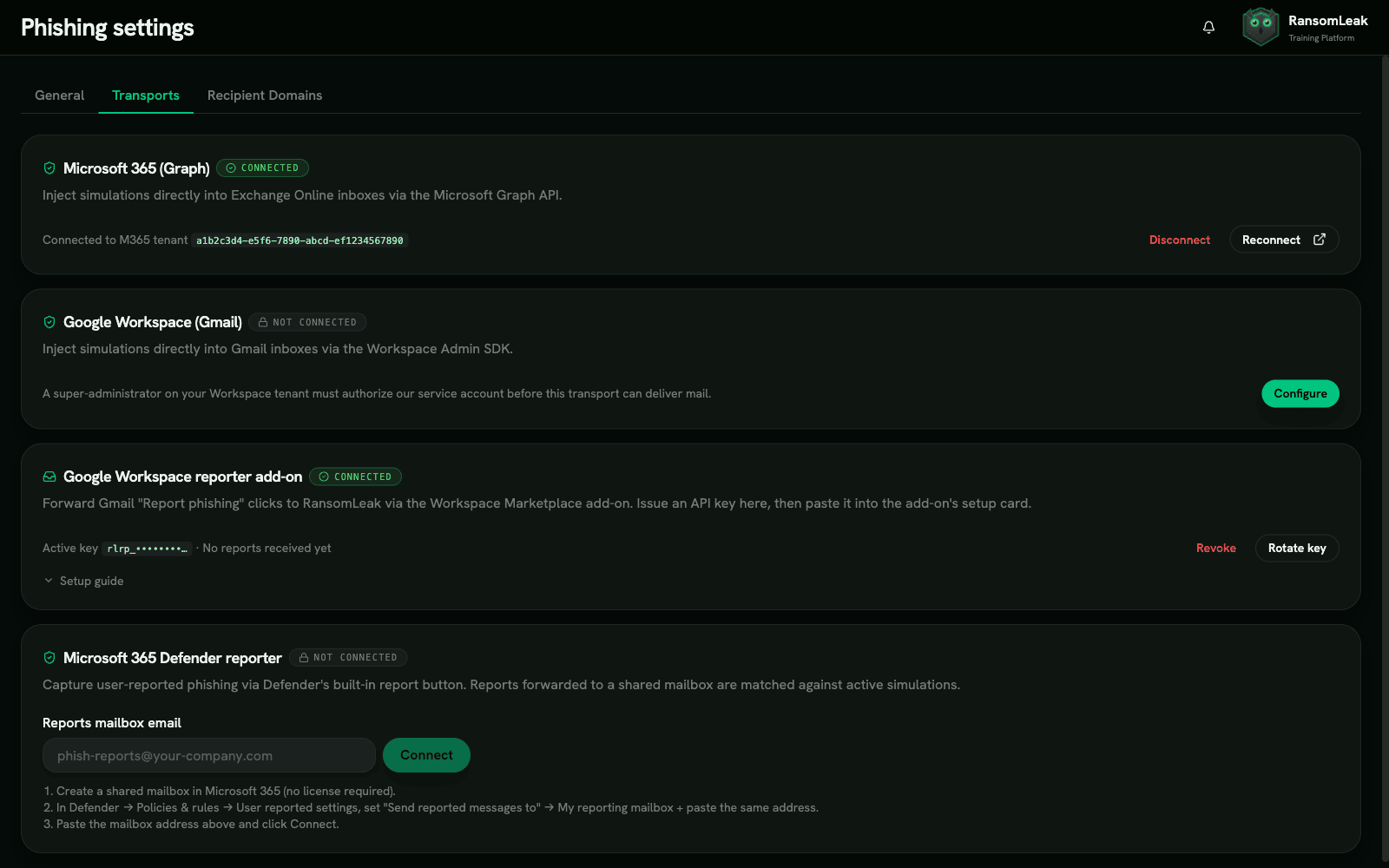

Microsoft 365 Defender
Native webhook integration with M365 Defender. Employees click the built-in report button, and the event streams directly into your simulation funnel. No separate add-in to install or maintain.

Gmail & Google Workspace
API-key add-on for Gmail and Google Workspace. The reporter button appears in the Gmail toolbar, and reported emails are matched against active campaigns in real time.
Full-Funnel Phishing Analytics
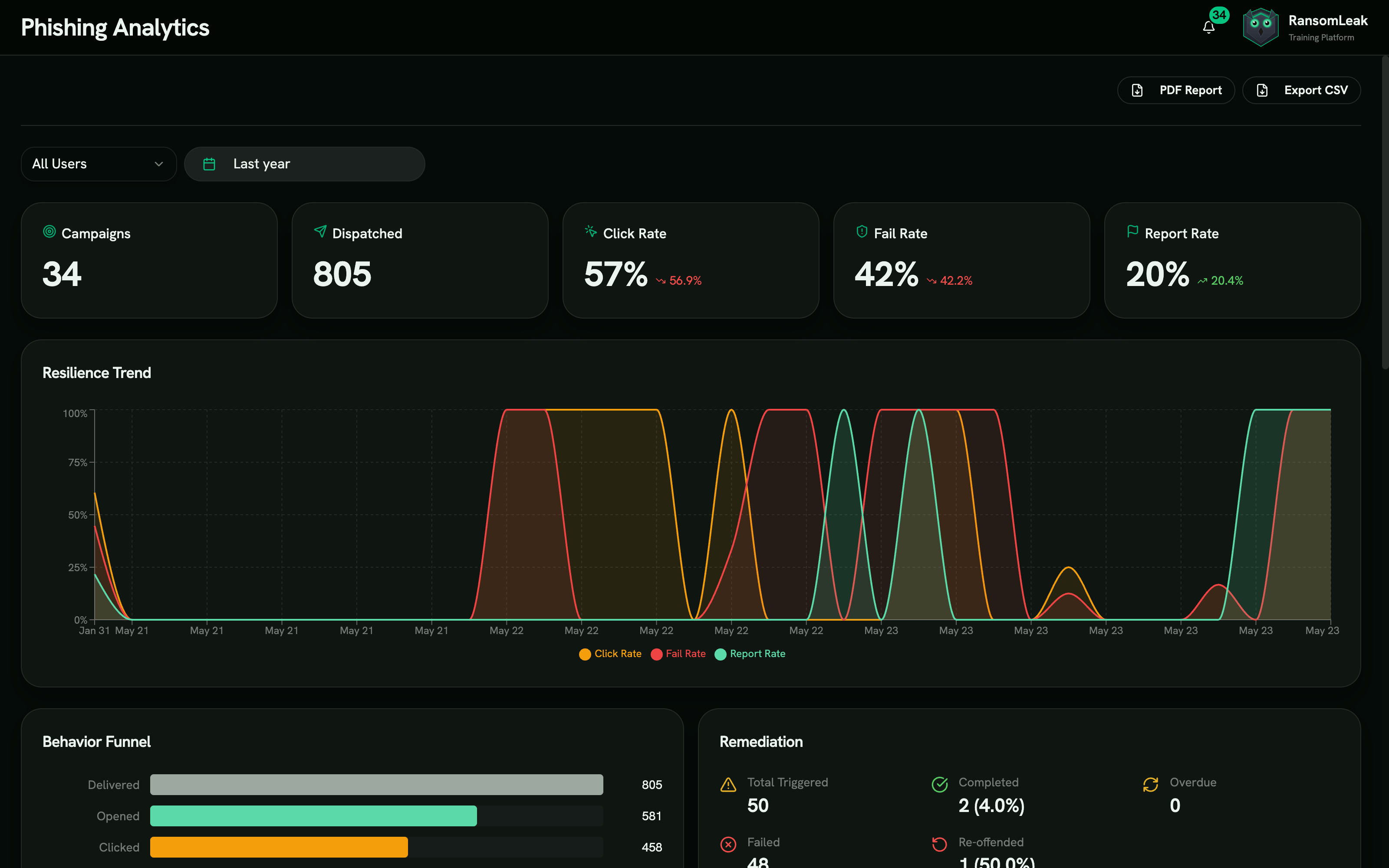
Go beyond open and click rates. Track every stage of the attack chain, from delivery to credential submission to reporting.
Multi-Stage Funnel
Track eight distinct stages: delivered, opened, clicked, credentials submitted, attachment opened, OAuth granted, BEC reply received, and reported. See exactly where employees fail and where your training is working.
Trend Analysis and Benchmarking
Compare click rates, report rates, and time-to-report across campaigns, departments, and time periods. See whether each campaign actually changes behavior or just checks a box.
Repeat Offender Tracking
Flag employees who fail multiple simulations. Assign escalating remediation paths and track whether additional training reduces their susceptibility over time.
Template Performance
See which attack patterns, sender personas, and difficulty levels produce the highest click rates. Use the data to build increasingly targeted campaigns.
PDF and CSV Exports
Generate audit-ready PDF and CSV reports for SOC 2, ISO 27001, HIPAA, and PCI DSS reviews. Export on demand for compliance stakeholders.
Automated Remediation, Not Blame
Every failed simulation becomes a training opportunity. Employees learn from mistakes immediately, not months later in a quarterly review.
Learning Path Assignment
When an employee clicks a phishing link or submits credentials, they are automatically assigned a targeted learning path. The path includes 5-10 minute interactive exercises covering the specific attack pattern they fell for.
Configurable Deadlines and Grace Periods
Set a deadline for completing remediation training and a grace period before escalation. This keeps the experience educational and gives employees a reasonable window to learn.
Soft-Fail Triggers
Gotcha pages explain what happened and why. Employees see the red flags they missed, learn the verification steps they should have taken, and move directly into training. No public shaming, no IT tickets.
Remediation Stats
Track remediation completion rates, average time to complete, and whether employees who went through remediation perform better on subsequent simulations.
Legal and Compliance Controls
Phishing simulations touch employment law, privacy regulations, and works council agreements. The platform handles the compliance overhead so your legal team does not have to build it from scratch.
Legal Addendum with Hash Verification
Every campaign includes a digitally verifiable legal addendum. Hash verification keeps the terms tamper-proof from launch through completion.
Jurisdiction Declarations
Built-in support for GDPR Article 88 (workplace monitoring), German, French, and Dutch works council requirements, and US state privacy laws. Declare your jurisdiction at campaign setup, and the platform adjusts consent and notification requirements.
Domain Verification
DNS TXT record verification confirms you own the sending domain before any campaign goes live. No verified domain, no sends.
BEC Reply Tracking with Auto-Reply Detection
Track business email compromise reply simulations with RFC 3834 auto-reply filtering. Separate genuine human replies from automated out-of-office and delivery notifications.
Frequently asked questions
How do phishing simulations contribute to enterprise security?
Phishing simulations give security teams a measurable way to assess human risk. Instead of guessing which departments are vulnerable, you get concrete data: click rates, credential submission rates, report rates, and time-to-report across every team.
According to the 2024 Verizon DBIR, 68% of breaches involved a human element. Regular phishing simulation campaigns reduce click rates by 50-75% over 12 months when paired with targeted remediation training. The combination of testing and training compounds: each round catches fewer people, and the people it catches get trained on what they missed.
What are phishing simulation best practices?
Start with a baseline campaign before announcing the program. Use difficulty level 1-2 templates initially, then increase to levels 4-5 as your organization improves. Run campaigns monthly, not quarterly, because long gaps let skills decay.
Vary your attack patterns. Rotate between credential harvest, document viewer, OAuth consent, and BEC reply simulations so employees learn to recognize multiple threat types. Always pair testing with immediate remediation training.
Avoid punitive approaches. Gotcha pages that explain the red flags and link to training produce better outcomes than naming-and-shaming lists or disciplinary action.
How does direct mailbox injection work?
RansomLeak delivers phishing simulation emails through the M365 Graph API or Google Workspace API, placing them directly into employee mailboxes. This bypasses your perimeter mail filters (Mimecast, Proofpoint, Barracuda) entirely.
Direct injection matters because real phishing emails that reach the inbox have already passed your filters. Testing only what filters catch tells you nothing about employee behavior when a message gets through. Injection also eliminates SPF/DKIM alignment issues that cause simulation emails to land in spam.
How does the platform separate bot clicks from human clicks?
Mail security tools like Mimecast, Proofpoint, and Microsoft Safe Links pre-scan email links, generating automated clicks that skew your data. The platform uses a mail-security scanner filter that detects and strips bot traffic from real clicks.
Without this, your click rates would be inflated by automated scanning, and repeat offender reports would flag people who never actually clicked anything.
Is phishing simulation legal in the EU?
Yes, with the right controls. GDPR Article 88 permits processing employee data for workplace security purposes when proper safeguards are in place. German, French, and Dutch jurisdictions require works council notification or agreement before running campaigns.
The platform includes jurisdiction declarations at campaign setup and generates the compliance documentation your legal team needs. Every campaign carries a hash-verified legal addendum to maintain an auditable chain of custody.
Can phishing simulations integrate with our existing security awareness training?
Phishing simulations are an add-on to the RansomLeak training platform. When an employee fails a simulation, they are automatically assigned interactive exercises from the exercise library that cover the specific attack pattern they missed.
This creates a closed loop: simulations identify who needs training, the platform delivers it, and subsequent simulations measure whether it worked. You can also attach custom learning paths and third-party SCORM content to remediation workflows.
Do you support SMS (smishing) simulations?
Yes. Alongside email, the platform runs SMS phishing (smishing) simulations that send realistic but harmless text-message lures to your workforce, with click tracking, business-hours delivery, and STOP/REPORT opt-out handling.
Smishing campaigns use the same scheduling, targeting, and automated remediation as email, so a failed text routes the recipient into targeted training the same way a failed email does.
Do you support voice (vishing) simulations?
Not as a live campaign channel. Email and SMS campaigns ship today; outbound voice delivery is scaffolded in the platform but deferred to a later release, so we do not sell it as available.
You can train the reflex now with the immersive vishing exercise and the callback-phishing exercise. See how voice phishing (vishing) works for the attack side, or the smishing simulations page for what the SMS channel does today.
Is a phishing test the same as a phishing simulation?
In practice, yes. A phishing test and a phishing simulation both mean sending a controlled, harmless lure to your own staff and measuring what they do with it. Test is the older, informal name.
The distinction worth making is between a one-off test and a program. A single test produces a click rate. A program repeats, varies the channel and difficulty, remediates the people who fail, and re-tests them, which is the part that actually moves behavior.
How much does phishing simulation software cost?
Most vendors bundle simulations into a per-user annual price rather than selling them separately, and list prices across the category run roughly $5 to $50 per user per year. Simulation depth is usually the biggest swing factor.
We break the category down in the security awareness training pricing guide. At RansomLeak, simulations are an add-on to the training platform.
Does failing a simulation affect the employee risk score?
Yes, and that is the point. The worst action taken in each simulation sets the susceptibility component of that person’s human risk score, from opened through clicked to credential submitted.
Reporting the lure counts in the other direction. Risk-based automation then acts on the score, auto-enrolling people who cross a threshold, with dry-run and an audit log so nothing fires by surprise.
See RansomLeak in Action
Try the free exercises or book a demo to see analytics, SCORM export, SSO, and custom content in your environment.