Pick the Program for Your Use Case
Same 200+ exercise catalogue, different rollout playbook. Each use case includes the assignment template, audit evidence pack, and rollout timeline that match how security teams actually run that program.
New Hires
Roll out security awareness to every new hire in their first 30 days. HRIS-triggered assignments, manager visibility, and audit-ready completion records per employee.
Read the guideAnnual Compliance
Run the yearly mandatory refresh for the entire workforce. Mapped to HIPAA, GLBA, NYDFS, ISO 27001, GDPR, the EU AI Act, and NIST 800-171 with per-control evidence at the end of the cycle.
Read the guideRenewal Readiness
Meet carrier renewal requirements for security awareness training. Travelers, Chubb, Coalition, At-Bay, Beazley, and AXA XL all ask for proof. Generate a broker-ready evidence package in 90 days.
Read the guidePreparation
Prepare for SOC 2 Type II, ISO 27001 surveillance, HIPAA OCR, NIST 800-171, and CMMC assessments. Each exercise maps to control IDs, with completion and scoring records ready to drop into the audit portal.
Read the guideRemote Teams
Train a fully or partly remote workforce on the threats they actually face: home networks, vishing, collaboration-tool abuse, and async credential theft. Time-zone-aware completion windows with per-region reporting.
Read the guideContractors
Extend security awareness training to contractors, MSPs, BPO partners, and consultants. Per-engagement assignments, evidence-pack delivery, and BAA-aligned records.
Read the guideRehearsal
Workforce-side tabletop and scenario rehearsals for live incidents. Cuts time-to-report, prevents make-it-worse mistakes, and feeds gap analysis back into the IR plan.
Read the guideM&A
Pre-deal SAT-program assessment, day-one baseline rollout, and 90 to 180-day integration with the parent framework. Closes a common due-diligence finding fast.
Read the guideLMS Migration
Move security awareness training off KnowBe4, Proofpoint, SANS, Cofense, Hoxhunt, or NINJIO without losing completion history. Controls re-mapped, audit gap closed, license costs cut.
Read the guideAwareness Reporting
Quarterly cyber-committee reports tied to risk reduction. SEC-aligned narrative, industry benchmarks, and a board-ready slide template that drops straight into the deck.
Read the guideHow to choose a use case
Use cases are organized by what the security team is trying to accomplish, not by who the workforce is. The fastest way to choose is to identify the immediate forcing function: a hire wave, an audit window, an insurance renewal, a board ask after a near-miss. Each use case page lists the typical timeline, the exercise sequence, and the evidence package the platform produces. The team running the rollout already has a working draft on day one.
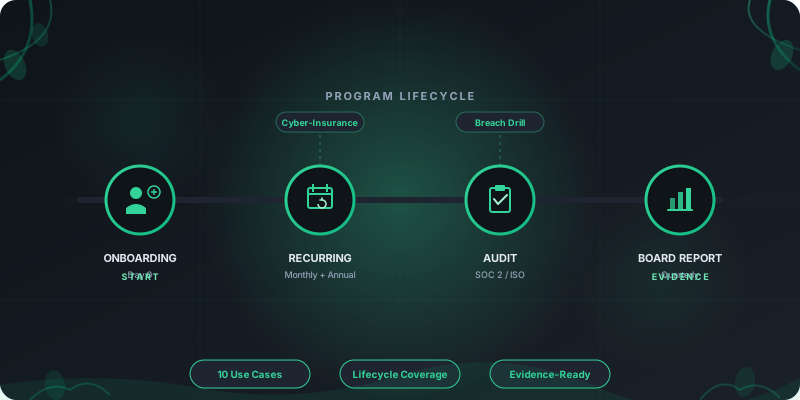
Most security programs run two or three use cases concurrently. Employee onboarding runs continuously alongside annual compliance training. Cyber-insurance readiness runs ahead of every renewal. Breach-response rehearsals run quarterly. Each one is a different assignment template against the same 200+ exercise catalogue, so the platform investment compounds rather than fragments. The hub below ranks use cases by the urgency a typical security leader cites when they engage.
Cross-reference an industry page when the regulatory framework is non-trivial. Healthcare onboarding overlaps with HIPAA workforce training under 45 CFR § 164.308(a)(5). Financial services audit prep overlaps with the GLBA Safeguards Rule and 23 NYCRR Part 500. Manufacturing breach-response rehearsals overlap with NIS2 incident-reporting timelines. Each use case page links the relevant industry pillars so the rollout already accounts for the audit framework the workforce operates under.
Frequently asked questions
What security teams ask about use cases.
How are use cases different from industries?
Can I run multiple use cases at the same time?
How long does each use case take to roll out?
Do these use cases include LMS integration?
See RansomLeak in Action
Try the free exercises or book a demo to see analytics, SCORM export, SSO, and custom content in your environment.