Risk-Based Automation
Decide what should happen when someone becomes high risk, then let the platform do it. Auto-enroll the people who need training, alert their managers, and remediate a failed simulation the moment it happens. Every rule runs in dry-run first and logs every action it takes.
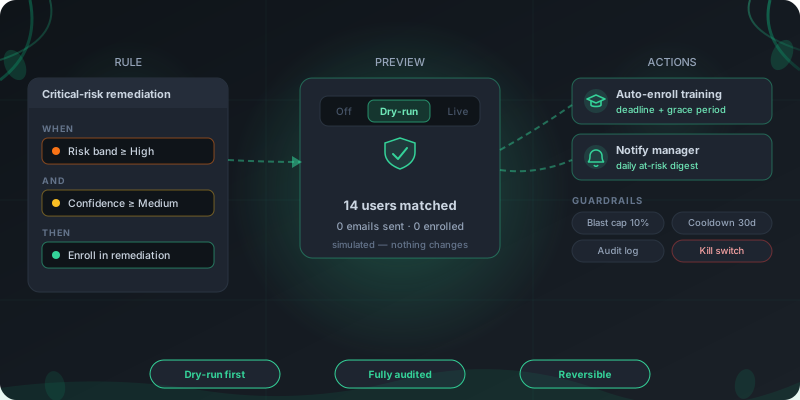
How a risk-based automation runs
Four steps from a rule to a remediated employee, with a safety net at each one.
Define a rule
In a no-code builder, pick a trigger such as a risk band or a score threshold, add confidence and factor conditions, and choose an action like enroll in a remediation path.
Preview in dry-run
Run the rule against your real workforce and see exactly who it would match and what it would do. No emails go out and no enrollments are created until you are satisfied.
Go live with guardrails
Switch to live and a blast-radius cap, per-person cooldown, and recovery check keep a misconfigured rule from emailing everyone or nagging the same person twice.
Watch it converge
The rule runs every night and in real time after a serious failure. Every action it takes is written to an audit log, and enrollments can be dismissed if a human decides otherwise.
Automation a CISO can sign off on
Most automation asks you to trust it. This one asks you to check it first, then proves what it did.
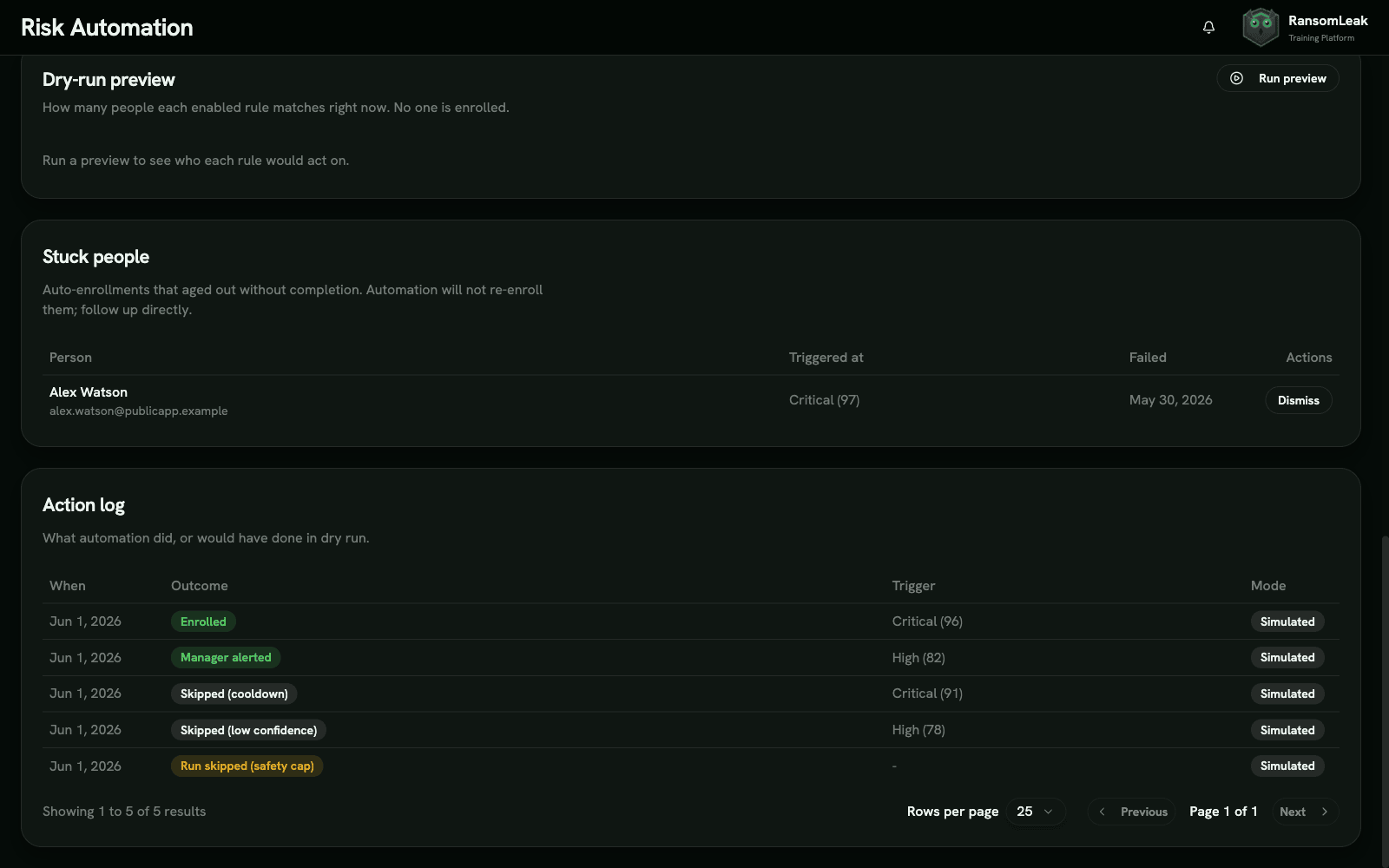
Dry-run before live
Simulate any rule against your real population and read the outcome before anything happens. The same run in live mode is the one you already reviewed.
Every action logged
A full audit trail records who was enrolled or escalated, when, and why, with a simulated marker on dry-run entries. It is the evidence trail an auditor asks for.
Guardrails that hold
A blast-radius cap stops a bad rule from actioning the whole company in one run, cooldowns prevent repeat nudges, and a global kill switch halts all automation at once.
From a score to the right intervention
A risk number is only useful if something happens next. These are the actions a rule can take.
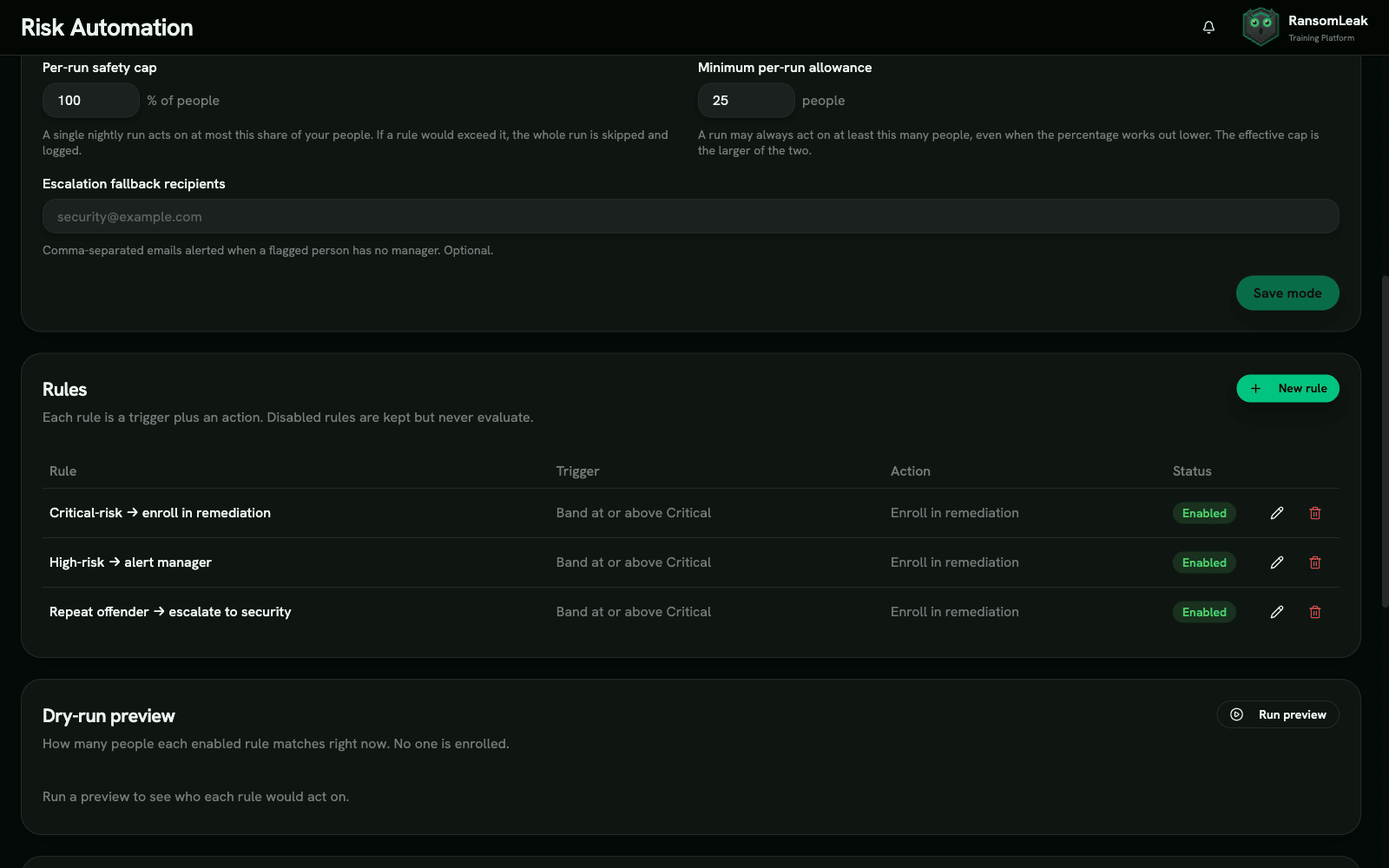
Auto-enroll the right training
When someone crosses a band or score threshold, enroll them in a remediation learning path with a deadline and a grace period, then track it to completion.
Just-in-time remediation
The moment a person fails a phishing simulation, assign the lesson that drills the exact pattern they fell for, while it is still fresh.
Manager escalation
A daily digest tells each manager which of their direct reports are at elevated risk, with an in-app alert, so the conversation happens close to the person.
Targeting that keeps up with risk
Because the score recomputes continuously, the audience for a rule is never stale.
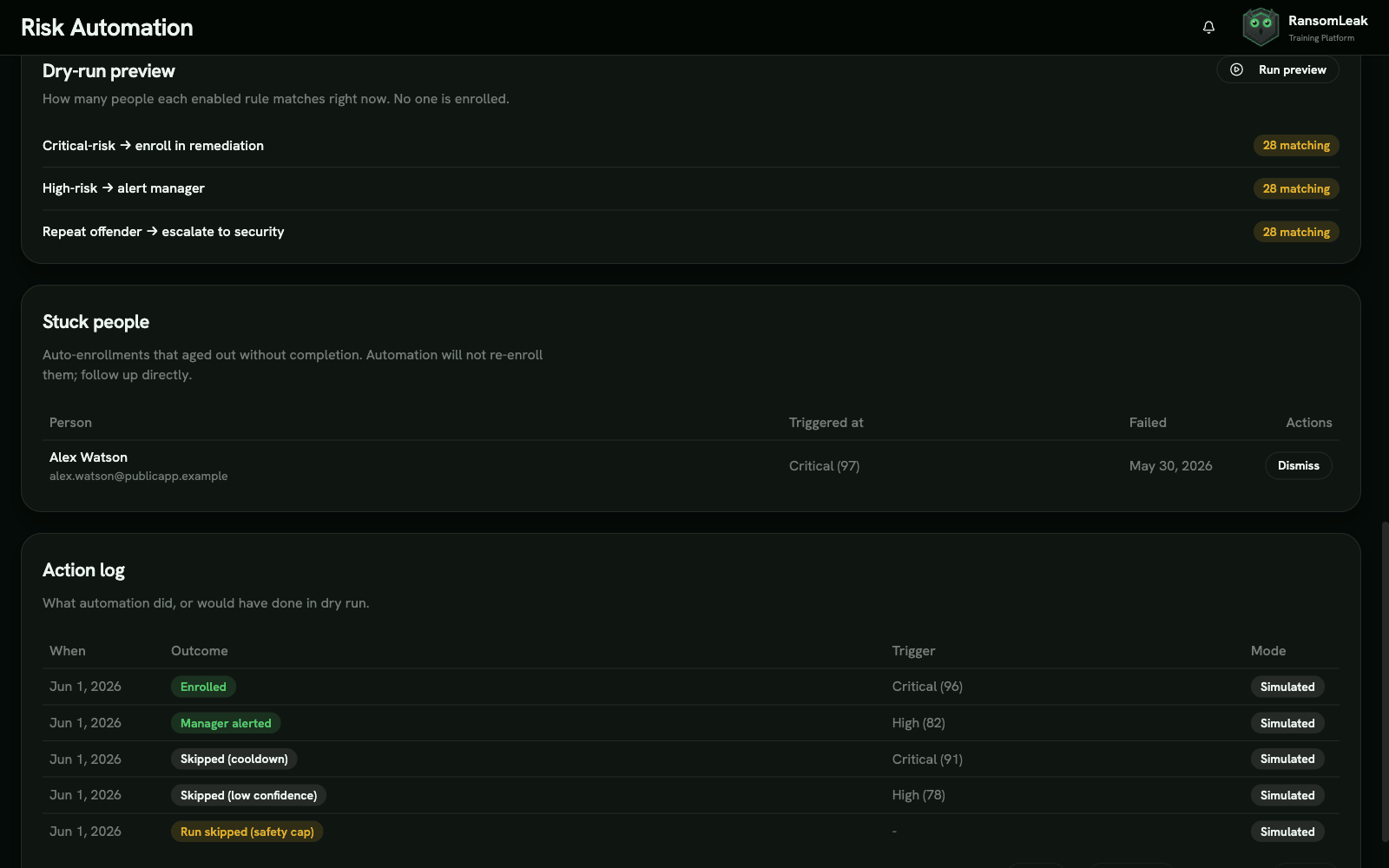
Rules follow the score
A rule re-evaluates the whole workforce every night, so people flow into action as their risk rises and out of it as they improve. You set the threshold once, not the list.
Confidence and factor aware
Require a minimum confidence before a rule acts, or let a single serious factor like a submitted credential act immediately even on thin data.
Repeat-offender detection
A circuit breaker flags people who keep failing and routes them to a manager instead of an endless loop of automated nudges.
Frequently Asked Questions
What is risk-based automation?
Risk-based automation triggers security-awareness actions automatically based on a person’s measured risk instead of a fixed calendar. When someone becomes high risk, the platform can enroll them in training or alert their manager without anyone filing a ticket.
It runs on the human risk score, so the audience updates as people’s behavior changes. It is the action layer of broader human risk management.
The case for it is simple. Blanket annual training does little for the small group that drives most of the exposure, and the Verizon 2024 report ties a human element to 68% of breaches, so the people who keep failing are the ones worth automating a response around.
What can it do automatically?
Three actions today. It can auto-enroll a person in a remediation learning path with a deadline, remediate a failed phishing simulation the moment it happens, and escalate at-risk direct reports to their manager through a daily digest and an in-app alert.
Each action is logged, and an enrollment can be dismissed by a human if the situation calls for it.
What triggers an automation?
A rule fires when a person crosses a risk band, such as reaching High, or a numeric score threshold. You can add conditions: a minimum confidence so the rule waits for enough data, or a factor bypass so a serious event like a submitted credential acts immediately.
Rules are evaluated every night and again in real time right after a serious failure.
Can I test a rule before it affects anyone?
Yes, and you should. Every rule can run in dry-run mode, which shows exactly who it would match and what it would do while sending no emails and creating no enrollments.
When you switch a rule to live, it behaves the way the dry-run showed, so there are no surprises.
What stops it from over-emailing or over-enrolling people?
Several guardrails. A blast-radius cap stops a single run from actioning more than a set share of the workforce, per-person cooldowns prevent repeat nudges, and a recovery check keeps someone from being actioned again until they have genuinely improved.
A global kill switch can stop all automation at once if you need it to.
Does it automatically change phishing difficulty for risky users?
Not today. Risk-based automation focuses on training enrollment, just-in-time remediation, and manager escalation. Adapting simulation cadence per user is on the roadmap, not a current claim.
We would rather ship the automation that is genuinely live than market one that is not.
See RansomLeak in Action
Try the free exercises or book a demo to see analytics, SCORM export, SSO, and custom content in your environment.