Skip to content

email security

4 posts with the tag “email security”

Quishing: How QR Code Phishing Bypasses Your Email Filters

Quishing attack flow showing a malicious QR code being scanned by a phone and redirecting to a fake login page for credential harvesting

Your company’s email gateway can parse URLs, detonate attachments in a sandbox, and flag sender domains that were registered yesterday. It cannot read a QR code.

That is the entire premise of quishing. Attackers embed a malicious URL inside a QR code image, drop it into an email, and let the recipient’s phone do the rest. The email contains no clickable link. No suspicious attachment. Just a square of black and white pixels that your security tools treat as a harmless image file.

The attack is not new, but it scaled fast. Abnormal Security’s 2024 threat report found that QR code phishing attacks increased by over 400% in the second half of 2023 compared to the same period in 2022. HP Wolf Security documented corporate quishing campaigns impersonating Microsoft 365, DocuSign, and internal HR portals throughout 2024.

What makes quishing different from garden-variety email phishing is the device switch. The victim reads the email on their laptop but scans the code with their phone. That phone usually sits outside the corporate security perimeter. No web proxy, no DNS filtering, no endpoint detection. The attacker just moved the entire attack to an unmanaged device.

AI-Powered Phishing: How LLMs Help Attackers Write Better Lures

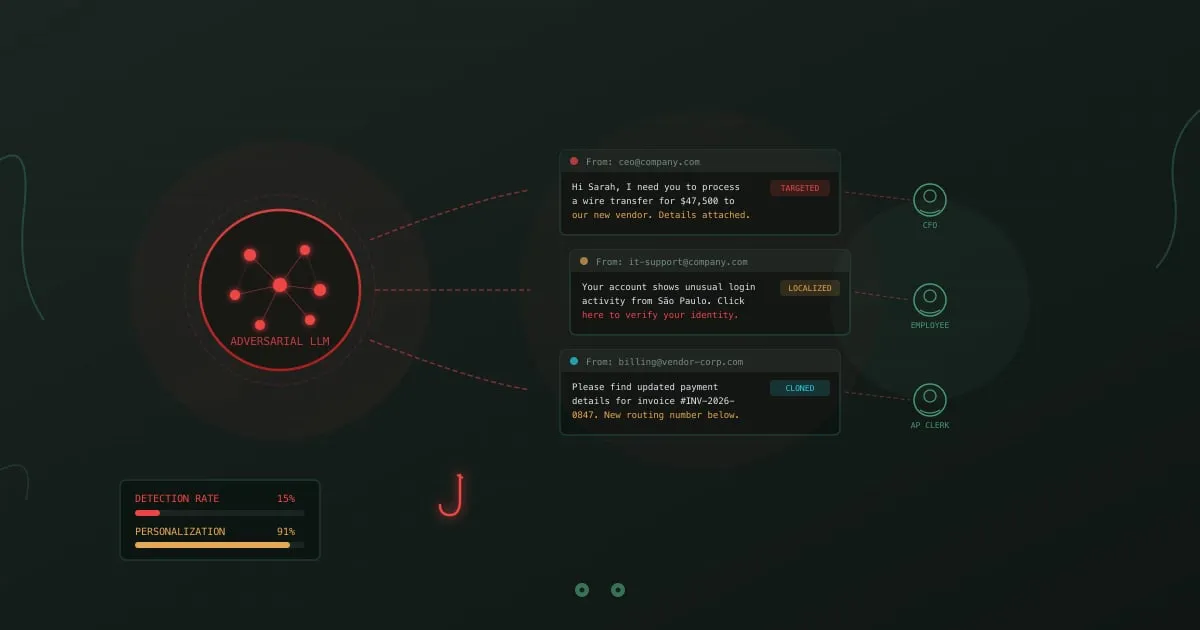
AI-powered phishing - LLM neural network generating targeted phishing emails to multiple victims

A phishing email arrives in your inbox. It references a project you’re working on, names your manager correctly, mimics the writing style of your IT department, and asks you to verify your credentials after a “suspicious login from São Paulo.” No typos. No awkward phrasing. No generic “Dear Customer” greeting. It reads exactly like a legitimate message from your company.

Two years ago, writing this email required a human attacker who spent hours researching your organization, your role, and your communication patterns. Today, an LLM produces it in seconds. Feed it a few LinkedIn profiles and a sample company email, and it generates dozens of personalized variants, each tailored to a different target, in any language.

This is why traditional phishing detection advice about spotting grammatical errors and suspicious formatting is becoming unreliable. The signals employees were trained to look for are disappearing.
Barrel Phishing vs Phishing: How Two-Stage Attacks Work

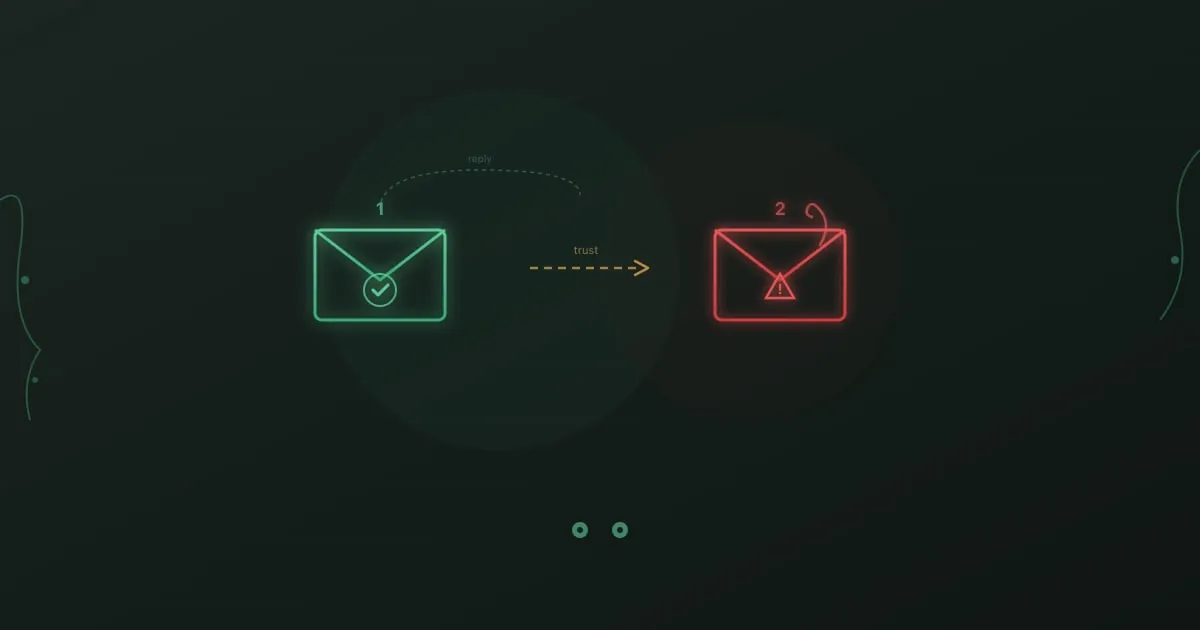
Barrel phishing attack - two-stage email sequence with trust-building message followed by malicious payload

Day one: An email from a new vendor asks if you’re the right person to discuss a partnership opportunity. Nothing suspicious. No links. No attachments. You reply confirming your role.

Day three: A follow-up arrives with a “proposal document” attached. You open it without hesitation. You already know this sender.

This is barrel phishing. The first email had one purpose: make you trust the second one.

Email Security Training: What Works and What Doesn't

Email security training - protected envelope with shield representing secure email practices

According to Deloitte research, 91% of cyber attacks still start with an email.

That number hasn’t moved much in years. We’ve deployed spam filters, secure email gateways, AI-powered anomaly detection, and a dozen other technical controls. Attackers don’t care. When one tactic gets blocked, they try another. When detection catches a pattern, they change the pattern.

The technology arms race is unwinnable on its own. Trained employees add a different kind of defense, one that applies judgment and recognizes context. A well-crafted spear phishing email might slide past every filter you own, but an employee who knows to verify unexpected requests kills the attack anyway.