Skip to content

phishing

8 posts with the tag “phishing”

Quishing: How QR Code Phishing Bypasses Your Email Filters

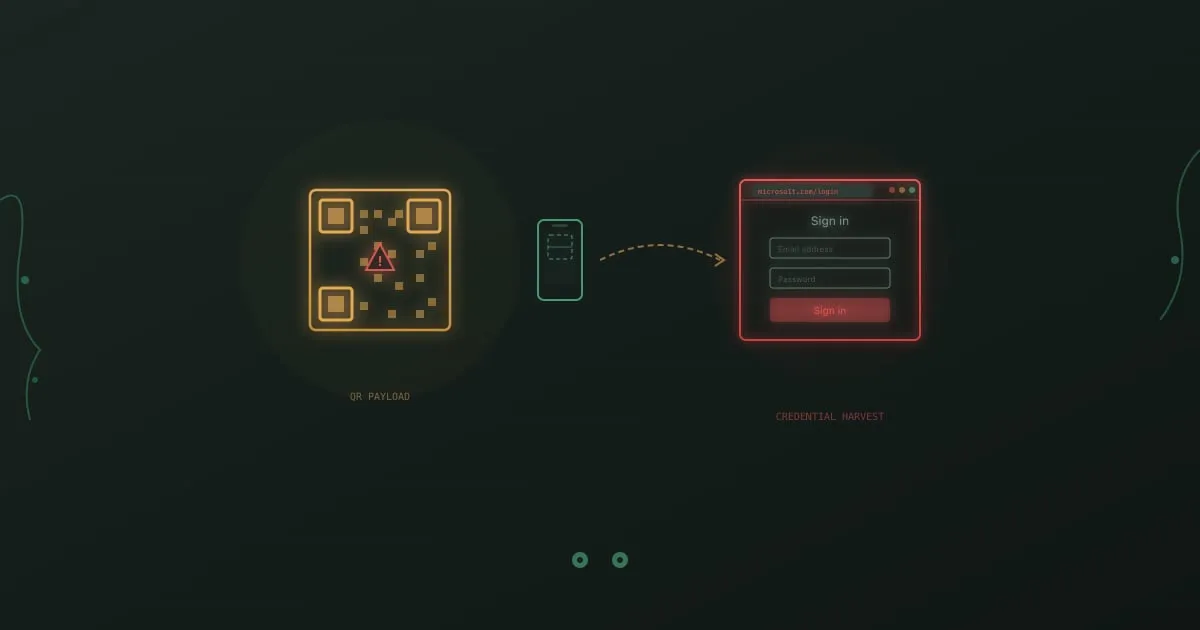
Quishing attack flow showing a malicious QR code being scanned by a phone and redirecting to a fake login page for credential harvesting

Your company’s email gateway can parse URLs, detonate attachments in a sandbox, and flag sender domains that were registered yesterday. It cannot read a QR code.

That is the entire premise of quishing. Attackers embed a malicious URL inside a QR code image, drop it into an email, and let the recipient’s phone do the rest. The email contains no clickable link. No suspicious attachment. Just a square of black and white pixels that your security tools treat as a harmless image file.

The attack is not new, but it scaled fast. Abnormal Security’s 2024 threat report found that QR code phishing attacks increased by over 400% in the second half of 2023 compared to the same period in 2022. HP Wolf Security documented corporate quishing campaigns impersonating Microsoft 365, DocuSign, and internal HR portals throughout 2024.

What makes quishing different from garden-variety email phishing is the device switch. The victim reads the email on their laptop but scans the code with their phone. That phone usually sits outside the corporate security perimeter. No web proxy, no DNS filtering, no endpoint detection. The attacker just moved the entire attack to an unmanaged device.

Typosquatting: When One Wrong Letter Hands Over Your Credentials

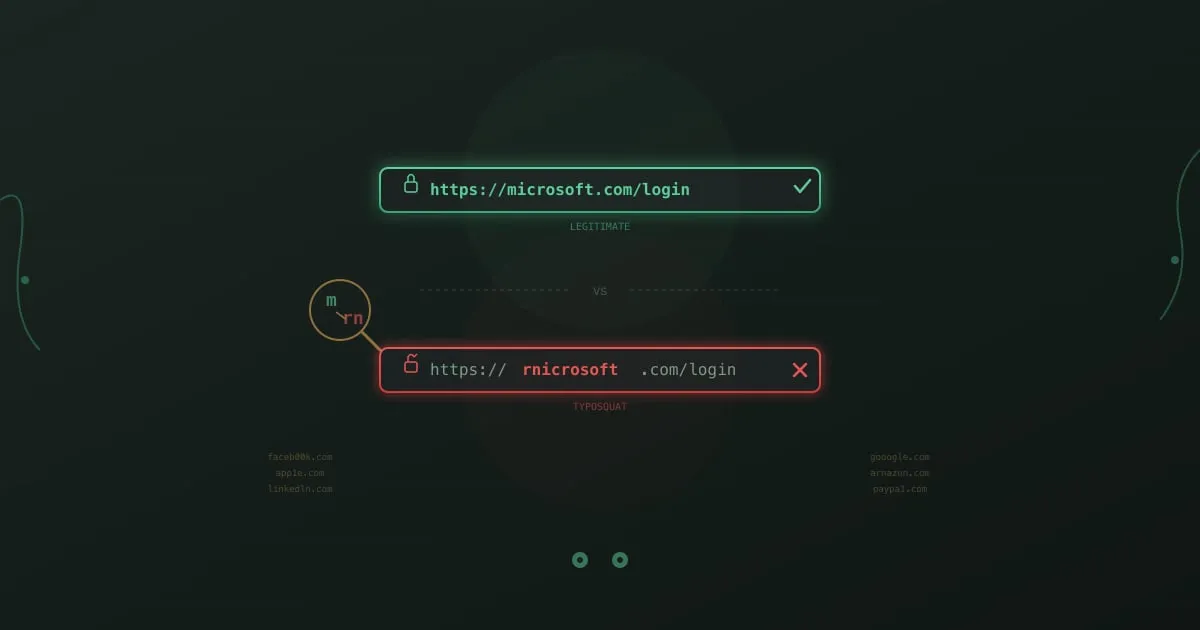
Comparison of a legitimate URL and a typosquatted URL showing how replacing the letter m with rn creates a convincing lookalike domain

Type “gogle.com” into your browser. You misspelled it. Twenty years ago, that typo would have landed you on a page stuffed with ads. Today, it might land you on a pixel-perfect replica of Google’s login page, one that captures your username and password before redirecting you to the real thing. You would never know.

This is typosquatting, and it has been around since domain names became valuable. What changed is the sophistication. Modern typosquatting campaigns do not just buy obvious misspellings. They register domains using character substitutions that are nearly invisible to the human eye, pair them with valid HTTPS certificates, and deploy them as part of targeted credential-harvesting operations against specific companies.

Palo Alto Networks’ Unit 42 found that roughly 13,857 squatting domains were registered per month in 2023, with typosquatting and combosquatting accounting for the majority. These are not opportunistic parked pages. Many are active phishing sites with a shelf life measured in hours, just long enough to harvest a batch of credentials before being reported and taken down.

AI-Powered Phishing: How LLMs Help Attackers Write Better Lures

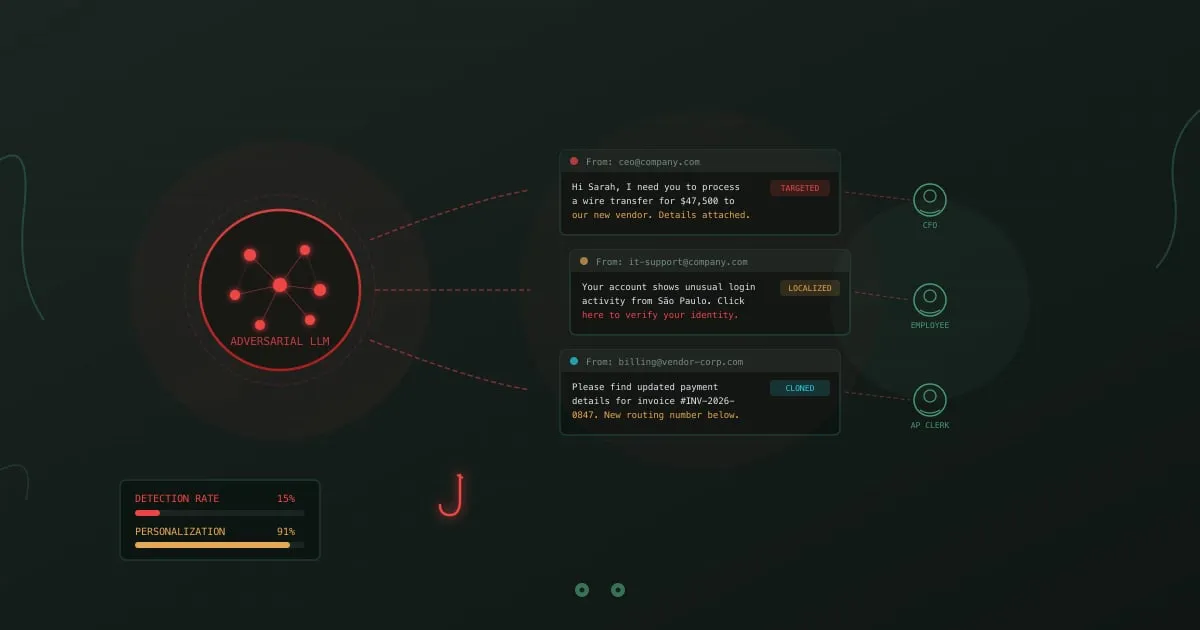
AI-powered phishing - LLM neural network generating targeted phishing emails to multiple victims

A phishing email arrives in your inbox. It references a project you’re working on, names your manager correctly, mimics the writing style of your IT department, and asks you to verify your credentials after a “suspicious login from São Paulo.” No typos. No awkward phrasing. No generic “Dear Customer” greeting. It reads exactly like a legitimate message from your company.

Two years ago, writing this email required a human attacker who spent hours researching your organization, your role, and your communication patterns. Today, an LLM produces it in seconds. Feed it a few LinkedIn profiles and a sample company email, and it generates dozens of personalized variants, each tailored to a different target, in any language.

This is why traditional phishing detection advice about spotting grammatical errors and suspicious formatting is becoming unreliable. The signals employees were trained to look for are disappearing.

Callback Phishing (TOAD): No Links, All Danger

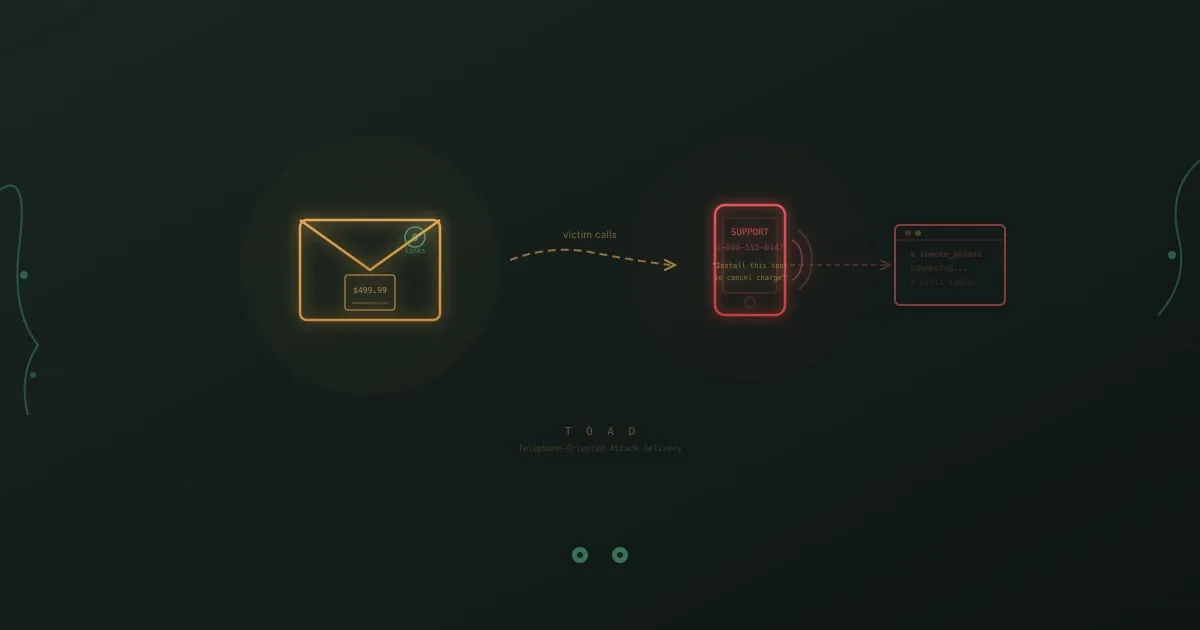
Callback phishing attack flow showing a fake invoice email leading to a phone call and remote access compromise

You get an email from “Norton LifeLock” confirming your annual renewal at $499.99. You did not buy Norton LifeLock. There is no link to click, no attachment to open. Just a phone number to call if “this charge was made in error.”

So you call it. The person who answers sounds professional, patient, and genuinely helpful. They ask you to visit a website and download a “cancellation tool” so they can process your refund. What you are actually downloading is remote access software. Within minutes, the person on the other end controls your machine.

No malicious link was clicked. No attachment was opened. Your email security caught nothing because there was nothing to catch.

This is callback phishing, and it is one of the fastest-growing attack types in corporate environments.

Barrel Phishing vs Phishing: How Two-Stage Attacks Work

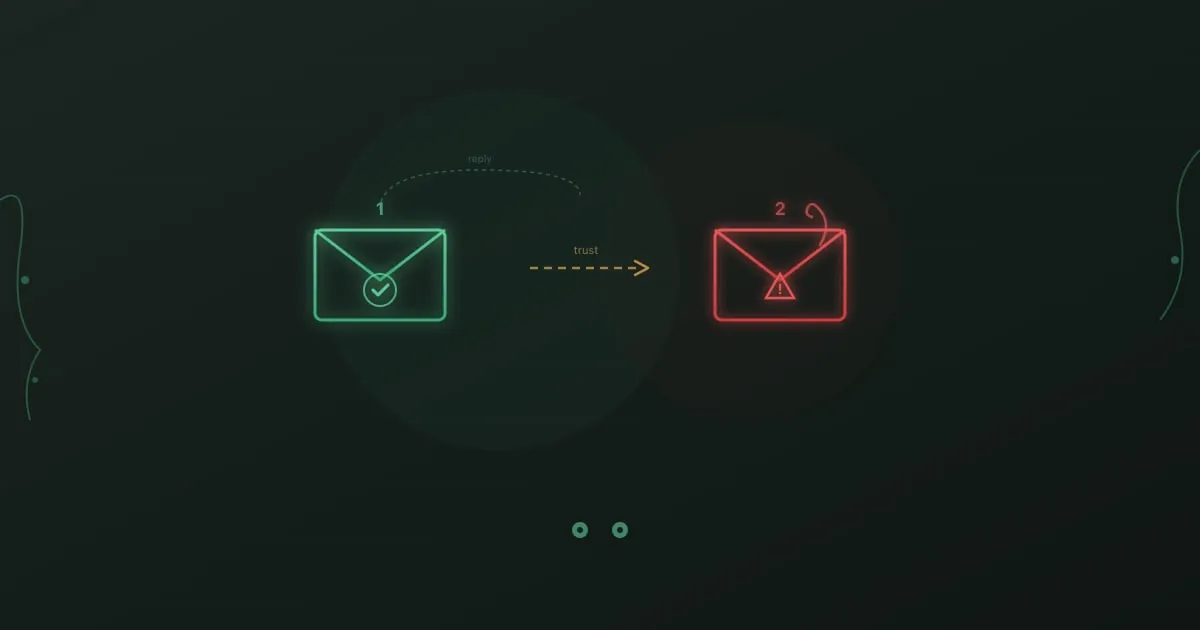
Barrel phishing attack - two-stage email sequence with trust-building message followed by malicious payload

Day one: An email from a new vendor asks if you’re the right person to discuss a partnership opportunity. Nothing suspicious. No links. No attachments. You reply confirming your role.

Day three: A follow-up arrives with a “proposal document” attached. You open it without hesitation. You already know this sender.

This is barrel phishing. The first email had one purpose: make you trust the second one.

Social Engineering Attacks: Exploiting Human Psychology

Social engineering attacks - puppet strings representing psychological manipulation

A hacker doesn’t need to crack your encryption. They just need to convince one employee to help them.

Social engineering attacks exploit human psychology instead of technical vulnerabilities. While your security team patches software and monitors networks, attackers study your organization chart, LinkedIn profiles, and even your company’s Glassdoor reviews. They’re looking for ways to manipulate the humans behind your defenses.

These attacks work because they target something no firewall can protect: the natural human tendencies to trust, help, and comply with authority.

Email Security Training: What Works and What Doesn't

Email security training - protected envelope with shield representing secure email practices

According to Deloitte research, 91% of cyber attacks still start with an email.

That number hasn’t moved much in years. We’ve deployed spam filters, secure email gateways, AI-powered anomaly detection, and a dozen other technical controls. Attackers don’t care. When one tactic gets blocked, they try another. When detection catches a pattern, they change the pattern.

The technology arms race is unwinnable on its own. Trained employees add a different kind of defense, one that applies judgment and recognizes context. A well-crafted spear phishing email might slide past every filter you own, but an employee who knows to verify unexpected requests kills the attack anyway.

How to Spot Phishing: Visual and Technical Signs of Fraud

Phishing detection - magnifying glass over email revealing fraud

You know what phishing looks like. Misspelled words, suspicious links, Nigerian princes. You’ve done the training. You’ve passed the tests.

And yet.

Somewhere, right now, someone who knows all of this is clicking a link they shouldn’t. Not because they’re careless or stupid, but because they’re busy, distracted, and the email looked just legitimate enough.

Phishing detection isn’t about knowledge. It’s about habits that kick in automatically, even when you’re not thinking clearly.