The browser extension that stops phishing
Stops look-alike sites, new domains and risky consent screens in Chrome and Edge, and teaches the trick in 60 seconds. It never reads passwords, page content or history.
- Chrome and Edge
- Free with RansomLeak
- Public source code
 3
3 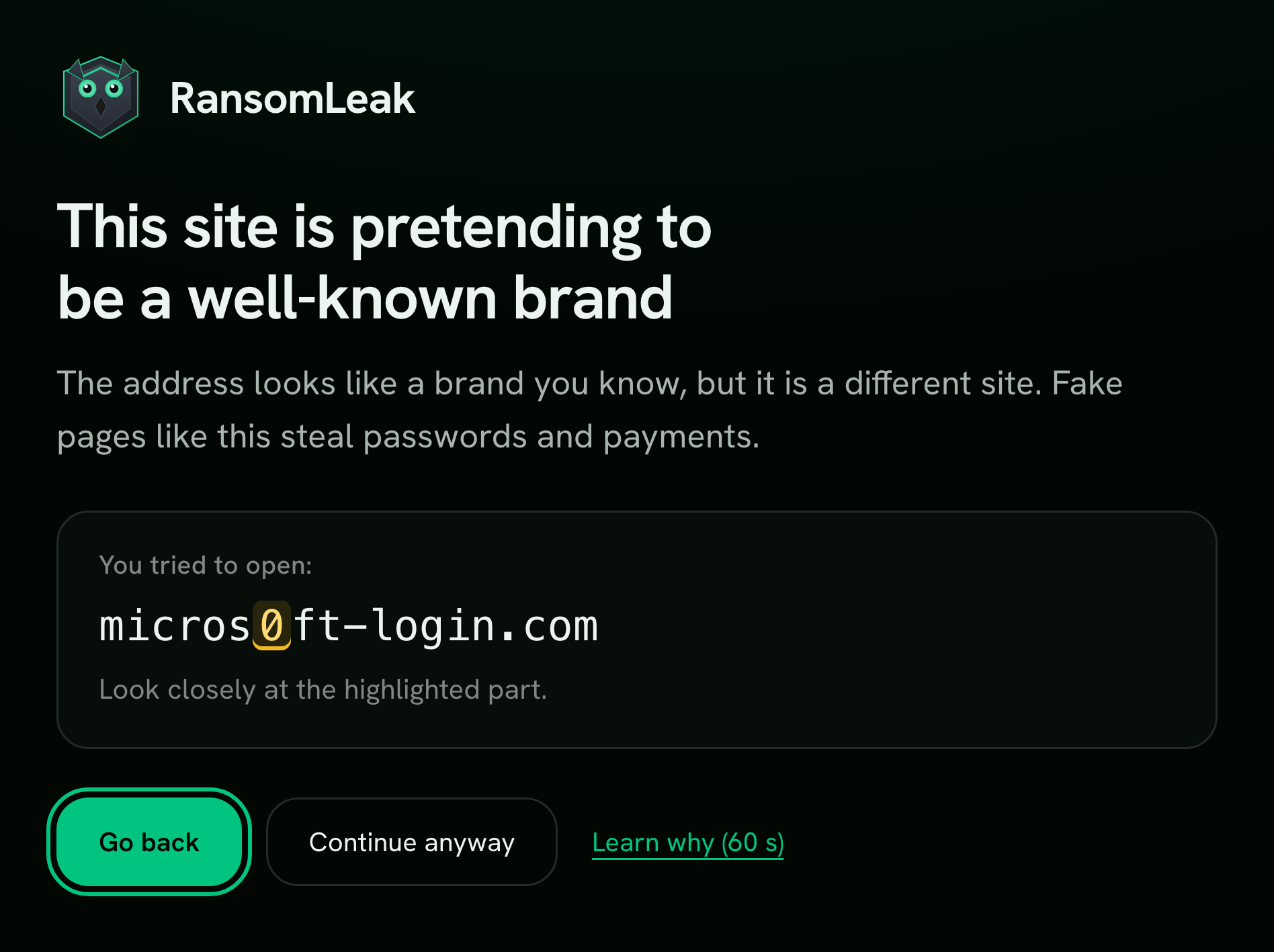
Four checks, before anything is typed
Every site is checked on the device the moment it opens.
-
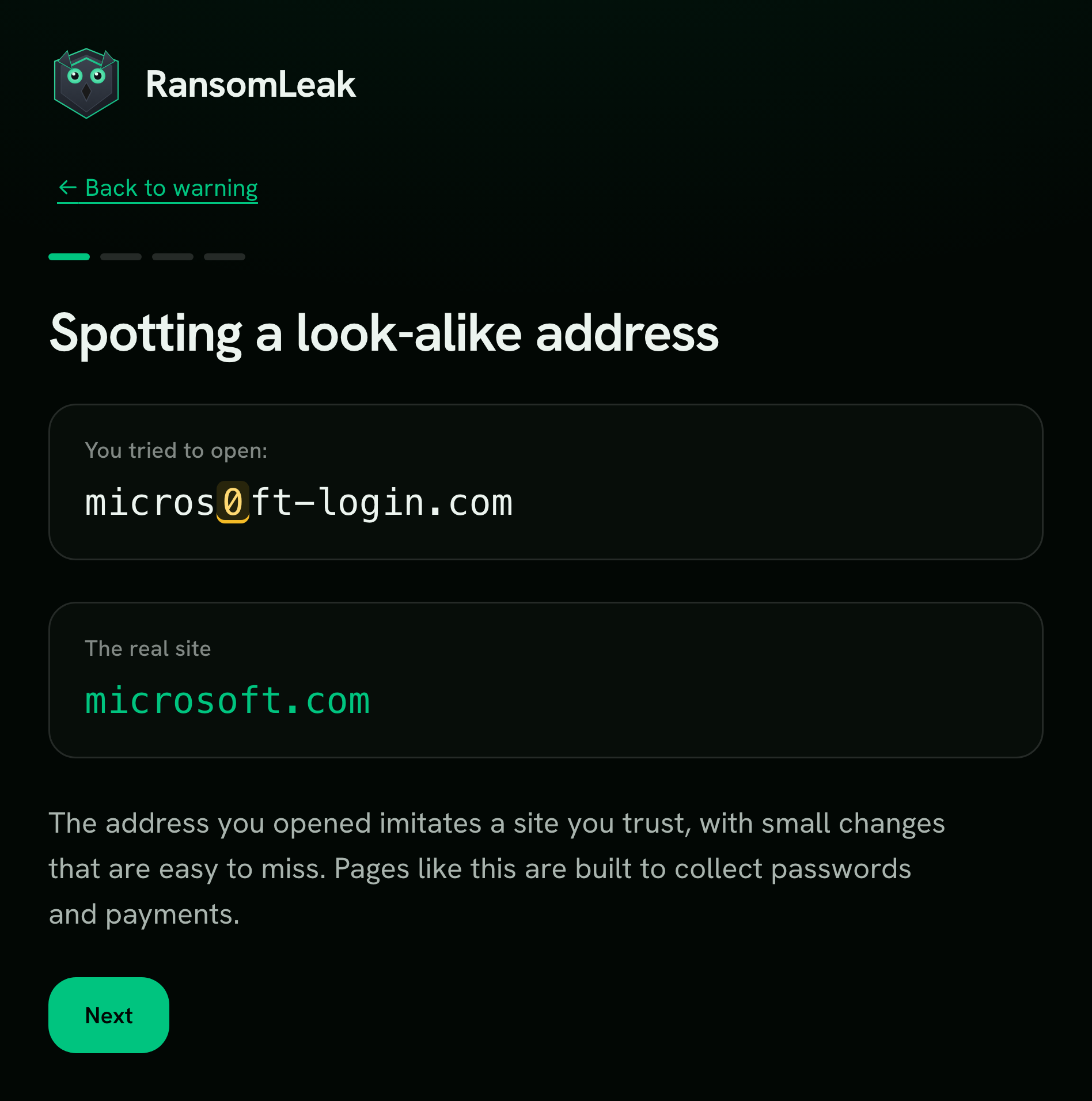
Look-alike domains
Imitations of a well-known brand or your own domain, with the swapped character highlighted.
micros0ft-login.com -
Newly registered domains
Phishing sites rarely live long, so a domain registered days ago gets a warning.
invoice-portal-secure.net -
Reported by researchers
Pages on feeds such as OpenPhish and URLhaus, refreshed on the device.
docusign-review.app -
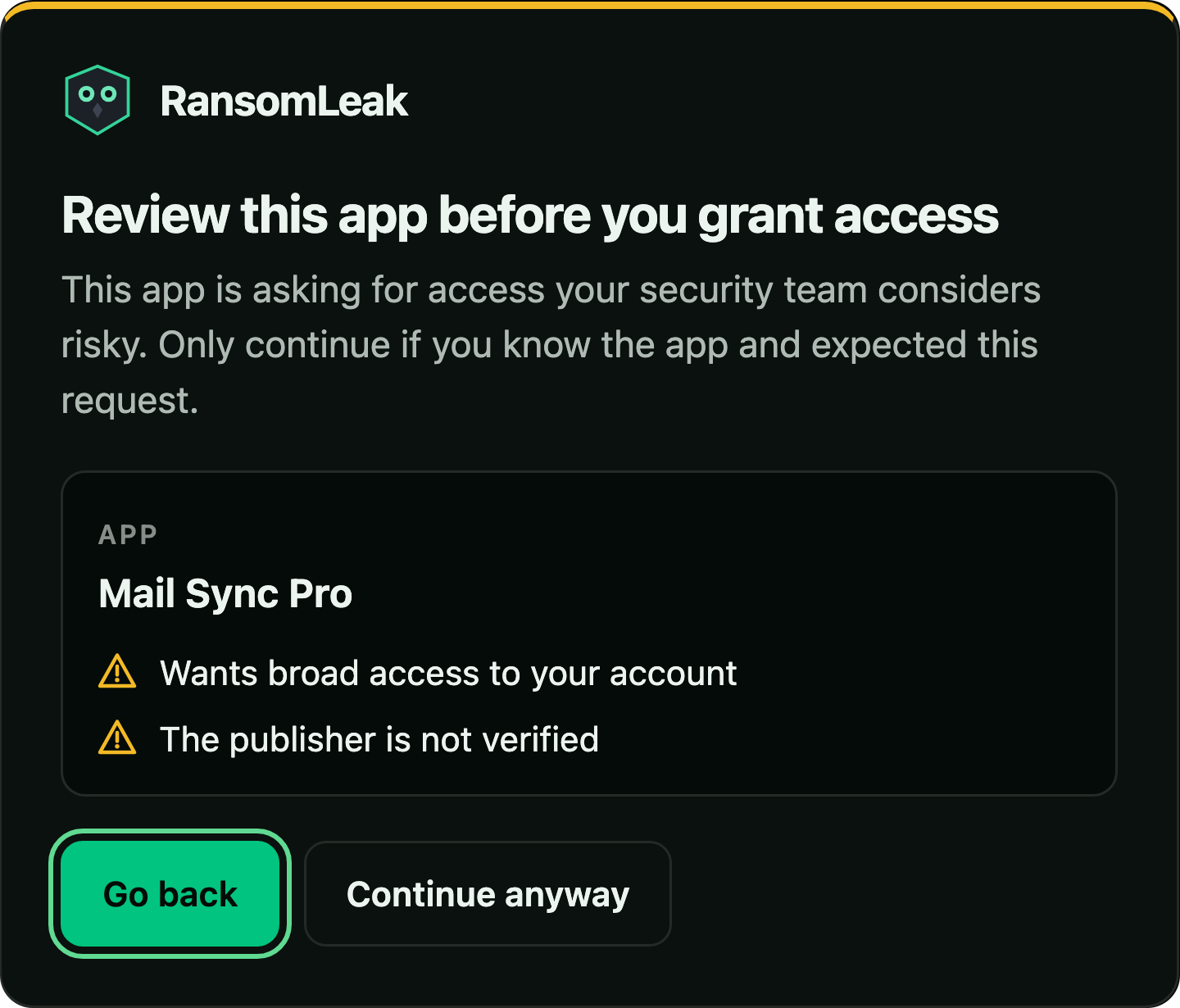
Risky consent screens
“Sign in with Microsoft, Google or Slack” prompts asking for broad access, the way consent phishing gets around MFA.
Mail Sync Pro wants broad access
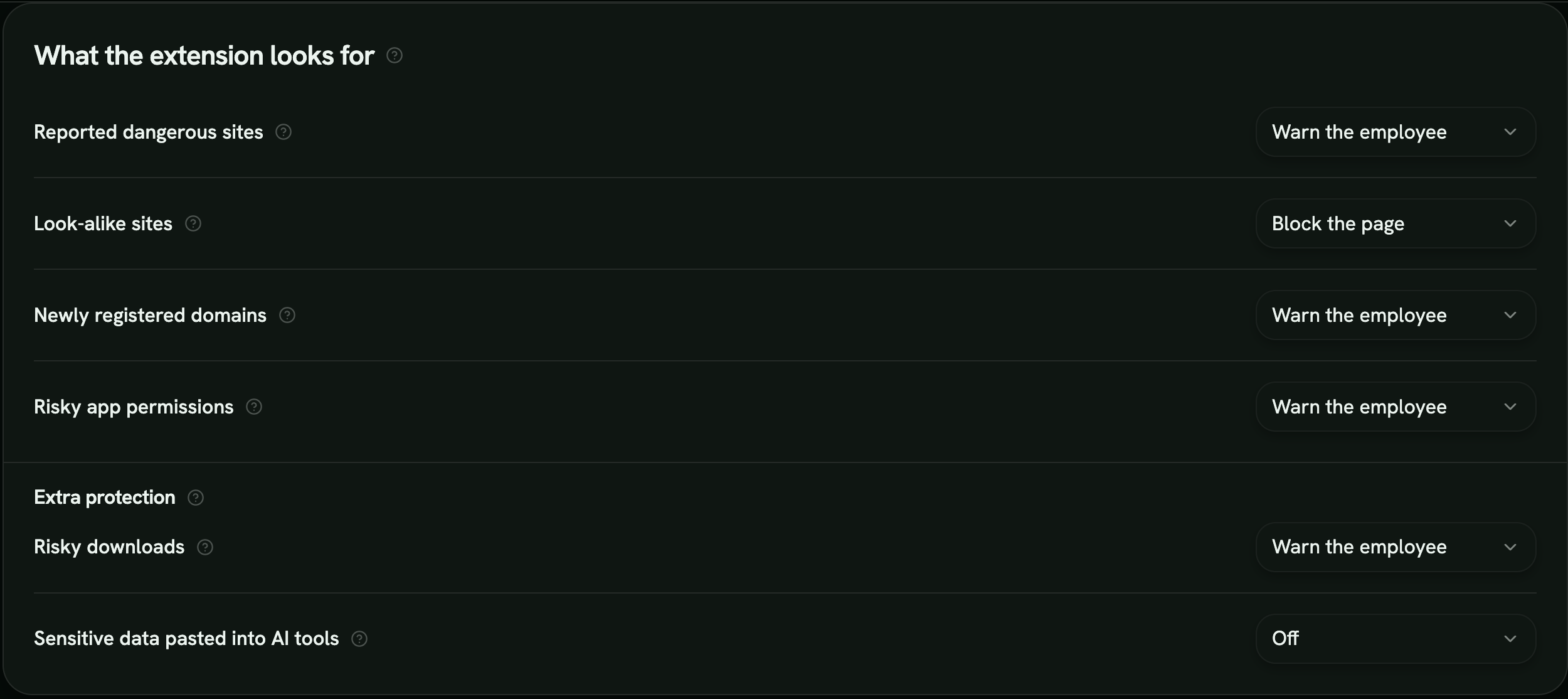
Set how strict each check is
Set each check on its own. Start in log mode to see what would fire, then move to warnings or blocks once you trust the signal. Allowed domains and approved apps never warn.
- Warn
- The person sees why and chooses: go back or continue.
- Block
- The page stays closed. The person can request access and an admin approves it.
- Log
- Nothing is shown. The event is recorded for your team.
- Off
- The check does not run.
Every warning comes with a 60-second lesson
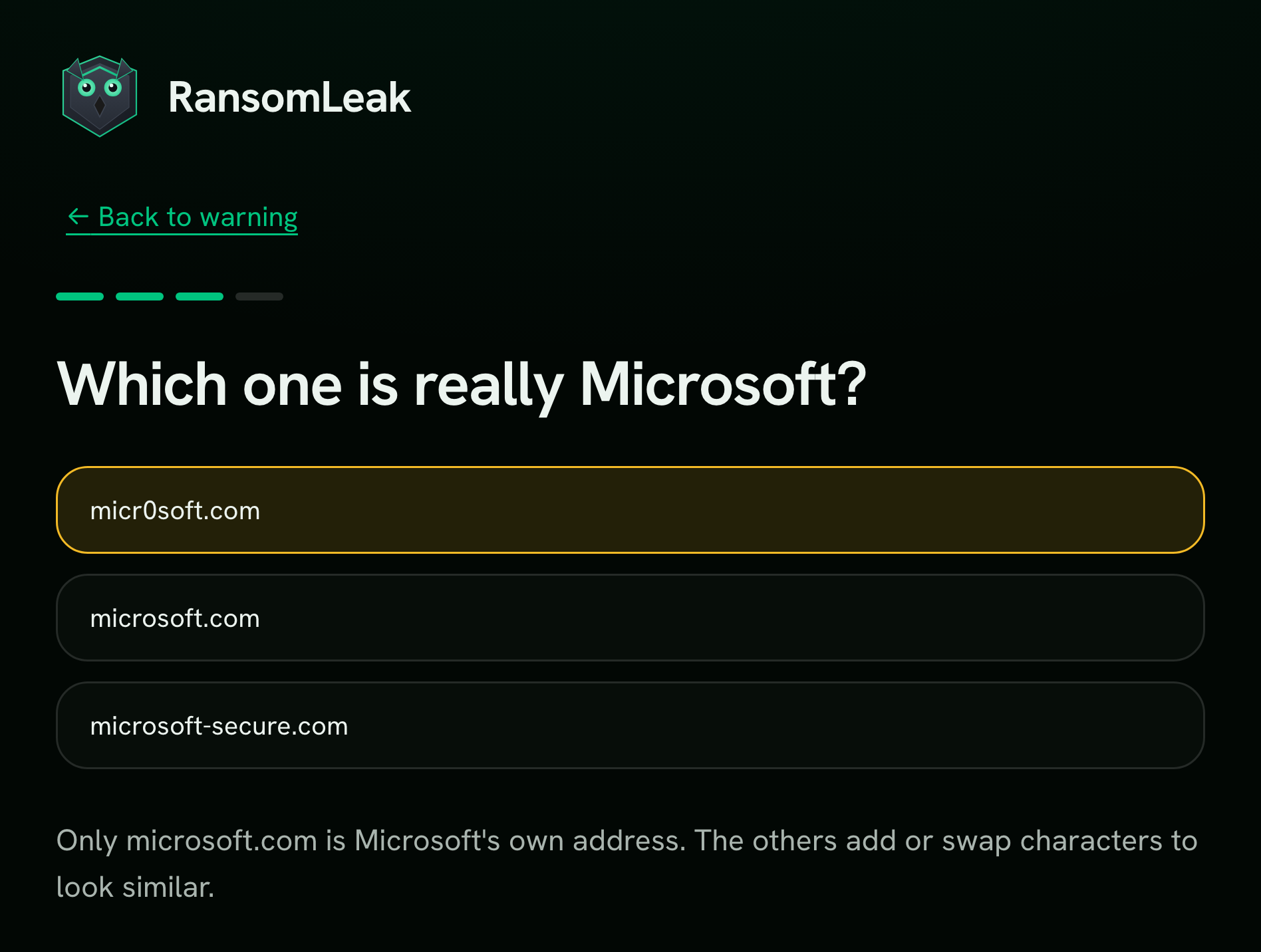
One click on Learn why walks the person through the exact trick they just met.
- Their case, side by side
- The fake address next to the real one, then two habits and one question.
- From any warning
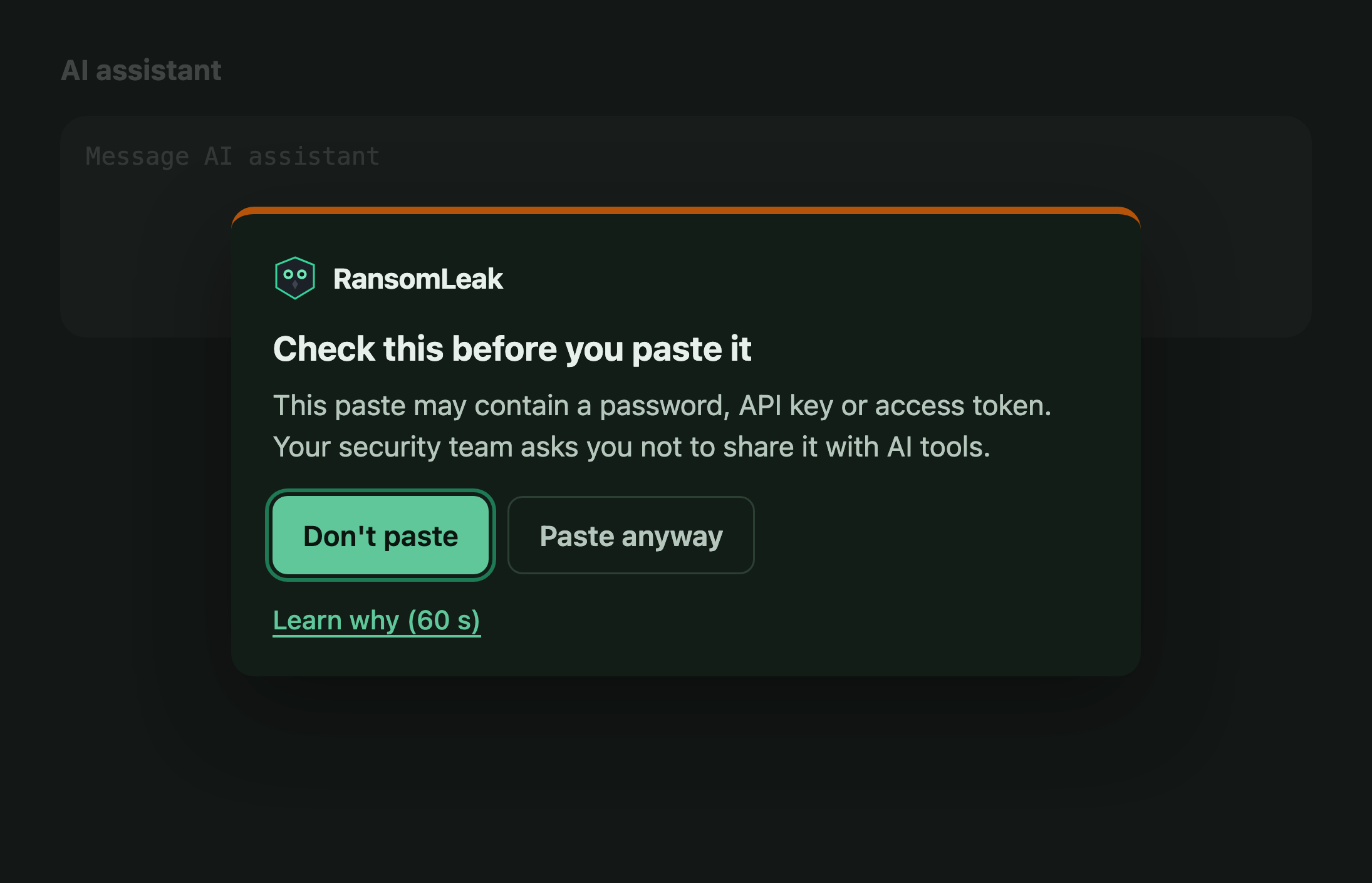
- Lessons open from site warnings, consent warnings and AI paste warnings. Taking one is always optional.
- Recorded, never held against them
- Completion counts as evidence and never affects the risk score.
- Checked on the device, never sent
- Secrets, card numbers, email lists
Extra protection for downloads and AI tools
Two optional checks for what slips past a site warning.
- Risky downloads
- A warning before keeping a risky file downloaded from a flagged site.
- Pastes into AI tools
- Secrets, card numbers, email lists or huge blocks of text pasted into ChatGPT, Claude, Gemini and 55+ more.
- Checked on the device
- The paste never leaves the device. Only the category of a warned paste is reported.
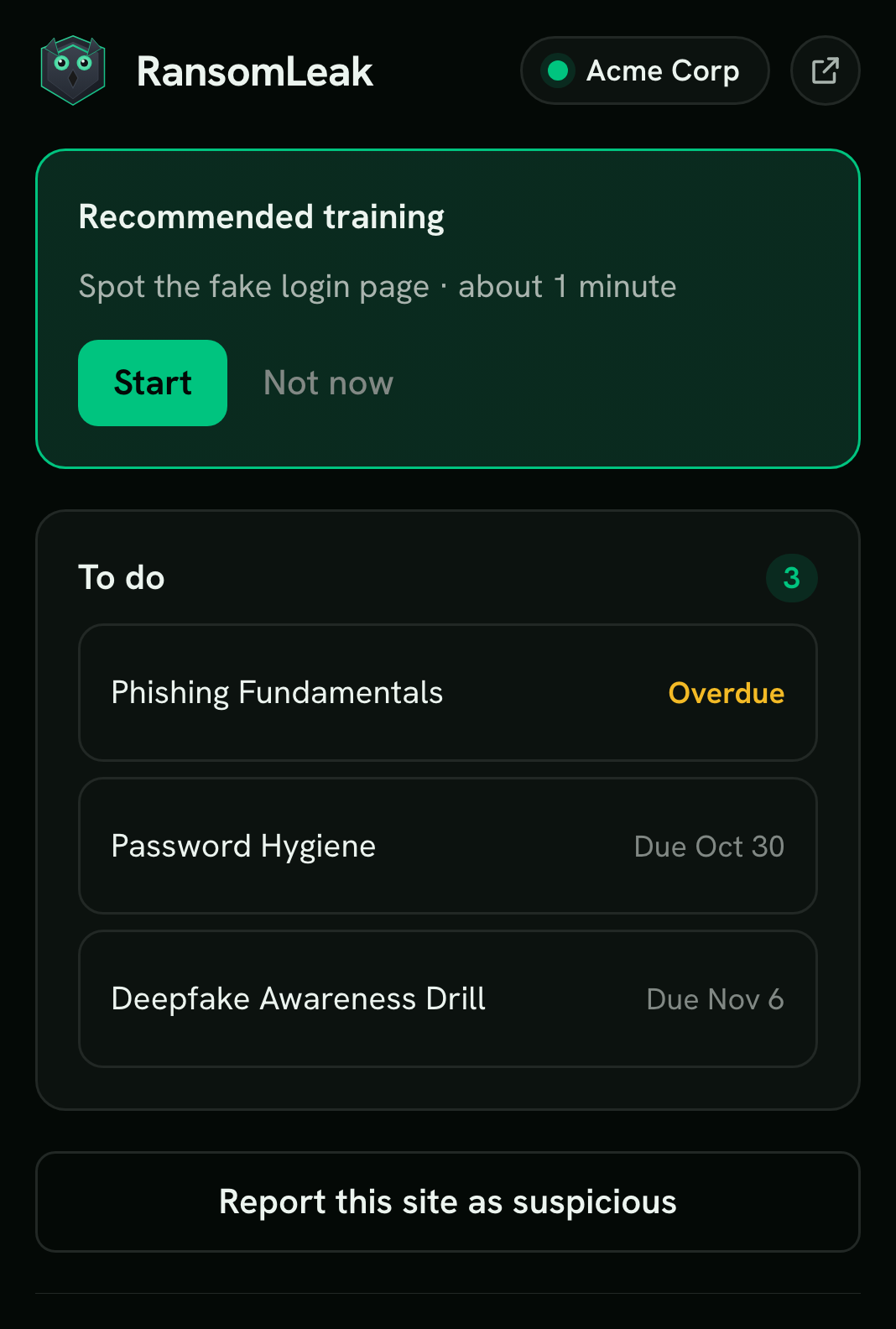
Training and reporting in the toolbar
One click on the owl shows what is due, recent warnings and a report button.
- Assigned training, with due dates
- A To do list from your program, a toolbar badge and optional reminders.
- Report this site as suspicious
- Reports go to your security team, and confirmed ones credit the reporter.
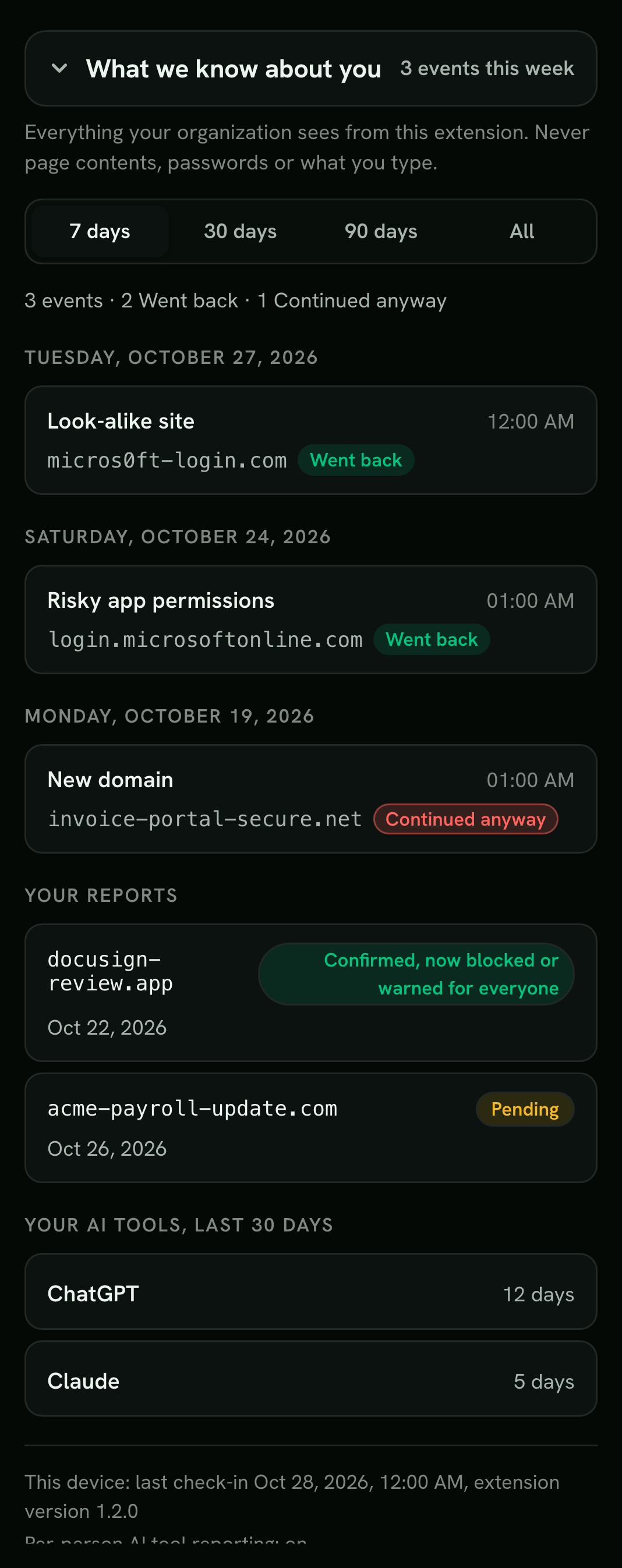
- What we know about you
- Every signal about the person in one view. Nothing is hidden from them.
- Recommended training
- To do, with due dates
- Report a site
- What we know about you
Your team sees the decisions, not the browsing
Who is covered, what fired and what people chose, so you can tune policy and follow up.
- Reports and requests
- Confirm or dismiss site reports, and approve or deny requests from blocked pages.
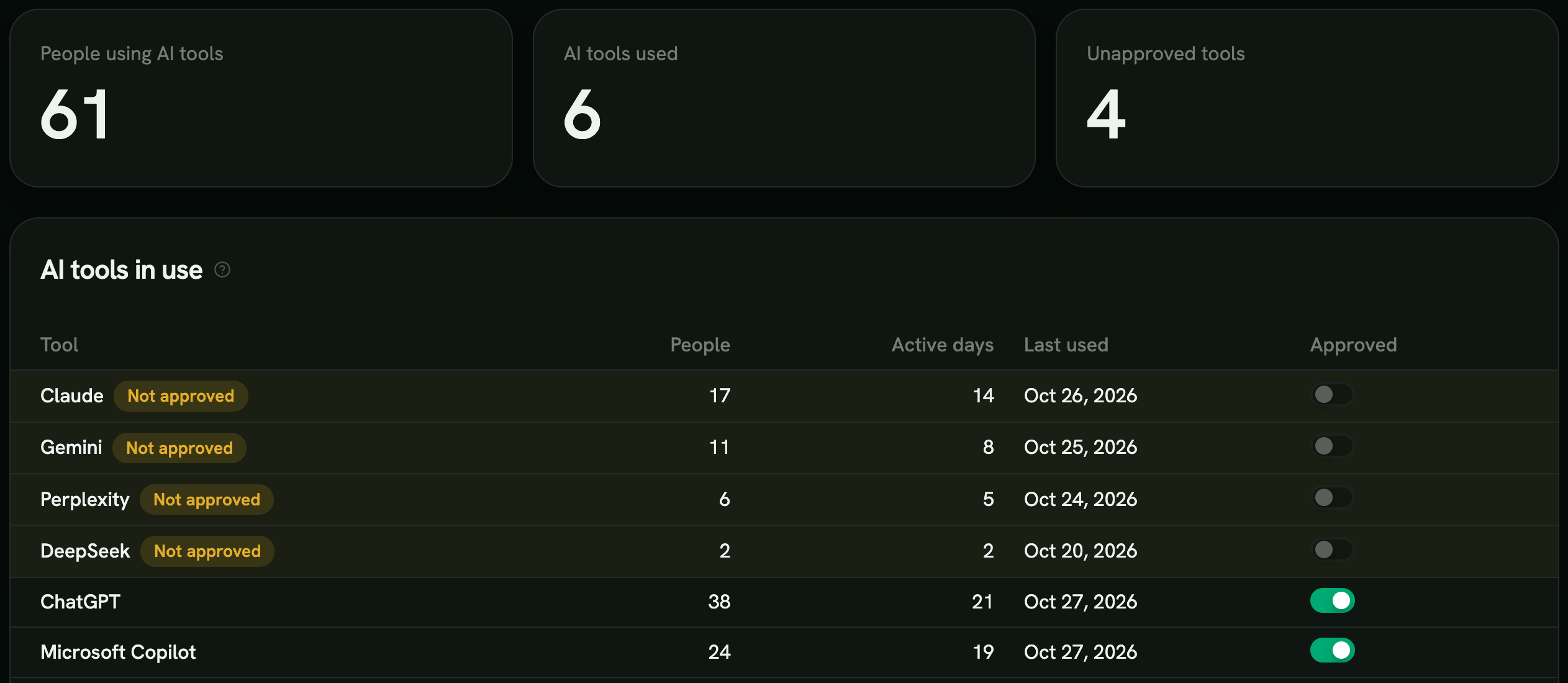
- AI tool visibility
- Daily counts per AI tool, anonymous unless you turn attribution on.
- Training per risk situation
- Pick the microlearning for each kind of risky moment, offered on the person’s tab right after.
- Brand watch
- New look-alike domains of your brand, found daily in certificate transparency logs, blocked in the browser, with one email a day.
Roll out with the tools you already manage browsers with
- Google Admin
- Microsoft Intune
- Edge policy
- Self-install from the Chrome Web Store, then sign in
Warnings feed the risk score
The extension is one of the sources behind each person’s Human Risk Score.
-
Feeds the Human Risk Score
Going past a warning raises it; going back and confirmed reports lower it.
-
Recommended for you
After a risky moment, a matching microlearning appears on the person’s tab.
-
Identity and browser integrations
Microsoft Entra, Defender for Endpoint and Chrome Enterprise add risky sign-ins, consents, password reuse and malware.
-
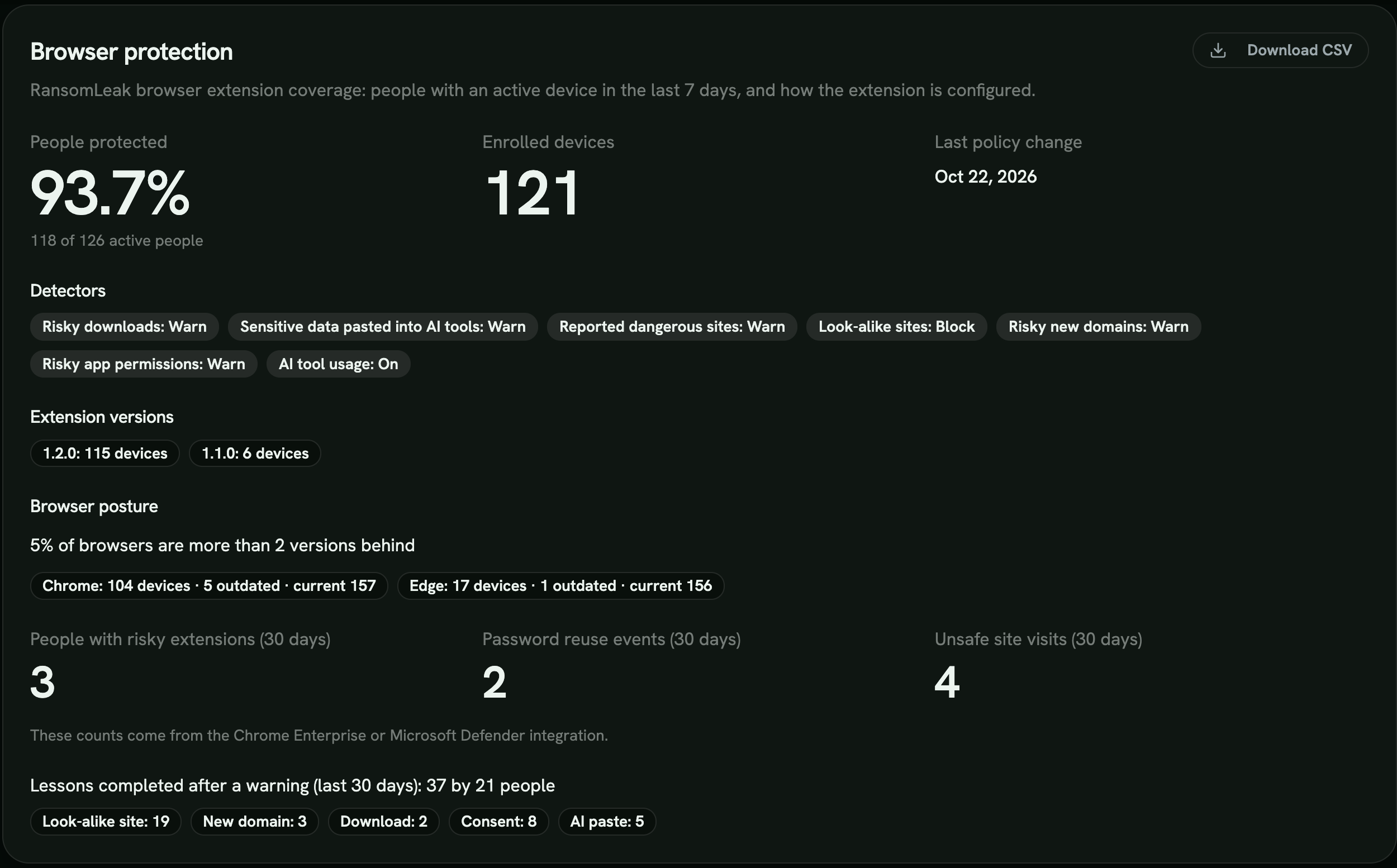
Compliance evidence
Coverage, detector settings, browser posture and lessons after warnings, in the Compliance page and reports.
Designed to pass a privacy review
It does nothing until connected to your workspace, and asks for the fewest permissions that do the job.
What reaches RansomLeak
- Warning events: host name, time, the check that fired and what the person chose
- Sites the person reports as suspicious
- The app name and permissions on a warned consent screen
- The category of a warned AI paste, never the text
- Daily AI tool counts, anonymous unless you turn attribution on
What it never touches
- Passwords and form fields
- Page content
- Browsing history
- Pasted text
- Access to all websites (optional site access covers AI tool sites only)
Data stays in your region, US or EU. The source code is public on GitHub under the Business Source License 1.1.
Speaks your employees’ language: English, German, French, Italian, Dutch and Ukrainian
Watch it stop a phish, live
We connect the extension to a demo workspace and walk your team through every warning.
Frequently asked questions
What is the RansomLeak browser extension?
The RansomLeak browser extension warns employees in Chrome and Edge the moment a phishing or account-takeover attempt reaches the browser, and turns that moment into a short lesson.
It checks each site on the device and warns on look-alikes of well-known brands or your own company, new domains, pages reported by researchers and consent screens asking for broad access. Only warning events and reports leave the device.
Which browsers does it support?
Google Chrome and Microsoft Edge, as a Manifest V3 extension. Deploy it centrally through Google Admin, Microsoft Intune or Edge policy with your workspace’s enrollment token, or let people self-install it from the Chrome Web Store and connect by signing in to their workspace.
Does the extension cost extra?
No. It is free with RansomLeak, and the Human Risk Score it feeds is included in every plan.
Can it read what my employees type or browse?
No. It never reads passwords, form fields, page content or browsing history. Domain checks run on the device against downloaded lists, and only warning events and the person’s own reports are sent.
On a risky consent screen it reads the app name and requested permissions on the device. An AI paste is checked on the device and never sent.
Can employees see what is known about them?
Yes. The popup has a What we know about you view listing every signal about the person: warnings and what they chose, their reports, and their AI tool counts.
Do the 60-second lessons affect the risk score?
No. Lessons are optional and completion is recorded for your evidence, but it never changes the score. The score responds to what people do on warnings and to confirmed reports.
Where is the data stored?
In the same region as your RansomLeak workspace, US or EU. See the full data list in the docs.