Skip to content

Blog

Shadow IT: The Security Risks Hiding in Your SaaS Stack

Shadow IT security risks - unauthorized cloud apps orbiting a corporate server, connected by warning-flagged data flows

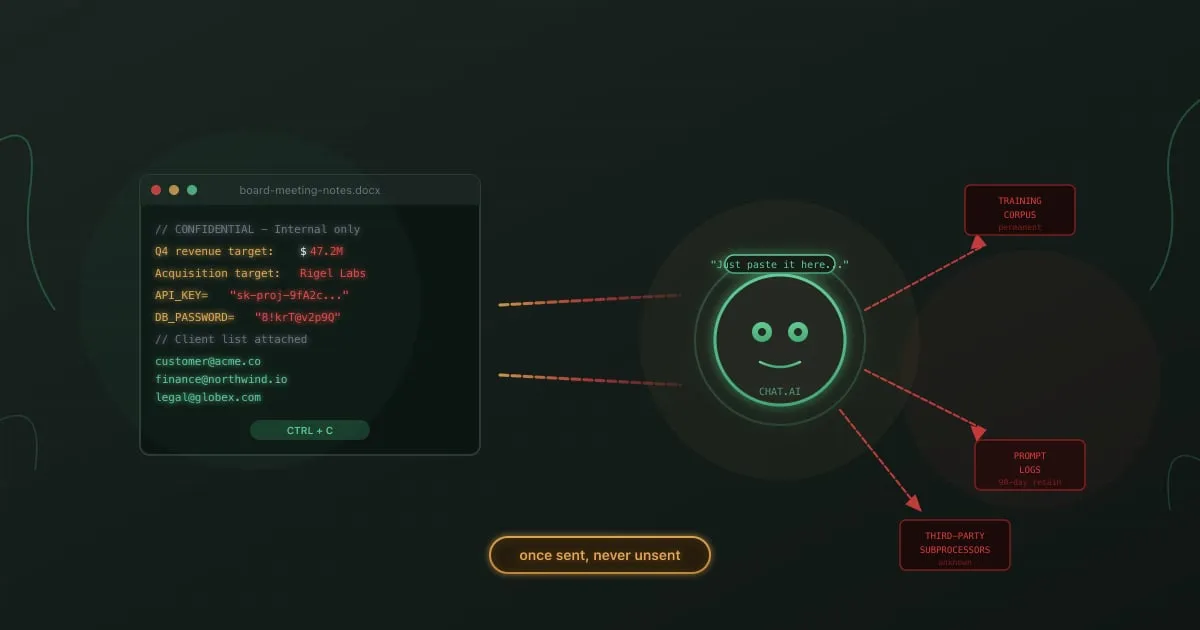
A product manager signs up for an AI writing tool using her corporate email. She pastes the company’s Q3 roadmap into it to help draft a press release. The tool’s terms of service allow it to use input data for model training. Three months later, a competitor’s analyst finds fragments of that roadmap in the tool’s outputs.

Nobody approved the tool. Nobody reviewed its privacy policy. Nobody even knew it existed on the network until the legal team got a call.

GDPR Training for Employees: Beyond the Annual Checkbox

GDPR employee training - compliance document with interactive training scenarios

A marketing manager adds a customer’s email to a campaign list without checking consent records. A support agent shares a user’s account details with someone claiming to be their spouse. A developer copies production data containing real names and addresses into a staging environment.

None of these people intended to violate the GDPR. All of them did.

The General Data Protection Regulation has been enforceable since May 2018. Eight years in, fines keep climbing. The Irish Data Protection Commission fined Meta EUR 1.2 billion in 2023 for illegal data transfers to the US. The Italian Garante fined OpenAI EUR 15 million in late 2024 for ChatGPT’s privacy violations. These headlines grab attention, but the pattern behind them is consistent: organizations that treated GDPR as a legal department problem instead of a company-wide responsibility.

Your lawyers can’t prevent the marketing manager from misusing consent data. Your DPO can’t watch every developer’s staging environment. The only thing that scales is training, and most GDPR training programs are doing it wrong.

OWASP Top 10 for LLM Applications: What Security Teams Get Wrong

OWASP Top 10 for LLM Applications - neural network with vulnerability categories

OWASP published its first Top 10 for Large Language Model Applications in 2023. Two years later, most security teams still treat “LLM risk” as a synonym for “prompt injection.” That’s like treating the OWASP Web Top 10 as if SQL injection were the only vulnerability that mattered.

The 2025 revision of the OWASP LLM Top 10 expanded and reorganized the list based on real-world incidents. Supply chain attacks replaced insecure plugins. System prompt leakage and vector embedding weaknesses got their own categories. The list reflects what attackers are actually doing, not what conference talks speculate about.

Your employees interact with LLMs daily. Customer support agents use chatbots. Marketing teams generate content. Developers lean on AI coding assistants for everything from debugging to architecture decisions. Each interaction is a potential attack surface, and your team probably doesn’t know it.

Callback Phishing (TOAD): No Links, All Danger

Callback phishing attack flow showing a fake invoice email leading to a phone call and remote access compromise

You get an email from “Norton LifeLock” confirming your annual renewal at $499.99. You did not buy Norton LifeLock. There is no link to click, no attachment to open. Just a phone number to call if “this charge was made in error.”

So you call it. The person who answers sounds professional, patient, and genuinely helpful. They ask you to visit a website and download a “cancellation tool” so they can process your refund. What you are actually downloading is remote access software. Within minutes, the person on the other end controls your machine.

No malicious link was clicked. No attachment was opened. Your email security caught nothing because there was nothing to catch.

This is callback phishing, and it is one of the fastest-growing attack types in corporate environments.

Credential Stuffing: How Leaked Passwords Work

Credential stuffing attack visualization showing a breached database, an automated bot, and multiple login forms being tested

In January 2024, a security team at a mid-size SaaS company noticed something odd. Over a single weekend, their authentication logs showed 340,000 failed login attempts across employee and customer-facing portals. The attempts came from thousands of IP addresses, rotating every few requests. Buried in the noise: 47 successful logins.

None of those 47 accounts had been brute-forced. The attackers already had the correct passwords. They had purchased a batch of stolen credentials from a 2023 breach of an unrelated service, and 47 employees had used the same email and password combination for both.

This is credential stuffing. Not a sophisticated exploit. Not a zero-day. Just a bet that people reuse passwords, and that bet pays off roughly 0.1% to 2% of the time. At scale, that is enough.