AI Security Training for every team that
uses or builds AI
Employees learn to catch AI-written phishing, cloned voices and poisoned documents. Engineers learn to stop prompt injection, hallucinated packages and over-permissioned agents.
Try it yourself. No sign-up needed.
The attack
Hidden text in a bid tells the assistant what to say about it.
The fix
What an assistant reads is data. Check the source before you act on it.
The attack
The assistant named a package that someone registered six days ago.
The fix
Check age and owner before you install what an assistant suggests.
The attack
One request and the support bot repeats its own instructions.
The fix
Secrets never belong in a prompt. Keep them behind the API.
The attack
A line in a ticket becomes the agent's new goal.
The fix
Give high-impact tools a human approval step.
The attack
A tool description asks for a file the tool has no reason to read.
The fix
Pin and review MCP servers, and scope what their tools can touch.
Animated preview. The exercise itself runs in a full simulated workplace.
Trusted by teams at











Founded by the creator of Kontra Application Security Training.
Training for everyone who touches AI
Three groups meet AI risk in different places. Each gets short, hands-on exercises built for where they meet it.
Every employee
Engineers using assistants
Teams building with AI
Training at the moment someone pastes
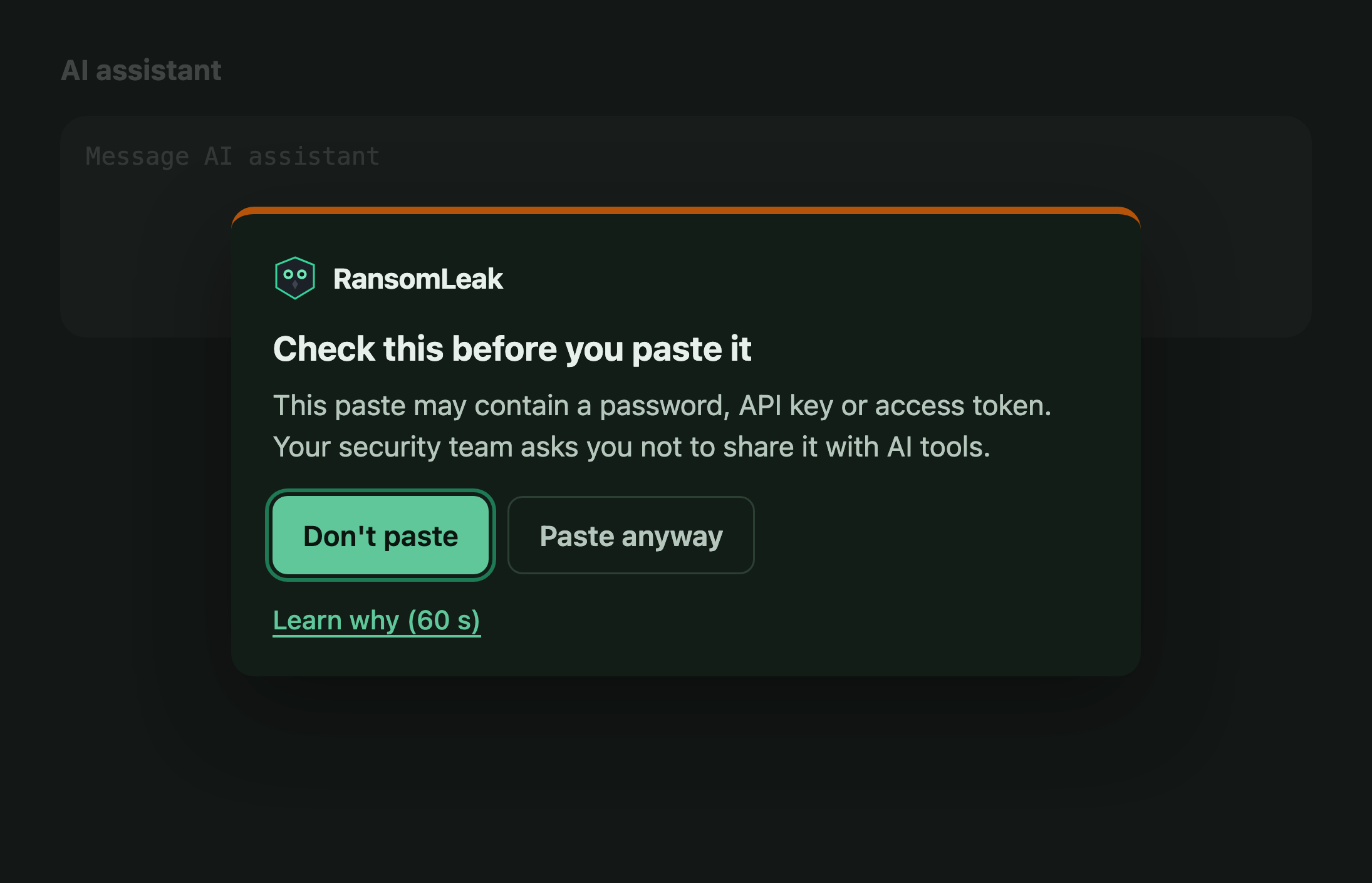
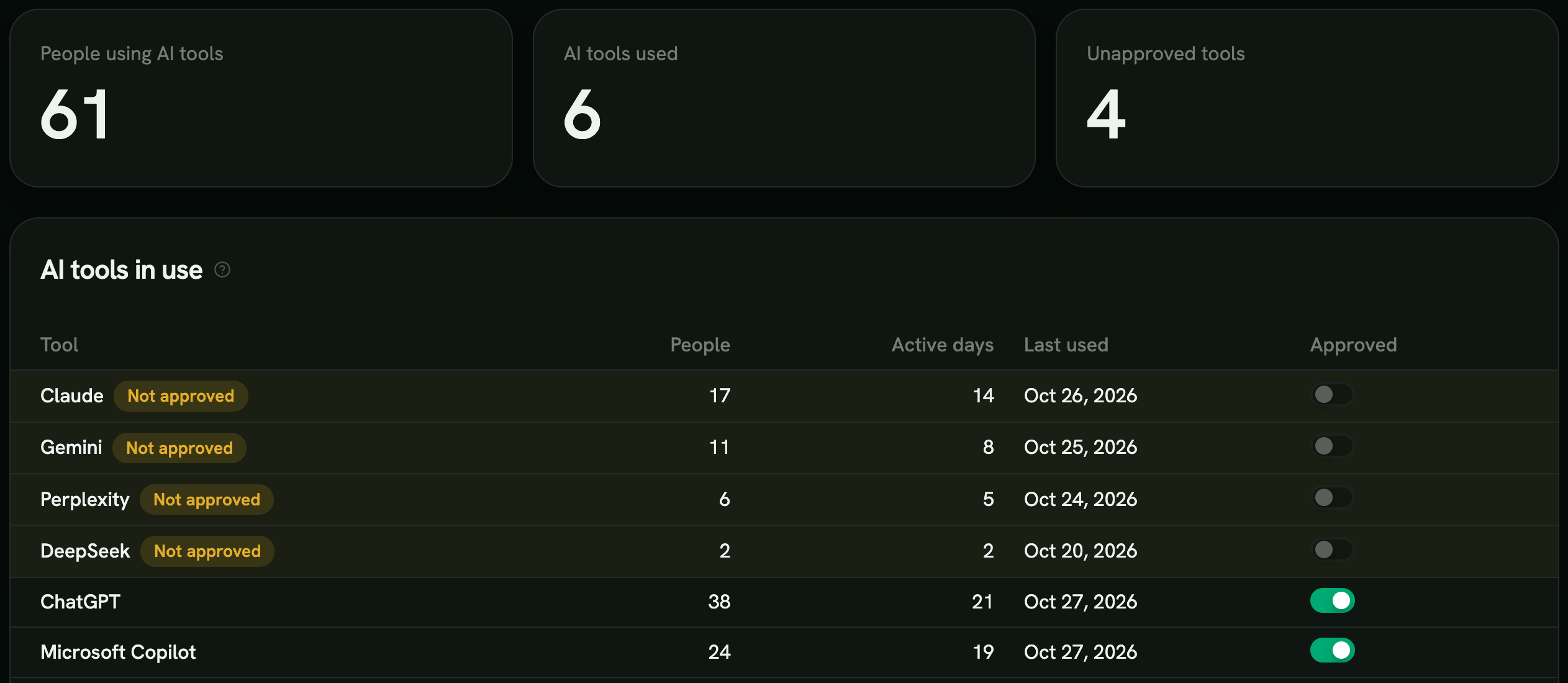
The RansomLeak browser extension warns before a password, API key, card number or email list goes into ChatGPT, Claude, Gemini and 55+ other AI tools. The warning links to a one-minute lesson on why.
See the browser extensionThe paste is checked on the device and never leaves it. Only the category of a warned paste is reported.
Evidence for the EU AI Act, per person
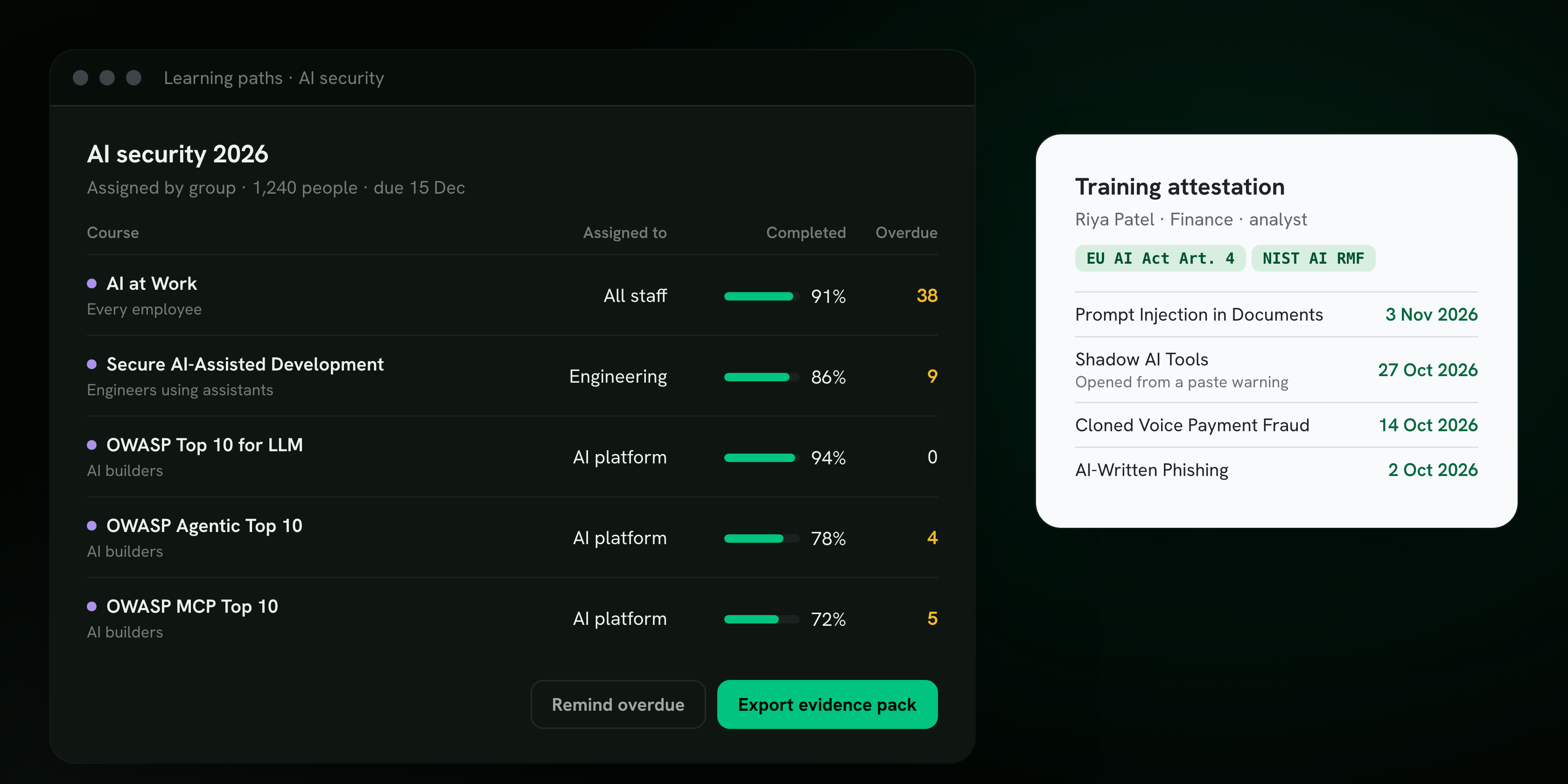
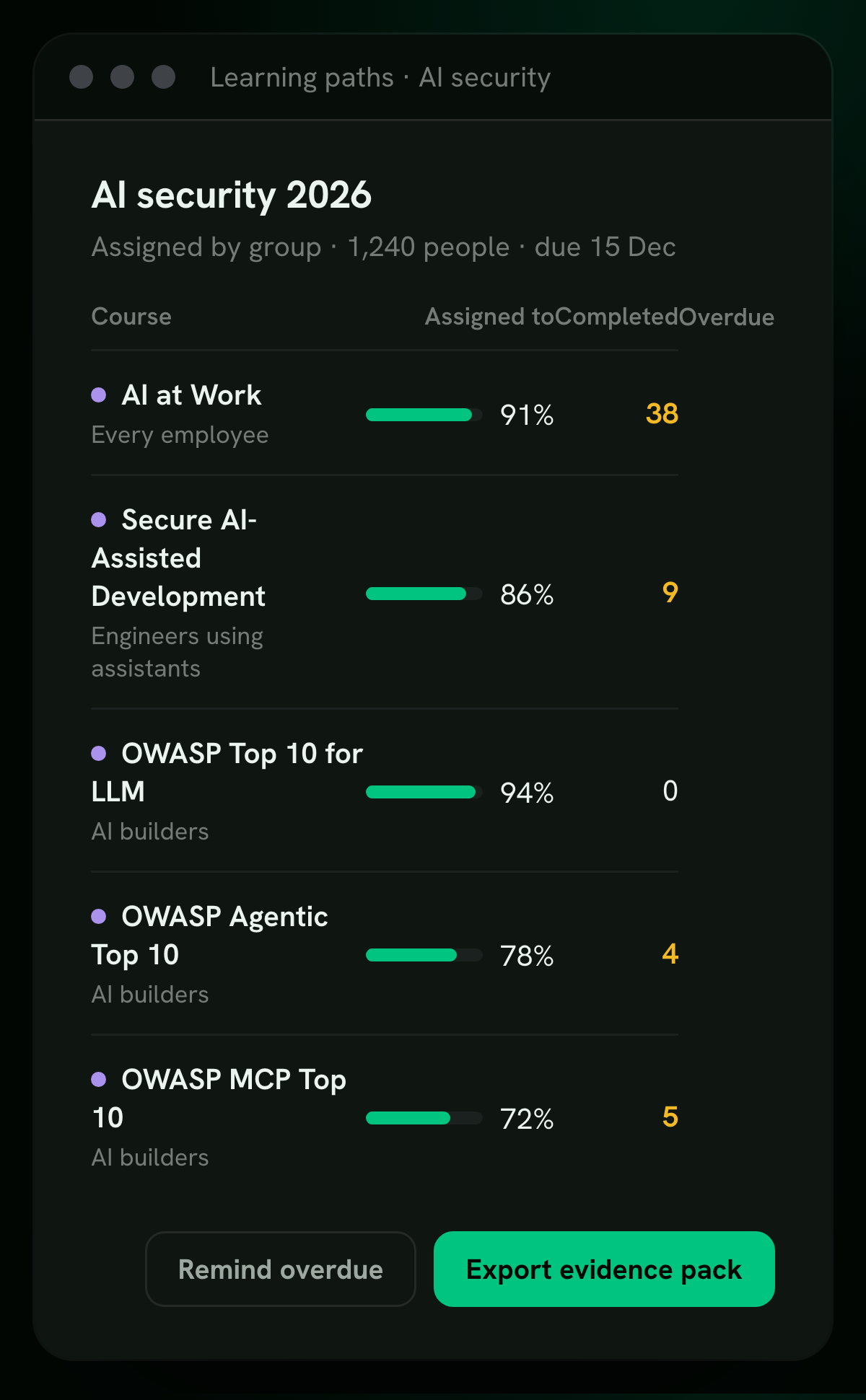
Assign the right course to each group with a due date. The console tracks completion per course and per person, and exports attestations tagged to EU AI Act Article 4 and the NIST AI RMF.
AI security on the platform you already train on
AI risk is one more topic, not one more vendor. RansomLeak runs AI security next to security awareness, phishing simulations and developer training.
Every employee
- AI at Work: phishing, voices, deepfakes, shadow AI
- Paste warnings and AI tool visibility in the browser
- AI literacy evidence for EU AI Act Article 4
Engineers and AI builders
- Secure AI-Assisted Development
- OWASP Top 10 for LLM, agentic and MCP apps
- Application security tracks for web, API and cloud
Shared by both
- SSO and SCIM provisioning
- SCORM and LTI 1.3, or our cloud LMS
- Completion evidence synced to Vanta and Drata
Try a prompt injection yourself
It takes a few minutes and no sign-up. When your team is ready, we will set up the courses each group needs.
Questions security leaders ask
What is AI security training?
Training that teaches people to use and build AI without opening new holes. For employees that means spotting AI-written phishing, cloned voices, deepfakes and poisoned documents. For engineers it means prompt injection, hallucinated packages and agents with too much access.
On RansomLeak every exercise is hands-on and takes 5 to 10 minutes.
Is this AI security awareness training for employees?
Yes. AI at Work is security awareness training for the AI era: AI-written phishing, cloned voices, deepfakes, shadow AI tools and poisoned documents, in 5 to 10 minute exercises.
It runs next to your existing awareness program, on the same platform and in the same reports.
Is it for everyone or only for engineers?
Both, with different courses. AI at Work is for every employee who uses AI tools. Secure AI-Assisted Development is for engineers using coding assistants, and the OWASP LLM, agentic and MCP courses are for teams building AI features.
Does it cover EU AI Act Article 4 AI literacy?
Yes. Completion is tracked per person and exported as attestations tagged to Article 4, and the evidence can sync to Vanta and Drata. See the EU AI Act page for how the courses map to the obligation.
Which frameworks do the engineering courses follow?
The OWASP Top 10 for LLM Applications, the OWASP Top 10 for Agentic Applications and the OWASP MCP Top 10. Each risk in those lists has its own exercise, from prompt injection and excessive agency to tool poisoning and token exposure.
Do people need to install anything?
No. Every exercise runs in the browser inside a simulated workplace or workstation. The browser extension is optional and adds paste warnings and AI tool visibility on top.
Can we deliver it through our own LMS?
Yes. Exercises ship as SCORM 1.2 and 2004 packages or an LTI 1.3 launch, so they work in Moodle, Canvas, Cornerstone, Workday and most other LMSs. You can also run them on the RansomLeak cloud LMS with SSO.