Overview
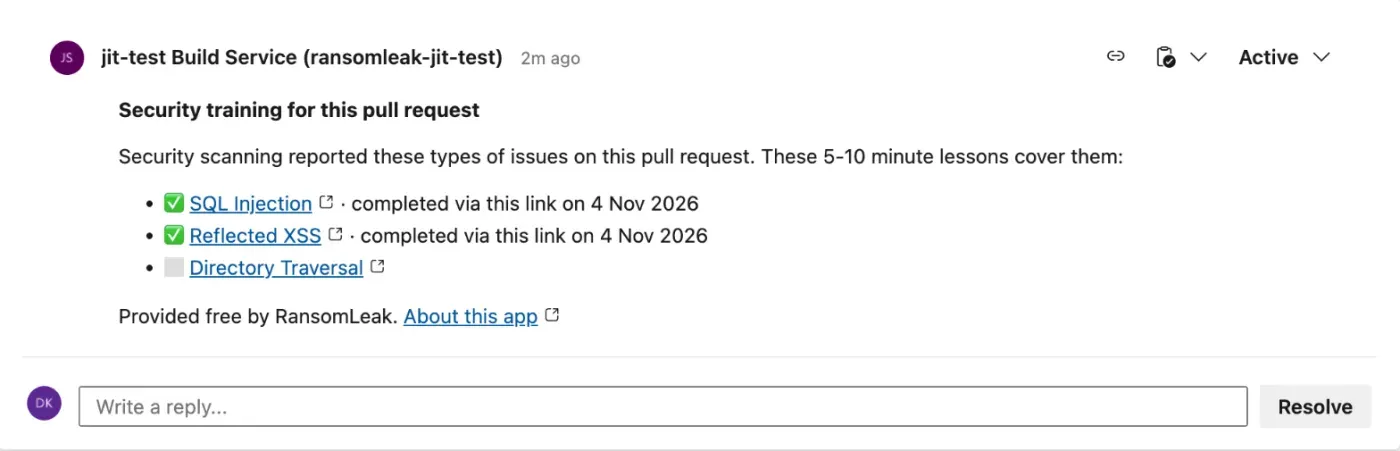
Scanners find the bug. The developer who wrote it still needs to learn the fix. This task puts that lesson on the pull request, at the moment the code is under review.
- Reads SARIF from CodeQL, Semgrep, Trivy, Gitleaks
- Matches each finding to a 5-10 minute lesson
- Posts one thread on the pull request
- Never fails the build
How it works
-
Your scanner runs in a pull request build and writes a SARIF file. The task reads it after the scan step.
-
Each finding is matched on its CWE. Secrets and dependency advisories match on the scanner type, so a hard-coded secret or a vulnerable package maps to the lesson that teaches the fix.
-
The task adds one comment thread with up to five lessons, one per issue type, and updates that same thread on later runs.
-
When someone finishes a lesson, it is ticked on the next pipeline run, or straight away if the optional app is connected.
Add it to your pipeline
Install RansomLeak Secure Coding Lessons from the Visual Studio Marketplace into your organization, then add the task after the step that writes SARIF:
- task: RansomLeakLessons@1
  condition: always()
  inputs:
    sarif: results.sarif
The task runs only on pull request builds, so add the pipeline as a build validation policy on the target branch. It signs in with the pipeline's own identity token, so there is no service connection and no secret.
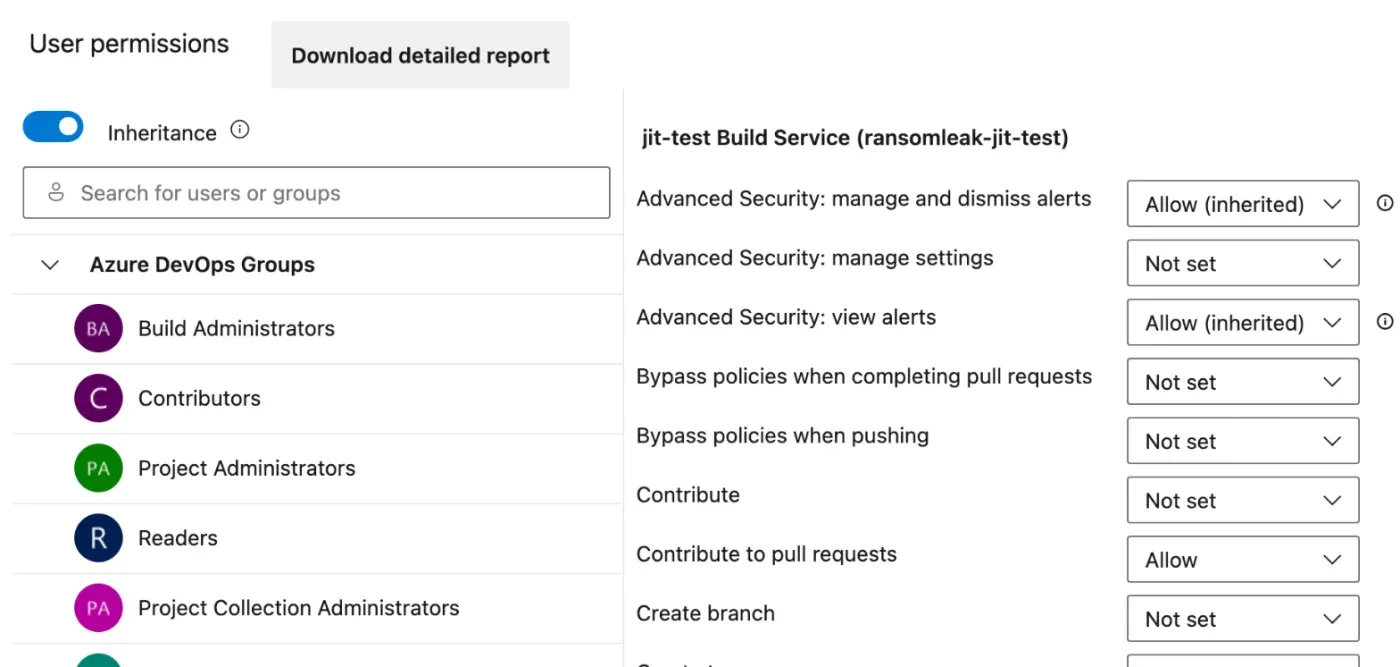
Once per repository, give the project Build Service the Contribute to pull requests permission so it can comment.
The optional RansomLeak app
The task is all most teams need. The app adds instant ticks and a pull request status named
ransomleak/secure-coding, which is pending while lessons are open and succeeded
when they are done. It never fails.
| Pipeline task | Task with the app | |
|---|---|---|
| Cost | Free | Free, plus one Basic seat |
| Ticks a finished lesson | On the next run | Straight away |
| Pull request status | No | Yes, never failing |
| Needs a directory admin | No | Yes, once |
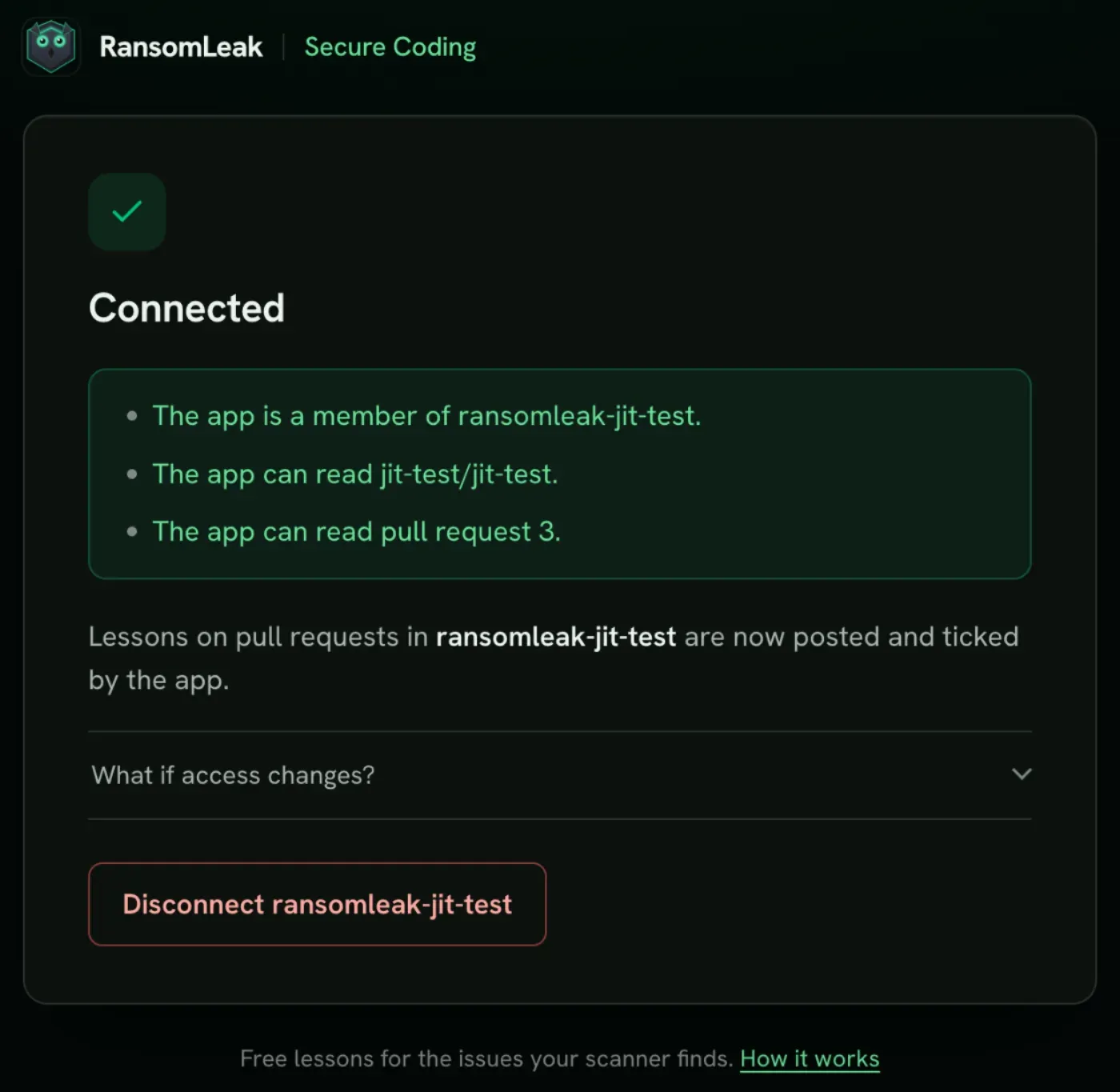
A Microsoft Entra admin approves the app for your tenant. The Connect page then checks access and tells you exactly what is missing.
Pull requests without lessons never report the status, so do not make it a required policy.
Permissions and data handling
| Data | How it is handled |
|---|---|
| Findings | Scanner name, CWE ids, whether a rule is a CVE or GHSA advisory, and the pull request number. No source code, file paths, snippets or secrets. |
| The developer | No per-developer record is kept on our side. |
| Completions | One mark per pull request and lesson, holding only ids and a time. It expires after 30 days. |
A tick means the lesson was completed through that pull request's link, not proof of who did it. For how RansomLeak handles data, see the privacy policy.
Frequently asked questions
Does RansomLeak integrate with Azure DevOps?
Yes. RansomLeak Secure Coding Lessons is a free pipeline task from the Visual Studio Marketplace. When your scanner flags a weakness on an Azure Repos pull request, the task posts one thread with matched secure-coding lessons of 5-10 minutes. No RansomLeak account is needed.
Which scanners does it work with?
Any scanner that writes SARIF, including CodeQL, Semgrep, Trivy and Gitleaks, and other tools whose rules carry a CWE, a CVE or a GHSA. For GitHub Advanced Security for Azure DevOps, export the scan results as SARIF and pass the file to the task.
Will it fail my build or block the merge?
No. The task never fails your build. If RansomLeak cannot be reached, the permission is missing or the SARIF file is invalid, it logs a warning and carries on. The optional app sets a pull request status that never fails either.
What does the optional RansomLeak app add?
Without it, a finished lesson is ticked on the next pipeline run. With it, the tick appears straight away and the app sets a pull request status named ransomleak/secure-coding. A Microsoft Entra admin approves the app once, and it needs a Basic seat in your organization.
What data does RansomLeak receive?
Identifiers only: the scanner name, the CWE ids of the rules that produced a result, whether a rule is a CVE or GHSA advisory, and the pull request number. No source code, file paths, snippets or secrets leave the agent, and RansomLeak keeps no per-developer record.
Is Azure DevOps Server supported?
No. The task works in any Azure DevOps Services organization. Azure DevOps Server and pull requests from forks are not supported.
Need a hand?
Email support@ransomleak.com and we will help you connect Azure DevOps to your tenant.