Overview
Scanners find the bug. The developer who wrote it still needs to learn the fix. This pipe puts that lesson on the pull request, at the moment the code is under review.
- Reads SARIF from CodeQL, Semgrep, Trivy, Gitleaks
- Matches each finding to a 5-10 minute lesson
- Posts one comment and a Code Insights report
- Never fails the build
How it works
-
Your scanner runs in a pull request pipeline and writes a SARIF file. The pipe reads it after the scan step.
-
Each finding is matched on its CWE. Secrets and dependency advisories match on the scanner type, so a hard-coded secret or a vulnerable package maps to the lesson that teaches the fix.
-
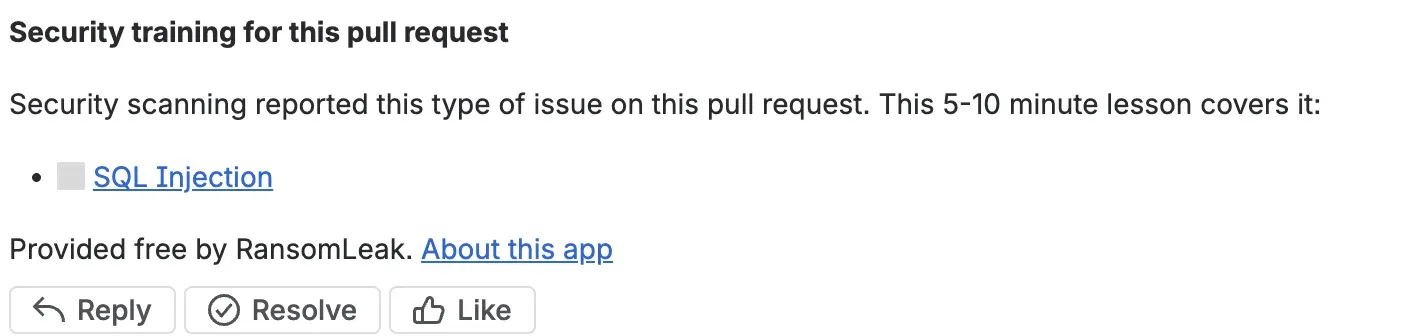
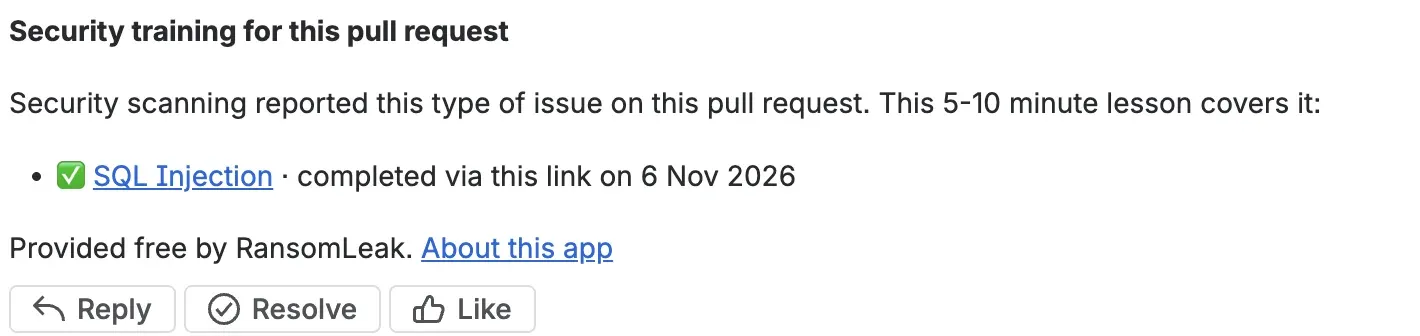
The pipe writes a Code Insights report with the lesson links and adds one pull request comment with up to five lessons, one per issue type. It updates that same comment on later runs.
-
When someone finishes a lesson, it is ticked on the next pipeline run, or within seconds if the optional app is installed.
Add it to your pipeline
Add the pipe after the step that runs your scanner and writes SARIF. The step needs
oidc: true, so RansomLeak can tell which workspace and repository the request
comes from:
- step:
    name: Scan and learn
    oidc: true
    script:
      # ... your scanner writes results.sarif ...
      - pipe: docker://ghcr.io/ransomleak/secure-coding-pipe:1
        variables:
          SARIF: results.sarif
The pipe runs only in pull request pipelines, so put it under pull-requests. It
signs in with the step's OIDC token, so there is nothing to sign up for. SARIF accepts
a path or a glob such as reports/**/*.sarif.
To get the comment without the app, create a repository access token with
Pull requests: Write and Repositories: Read, store it as a
secured repository variable and pass it to the pipe as BITBUCKET_ACCESS_TOKEN.
Without a token the lessons still appear in the Code Insights report, under Reports on the pull request.
If SonarQube already analyses your pull requests, set SONAR_HOST_URL,
SONAR_PROJECT_KEY and (for SonarQube Cloud) SONAR_ORGANIZATION
instead of SARIF. Pass SONAR_TOKEN as a secured variable: it needs
Browse permission and stays in your pipeline. SonarQube Server needs Developer Edition or
higher. See the
SonarQube section of the setup guide.
The optional RansomLeak app
The pipe is all most teams need. The app for Bitbucket Cloud posts the comment as RansomLeak with no access token, and ticks finished lessons within seconds.
| Pipe | Pipe with the app | |
|---|---|---|
| Cost | Free | Free |
| Lesson comment | Needs an access token, otherwise report only | Posted as RansomLeak, no token |
| Ticks a finished lesson | On the next run | Within seconds |
| Code Insights report | Yes, never failing | Yes, never failing |
| Needs a workspace admin | No | Yes, once |
The RansomLeak app for Bitbucket is live. A workspace admin installs it once for the whole workspace. It asks for read and write access to pull requests and repositories, and nothing else. The setup guide has the details.
Pull requests from forks get the Code Insights report only, with or without the app.
Permissions and data handling
| Data | How it is handled |
|---|---|
| Findings | Scanner name, CWE ids, whether a rule is a CVE or GHSA advisory, the pull request number and the commit hash. No source code, file names, line numbers, snippets or secrets. |
| The developer | No per-developer record is kept on our side. |
| Completions | One mark per workspace, repository, pull request and lesson, holding only ids and a time. It expires after 30 days. |
| Your access token | Stays in your pipeline and is sent only to Bitbucket. We store no Bitbucket credentials. |
A tick means the lesson was completed through that pull request's link, not proof of who did it. For how RansomLeak handles data, see the privacy policy.
Frequently asked questions
Does RansomLeak integrate with Bitbucket?
Yes. RansomLeak Secure Coding Lessons is a free pipe for Bitbucket Pipelines on Bitbucket Cloud. When your scanner flags a weakness on a pull request, the pipe posts one comment with matched secure-coding lessons of 5-10 minutes and writes a Code Insights report. No RansomLeak account is needed.
Which scanners does it work with?
Any scanner that writes SARIF, including CodeQL, Semgrep, Trivy and Gitleaks, and other tools whose rules carry a CWE, a CVE or a GHSA. The SARIF input accepts a path or a glob, up to 50 MB in total. The pipe also reads SonarQube Server (Developer Edition or higher) and SonarQube Cloud through the SONAR_* variables, instead of a SARIF file.
Will it fail my build or block the merge?
No. The pipe never fails your build. If RansomLeak cannot be reached, a token permission is missing or the SARIF file is invalid, it prints a warning and carries on. The Code Insights report never fails either.
How does the pipe comment on the pull request?
Either with a repository access token that has Pull requests: Write and Repositories: Read, or through the optional RansomLeak app for Bitbucket Cloud, which posts as RansomLeak and needs no token. Without either, the lessons still appear in the Code Insights report under Reports on the pull request.
What data does RansomLeak receive?
Identifiers only: the scanner name, the CWE ids of the rules that produced a result, whether a rule is a CVE or GHSA advisory, the pull request number and the commit hash. No source code, file names, line numbers, snippets or secrets leave the runner, and RansomLeak keeps no per-developer record.
Is Bitbucket Data Center supported, and what about forks?
No to Data Center: the pipe works in Bitbucket Cloud only. Pull requests from forks get the Code Insights report but no comment, with or without the app.
Need a hand?
Email support@ransomleak.com with a question, or if you use a scanner we do not cover yet.