
Cybersecurity Awareness Month Activities: A 31-Day Plan
Most October campaigns are a poster, a company-wide email, and one 45-minute video that people click through with the tab muted. Then the click rate dips for three weeks and goes back to normal.
The plan below is the opposite shape. One small thing per working day, four themed weeks, and nothing that needs more than 20 minutes of anyone’s time.
What makes a Cybersecurity Awareness Month activity work?
Section titled “What makes a Cybersecurity Awareness Month activity work?”Cybersecurity Awareness Month activities are the sessions, simulations, and desk-level exercises an organization runs during October to change specific employee behaviors. The ones that work take under 20 minutes and ask the employee to make a decision, rather than sitting them in front of a video and a quiz they can click through.
Two rules keep a plan out of trouble. Each activity targets one decision, not one topic, because “be careful with email” is not something anyone can do on Monday morning.
And each week ends with something the team sees. A number on a screen, a leaderboard, a short note about what went wrong somewhere. Silence for four weeks is how a campaign quietly dies.
How October 2026 actually lays out
Section titled “How October 2026 actually lays out”October 1, 2026 falls on a Thursday and the month closes on Saturday the 31st. That gives you 22 working days, which is more room than most people assume.
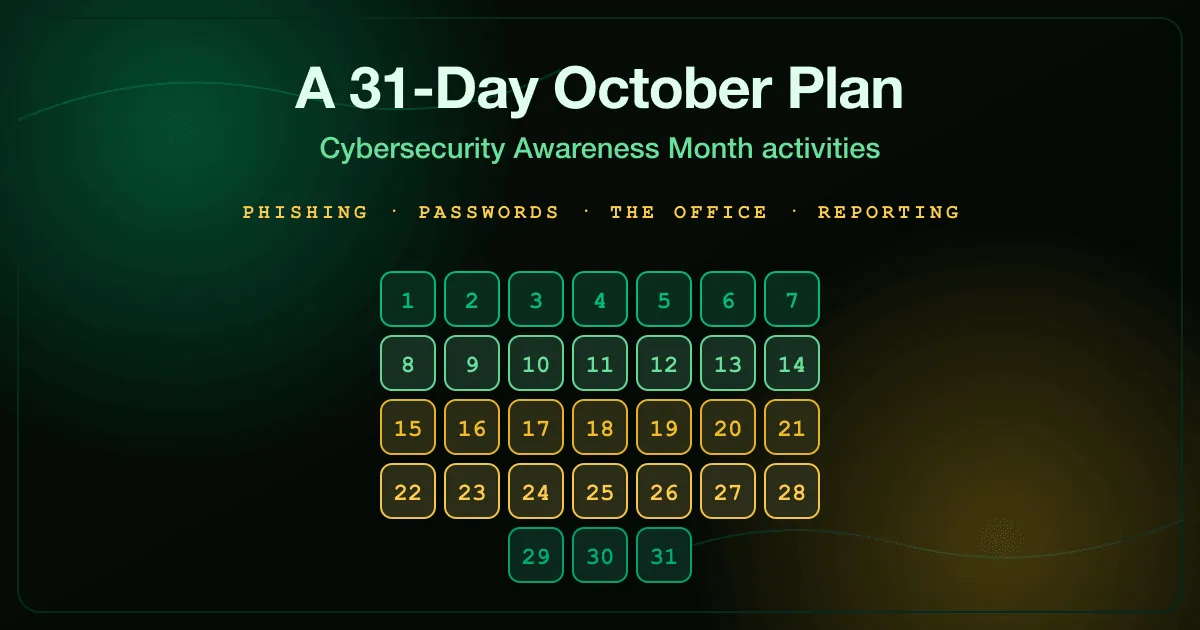
The version below uses the first two days as a launch, four full working weeks as the themed blocks, and the last day as the close. Weekends are deliberately empty. A campaign that reaches into people’s Saturdays is one they will resent by week three.
For the background on the 2026 themes and which one to put on the poster, see Cybersecurity Awareness Month 2026.
Launch: October 1 and 2
Section titled “Launch: October 1 and 2”Day 1, Thursday. Send the kickoff from a business leader, not from security. A note from the COO about the month gets read. The same note from the security mailbox gets filtered.
Say what the month is, what you will measure, and what you will not do. Publicly promising that nobody gets named for failing a phishing test buys you more honest reporting than any incentive.
Day 2, Friday. Publish the calendar. People plan around what they can see, and a visible schedule stops the campaign from feeling like a series of ambushes.
Week 1, October 5 to 9: phishing and reporting
Section titled “Week 1, October 5 to 9: phishing and reporting”The first week is the one everybody expects, so use it to change what you measure rather than what you say.
- Monday. Run a baseline phishing simulation. No warning, no follow-up email yet. This is your before number.
- Tuesday. Publish the result as a single figure, with no names. Report rate first, click rate second.
- Wednesday. Run Spear Phishing as a 15-minute desk exercise. It uses the personalized approach that generic phishing training misses.
- Thursday. Run General Incident Reporting. Most people know something was wrong and still say nothing, because nobody has told them what happens after they hit the button.
- Friday. Fifteen-minute open call. Ask what the confusing emails of the week were and answer them live.
Thursday is the day that matters. Click rate is a number you inherit from your email filter, and reporting rate is the one your training actually moves.
Week 2, October 12 to 16: passwords, MFA, and accounts
Section titled “Week 2, October 12 to 16: passwords, MFA, and accounts”Week two covers the credentials themselves. Keep it practical, because everyone has already heard the theory.
- Monday. Password Manager Habits. If you have a corporate manager, this is the week to get the last 30 percent of people onto it.
- Tuesday. Browser Autofill Risks. Autofill is the quiet part of credential theft that no policy document covers.
- Wednesday. Hold a 20-minute session on MFA prompts, specifically what to do when one arrives that you did not trigger.
- Thursday. Privileged Access Basics for anyone with admin rights, standing production access, or shared service accounts.
- Friday. Run an access review with team leads. Ask each one to name the accounts of people who left this year.
The Friday review is the activity people skip and the one that finds real findings. It usually takes an hour and it usually turns something up.
Week 3, October 19 to 23: the office nobody trains on
Section titled “Week 3, October 19 to 23: the office nobody trains on”This is the week that separates a good campaign from a recycled one. Physical and desk-level security gets almost no coverage in standard awareness programs, and it is where a walk-in visitor does most of their work.
- Monday. Clean Desk Basics. Then do an actual after-hours walk of one floor and photograph nothing, count everything.
- Tuesday. Unattended Printouts. Anything sitting in a shared tray belongs to whoever reaches it first.
- Wednesday. Secure Document Disposal. A bin is a holding area, not disposal, and most people have never been told the difference.
- Thursday. Printer Admin Security for IT and office management. Networked printers are computers with a web console, and a surprising number still answer to their factory credentials.
- Friday. Tailgating exercise at the main door. One volunteer, one badge reader, and a short debrief about how many people held the door.
Run the Monday walk yourself, count what you find, and report the count on Friday next to the same count from a second walk. Two numbers, one week apart, make the point better than any slide.
Week 4, October 26 to 30: home, travel, and the handoff
Section titled “Week 4, October 26 to 30: home, travel, and the handoff”The last working week covers everything outside the office, then hands the program to November.
- Monday. Home Router Security. Most home networks still run the firmware they shipped with.
- Tuesday. Secure Online Meetings. Meeting links get forwarded, and uninvited attendees are usually just quiet.
- Wednesday. Social Media Oversharing. This is where the material for next quarter’s spear phishing comes from.
- Thursday. Tabletop the incident. Pick something from the real-world incidents catalogue and walk a cross-functional group through the first hour.
- Friday. Publish the November through January schedule. Do it before October ends, while people still care.
The Thursday tabletop is worth protecting on the calendar. It is the only activity in the month that puts security, IT, legal, and communications in the same room before an incident rather than during one.
How do you close the month on October 31?
Section titled “How do you close the month on October 31?”Publish two numbers side by side: the reporting rate from week one and the reporting rate from the final week.
Do not publish an average score, a completion percentage, or a participation figure. Those measure whether people clicked, and you already know they clicked.
Then name the three things that changed as a result. Not three things you learned. Three things that are different on November 1, whether that is a rotated printer password, a disabled account, or a shredder that finally exists on the second floor.
How do you run all of this with no budget?
Section titled “How do you run all of this with no budget?”Every exercise linked above is free to run and needs no account, which covers the training half of the plan. The security awareness catalogue has the rest of the set.
The other half costs time, not money. The office walk, the access review, the tabletop, and the tailgating test are all internal work, and they are the activities that produce findings you can act on.
For toolkit material, the National Cybersecurity Alliance gives registered Champions free posters and social graphics, and CISA publishes its own campaign toolkit. Register before October and you will have the campaign assets without designing any.
How do you know whether October worked?
Section titled “How do you know whether October worked?”Wait until January. That is the uncomfortable answer, and it is the only honest one.
A campaign that changed behavior shows a reporting rate in January that sits above where it was in September. A campaign that produced a nice month shows a spike in October and a return to baseline by the end of the year.
If you want more activity formats than this calendar holds, we wrote up 15 hands-on activities for employees and 12 exercises with facilitator notes separately. Both work as substitutions for any day above.
Get October on the calendar
Section titled “Get October on the calendar”Take the plan, cut anything that does not fit your organization, and put the remaining days in a shared calendar this week. A four-week campaign that half exists on October 1 beats a perfect one that starts on the 8th.
If you would rather not assemble it yourself, tell us what your October looks like and we will help you build the schedule around what your people actually do.