
Slopsquatting: When AI Invents the Package You Install
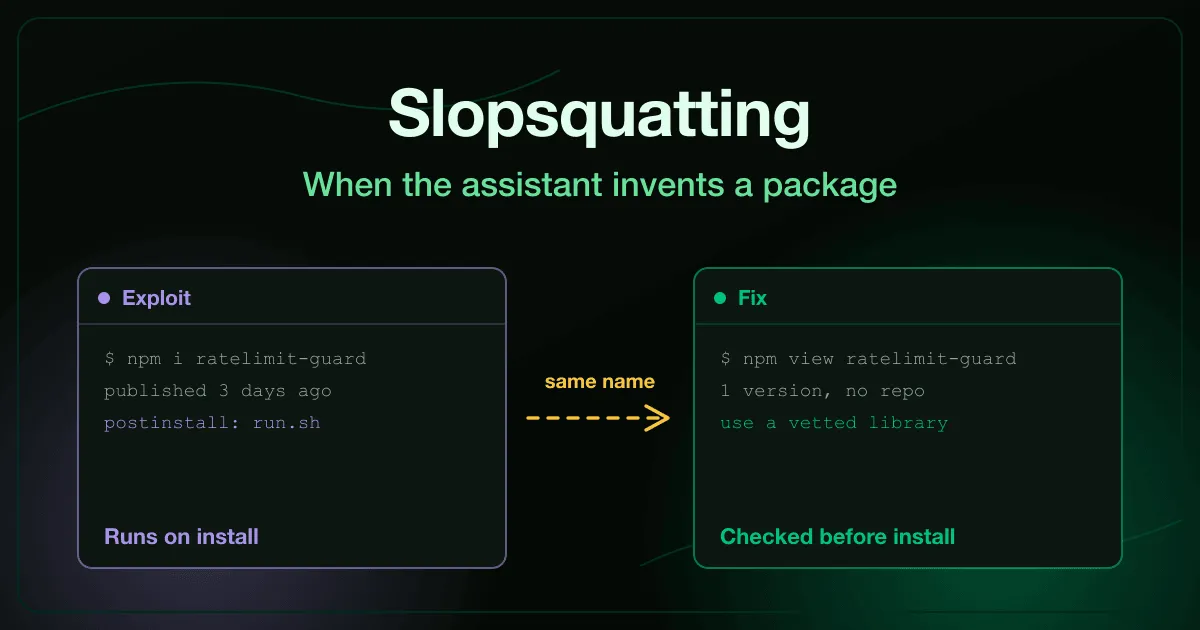
An AI assistant answers your question with a tidy diff and one new import. The package name sounds exactly like something that should exist, so you run the install command it suggested.
The package does exist now. It was registered last week by someone who noticed that assistants keep suggesting that name, and its install script ran before you had read a line of it.
What is slopsquatting?
Section titled “What is slopsquatting?”Slopsquatting is a software supply chain attack in which an attacker registers a package name that AI coding assistants hallucinate, then waits for developers to install it on the assistant’s advice. The name is not a typo of a real package. It is a plausible name that no real library ever used, until the attacker claimed it.
Seth Larson, security developer-in-residence at the Python Software Foundation, coined the term as a play on typosquatting. The difference matters: typosquatting waits for a human mistake, while slopsquatting waits for a model’s.
How often do AI assistants invent packages?
Section titled “How often do AI assistants invent packages?”Often enough to be a reliable target. Spracklen and colleagues, in research presented at USENIX Security 2025, generated 576,000 code samples in Python and JavaScript across 16 large language models.
Commercial models hallucinated packages in at least 5.2% of cases on average, and open-source models in 21.7%. The study recorded 205,474 unique hallucinated package names, a large pool of names an attacker could register.
Repeatability is what turns a hallucination into an attack. If a model suggests the same invented name to many developers, the attacker only has to register it once.
How does a hallucinated package become an attack?
Section titled “How does a hallucinated package become an attack?”The attack chain has four steps, and none of them needs access to your network:
- Collect names. The attacker prompts popular assistants with common coding tasks and records the package names that do not exist in the registry.
- Register them. The attacker publishes packages under those names on npm or PyPI, often with a working stub so nothing looks broken.
- Attach an install script. An npm
postinstallhook or a Python build step runs code the moment the package installs, before anything imports it. - Wait. Every developer who follows the assistant’s suggestion runs that script under their own account, with access to their tokens and keys.
In 2024, Bar Lanyado of Lasso Security tested the idea with a harmless placeholder. Models kept suggesting pip install huggingface-cli, a name the real project never used, so he registered it and recorded more than 15,000 downloads in three months. A README in an Alibaba repository had even started telling users to install it.
The AI Package Hallucination exercise walks through the same chain from the developer’s seat. You accept the assistant’s diff, watch the install script run, then read the registry listing you skipped and revoke the token it exposed.
How do you check a package before you install it?
Section titled “How do you check a package before you install it?”Look it up in the registry before the install command, not after. A fabricated package rarely fails one check, but it fails several together:
- Age. Published days or weeks ago, with no history behind it.
- Versions. One release, or a burst of releases on the same day.
- Downloads. A handful, or a sudden spike that does not match its age.
- Source. No linked repository, or a repository that does not contain the published code.
- Publisher. An account that joined the registry around the same time it published.
- Install scripts. A
postinstallor build hook in a package that has no reason to compile anything.
npm view <name> and the package’s page on pypi.org show most of this in seconds. If the assistant’s suggestion fails these checks, ask it for an established library with the same interface instead.
What should you do if you already installed one?
Section titled “What should you do if you already installed one?”Treat everything the install script could reach as exposed. That starts with credentials on the machine, such as the npm token in .npmrc, cloud profiles, and SSH keys.
Revoke the exposed credentials first, then remove the package. Deleting the dependency fixes the code, but only killing the credential contains the incident.
How do teams stop slopsquatting at scale?
Section titled “How do teams stop slopsquatting at scale?”Individual checks catch one package. Team controls stop the next invented name from reaching anyone:
- A private registry proxy with an approved-package list refuses names nobody has vetted.
- Install scripts are off by default.
npm install --ignore-scriptsor the equivalent setting blocks the code path slopsquatting depends on, with an explicit exception list for packages that need it. - A new entry in
package.jsonorrequirements.txtgets the same attention as a new function. - Lockfiles with integrity hashes stop a dependency from quietly changing under you.
Our AI coding assistant security risks overview places this alongside the other supply chain paths assistants open. For the human-error version of the same attack, see our guide to typosquatting.
What else can an assistant bring into your codebase?
Section titled “What else can an assistant bring into your codebase?”A package is only one thing an assistant can import without anyone noticing. Two more arrive the same way, through suggestions accepted without a second look.
Someone else’s licence. An assistant can reproduce code it learned from word for word, copyleft licence included. The AI Code License Contamination exercise traces a routine back to its upstream project, replaces it, and adds a snippet licence scan to every release.
Someone else’s instructions. An assistant reads a rules file in your repository and obeys it on every request, so that file is part of your supply chain too. The Rules File Poisoning exercise follows one unreviewed line that put an auth bypass back into production, then puts the file under a code owner.
Tests are the last line that should catch any of this, and assistants write those too. The Hollow AI-Written Tests exercise shows twelve green tests that never checked the case that leaked.
Frequently asked questions
Section titled “Frequently asked questions”Is slopsquatting the same as typosquatting?
No. Typosquatting registers a misspelling of a real package and waits for a person to mistype it. Slopsquatting registers a name no real package ever used and waits for an AI assistant to suggest it.
Do newer AI models still hallucinate packages?
The Spracklen study found rates vary widely between models, and lower rates are not zero. Any assistant can suggest a name it has not verified, so the registry check belongs in the workflow regardless of which model you use.
Does a lockfile protect against slopsquatting?
Only after the first install. A lockfile pins what you already installed, so it stops a package from changing later but does nothing about the moment you add a fabricated one. The check has to happen before that first install.
How do you train developers to catch hallucinated packages?
Let them install one in a safe environment and watch what its script does. Our Secure AI-Assisted Development course starts there, then covers the other things an assistant produces and the access it holds.
Check your last new dependency
Section titled “Check your last new dependency”Open the most recent dependency your team added on an assistant’s suggestion and run it through the six registry checks above. If anything looks off, rotate the credentials on the machines that installed it before you remove it.
Every exercise in the AI & LLM Security catalogue is free to try. You can also talk to us about training an engineering team.
Sources
Section titled “Sources”- Spracklen et al., We Have a Package for You! A Comprehensive Analysis of Package Hallucinations by Code Generating LLMs (USENIX Security 2025)
- The Register, AI bots hallucinate software packages and devs download them (March 2024)