
Copilot Data Security: Why AI Assistants Overshare
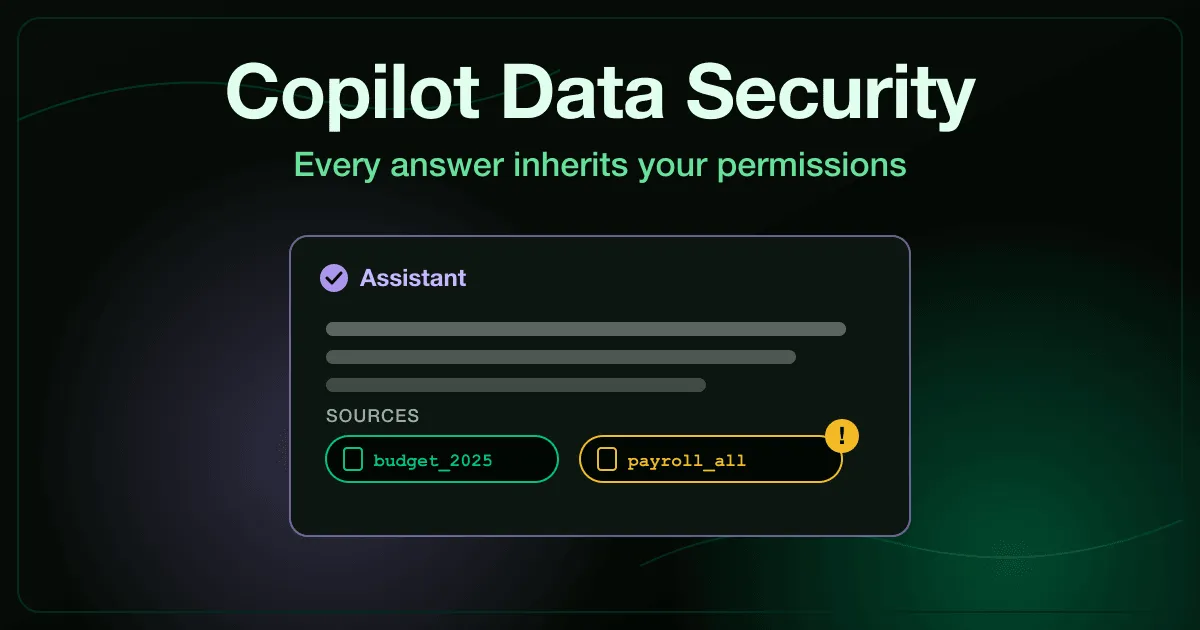
A finance analyst asks Copilot for last year’s travel budget. The answer comes back with the right total, and underneath it a citation to a spreadsheet holding every employee’s salary.
Nobody hacked anything. The file had been shared with the whole company years earlier, and until that morning nobody had gone looking for it.
What is Copilot data security?
Section titled “What is Copilot data security?”Copilot data security is the set of controls that decide what Microsoft 365 Copilot can read and repeat back to a user. Copilot answers with the permissions of the person asking, so it rarely creates new exposure. It finds the exposure that already exists, in over-shared files and in sites nobody has reviewed for years.
Microsoft states the rule directly: Copilot “only surfaces organizational data to which individual users have at least view permissions.” The permission model is sound. The permissions themselves usually are not.
Why does Copilot surface files people should not see?
Section titled “Why does Copilot surface files people should not see?”Before Copilot, an over-shared file was protected by obscurity. A payroll export sitting in a site open to the whole company stayed safe in practice, because nobody browsed to it and search rarely put it in front of anyone.
Copilot removes the obscurity. It grounds each answer in a search across the mail, chats, and files the user can open, then quotes what it finds. A question about budgets can return a salary table, because to the retrieval step the salary table is the most relevant document the user is allowed to read.
This is retrieval-augmented generation at work. The model answers from whatever the retrieval step hands it, and retrieval ranks by relevance, not by whether the reader has a business reason to see the file.
What are the biggest Copilot security risks?
Section titled “What are the biggest Copilot security risks?”Most Copilot exposure traces back to four patterns. None of them is exotic, and all of them existed before the rollout.
- Oversharing through inherited permissions: sites open to the whole organization, links set to “anyone in the company,” and group memberships that grew for years and never shrank. Copilot puts each of these one question away.
- Shared agents that answer from the builder’s files. Depending on how an agent’s knowledge is attached, the people it is shared with can read documents they could never open themselves.
- Poisoned or outdated sources. Retrieval has no notion of authority, so a planted or stale document can outrank the approved one and steer the answer.
- Answers used without checking the source. An employee who pastes a Copilot answer into an email also pastes whatever confidential figure the answer contained.
The first three are configuration problems for IT. The fourth is a human one, and it decides whether an exposure stays a near miss or becomes an incident.
How do shared Copilot agents change who can see a file?
Section titled “How do shared Copilot agents change who can see a file?”Agents make the permission question harder, because every agent has two parties: the person who built it and the people who use it. Whose access applies depends on how the knowledge was attached.
Microsoft’s knowledge-source table for Copilot Studio draws the line. SharePoint sources use the agent user’s own sign-in, so each person only sees content they can already open. Uploaded documents are stored with the agent and listed with no user authentication, so the agent answers from them for whoever it is shared with.
An employee who uploads a folder of 1:1 notes to build a team helper, then shares the helper, has shared the notes too. The shared AI agent access exercise plays this out: a helper built on all of its owner’s files, a colleague who reads a confidential restructure document through it two days later, and the steps to pause the agent, read its usage log, and narrow it to one folder.
How do you fix Copilot oversharing before rollout?
Section titled “How do you fix Copilot oversharing before rollout?”Microsoft’s own deployment guidance puts oversharing at the top of the list. A practical order looks like this:
- Find the over-shared content. Run the data access governance reports in SharePoint Advanced Management, which Microsoft includes with Copilot licensing, to find sites shared with everyone or with very large groups.
- Contain the worst of it while you clean up. Restricted SharePoint Search can limit Copilot and organization-wide search to up to 100 selected sites. Microsoft positions it as temporary, a way to buy time for a permissions review.
- Review access site by site. Send access reviews to the owners of the sites the reports flagged, and apply restricted access control to business-critical sites.
- Label what is sensitive. Sensitivity labels in Microsoft Purview can encrypt a file for named people, and Microsoft documents that Copilot honors the usage rights those labels grant.
- Set rules for how agents are built. Prefer agents grounded on SharePoint or other permission-trimmed sources over uploaded files, and review agents that are shared widely.
None of this is a one-time project. Sharing links multiply every week and so do agents, which is why the last line of defense is the person reading the answer.
What should employees do when Copilot shows them something they should not see?
Section titled “What should employees do when Copilot shows them something they should not see?”Technical controls reduce oversharing, but they never take it to zero. Sooner or later an employee gets an answer containing data they have no business reason to see, and their next move decides what happens to it.
The right response has three steps. First, check the cited source to see which file the answer came from and where it lives. Then check who that file is shared with, and report the exposure to IT or security and to the file’s owner instead of using, forwarding, or deleting it.
The AI assistant oversharing exercise puts employees in that moment. A routine budget question returns fourteen colleagues’ salaries from a payroll file shared company-wide by mistake, and the learner reads the source, opens the file’s access panel, and reports the share rather than using the number.
The same habit protects against poisoned sources. In the RAG pipeline exploitation exercise, a planted retention policy outranks the real one and produces bad compliance advice, and the investigation starts by tracing the answer back to the file that produced it.
How does Copilot fit into AI security awareness training?
Section titled “How does Copilot fit into AI security awareness training?”Copilot is one of several AI tools employees now use every day, and the risks overlap. Staff who paste client data into a free chatbot create the leakage covered in our guide to AI data leakage by employees, and unapproved tools create the shadow AI problem.
Training works best when it matches the tool people actually use. Instead of a policy slide about “responsible AI,” show employees an answer that cites a file they should not have, and let them practice what to do next.
RansomLeak’s AI at Work course covers these workplace scenarios, including assistant oversharing, shared agents, AI notetakers, and unreviewed AI drafts. Each exercise is a 5 to 10 minute interactive scenario in the AI and LLM security catalogue.
Frequently asked questions
Section titled “Frequently asked questions”Does Copilot bypass SharePoint permissions?
Section titled “Does Copilot bypass SharePoint permissions?”No. Microsoft documents that Copilot only surfaces content the signed-in user can already open, using the same access controls as the rest of Microsoft 365. The problem is that those permissions are often far wider than anyone intended.
Does Copilot use our data to train its models?
Section titled “Does Copilot use our data to train its models?”Microsoft states that prompts, responses, and data accessed through Microsoft Graph are not used to train the foundation models behind Copilot. The data risk is internal exposure between your own users, not your files ending up in a public model.
What is Copilot oversharing?
Section titled “What is Copilot oversharing?”Copilot oversharing is when the assistant returns content a user can technically open but should not see, such as salary files or HR documents shared too widely. The cause is the sharing settings, not the assistant.
Is Microsoft 365 Copilot safe to deploy?
Section titled “Is Microsoft 365 Copilot safe to deploy?”It can be, once oversharing is under control. Microsoft’s deployment guidance puts the permissions cleanup, temporary search restrictions, and sensitivity labels ahead of a broad rollout. Microsoft has since renamed the product Microsoft Copilot and says its security and privacy commitments did not change with the name.
Who is responsible for Copilot data security?
Section titled “Who is responsible for Copilot data security?”IT owns the permission model and the rollout controls, and site owners decide who can see their content. Every employee owns what they do with an answer that contains data it should not.
Bottom line
Section titled “Bottom line”Copilot does not create new holes in your permissions. It shows people the ones that were already there, one question at a time.
Fix the sharing before the rollout, keep agents on permission-trimmed sources, and train people to check the source and report what they find. If you want scenario-based training on the AI tools your staff already use, browse the AI and LLM security catalogue or talk to our team.
Sources
Section titled “Sources”- Microsoft Learn: Data, Privacy, and Security for Microsoft Copilot
- Microsoft Learn: Secure and governed data foundation for Microsoft Copilot (oversharing deployment guidance)
- Microsoft Learn: Get ready for Copilot with SharePoint Advanced Management
- Microsoft Learn: Restricted SharePoint Search
- Microsoft Learn: Knowledge sources summary for Copilot Studio